

Right then, let’s talk about those handy little barcode reader apps for your phone. It feels like just yesterday we were fumbling with separate scanners, but now, most of us have one right in our pocket. Whether you’re trying to grab a discount code off a poster, check the details on a train ticket, or even just get a product’s info, having a decent barcode reader app is pretty useful. We’ll look at some of the best ones out there for 2026, covering everything from the ones built into your phone already to those extra bits you might want.
Key Takeaways
- Start by using your phone’s built-in camera app, as it’s often the quickest and most secure option.
- If you need more features, look for barcode reader apps that are fast, don’t show ads, and respect your privacy.
- Ensure the app supports various barcode formats like QR, Data Matrix, and PDF417 for wider compatibility.
- Consider apps that offer quick focusing, especially in low light, for a smoother scanning experience.
- Prioritise apps that provide URL previews to help you avoid potentially risky links before opening them.
1. Built-In Camera App
Most of us have a barcode scanner already sitting in our pocket, right there in the default camera app. For a quick scan of a QR code or a standard barcode, your phone’s camera is often all you need. It’s fast, it’s convenient, and it doesn’t require downloading anything extra. Just open your camera, point it at the code, and usually, a notification pops up with the information or link. It’s a pretty neat bit of tech that’s become standard on most smartphones these days [b33c].
While the built-in camera is great for everyday use, sometimes you need a bit more. That’s where dedicated apps come in, offering features that go beyond simple scanning. For instance, platforms like Xcan.it allow you to update QR code links without needing to reprint them – a real lifesaver for marketing campaigns or signage that might change. They also provide a dashboard to track how many times your codes have been scanned, giving you insights into engagement. Plus, they enable dynamic QR codes, which are super useful for improving real-world campaigns across print, signage, and even on physical assets [fb69].
The built-in camera app is your first port of call for scanning barcodes. It’s usually the quickest and most straightforward option for getting information from a QR code or barcode. If you find yourself needing more advanced features, like tracking scans or updating links on the fly, then it might be time to explore dedicated apps.
2. Google Lens
For many Android users, Google Lens is already on their phone, often integrated right into the camera app. It’s a super handy tool that does more than just scan QR codes; it can identify objects, translate text, and even help you find similar products. When it comes to scanning, it’s pretty straightforward – just point your camera at the code, and Lens will usually pop up with an option to open the link. It’s a good, no-fuss option if you don’t want to download a separate app.
While Google Lens is convenient, it’s worth remembering that for businesses looking to manage their QR code campaigns, tools like Xcan.it offer a lot more power. With Xcan.it, you can actually update the links in your QR codes without having to reprint them, which is a lifesaver if a URL changes. Plus, you get a dashboard to track all your scans, giving you insights into how your campaigns are performing across print, signage, and other physical assets. They also offer dynamic QR codes, which are brilliant for making your real-world marketing more flexible and measurable.
Using Google Lens is a quick way to get information from a QR code without needing to install anything extra. It’s a smart feature that’s already part of your phone’s capabilities, making everyday tasks a bit simpler.
If your phone doesn’t have Lens integrated, you might need to enable it in your camera settings or download the standalone Google Lens app. It’s a solid choice for general use, but for anything more serious, you’ll want to look at dedicated platforms for better campaign management.
3. QR Code Reader Apps
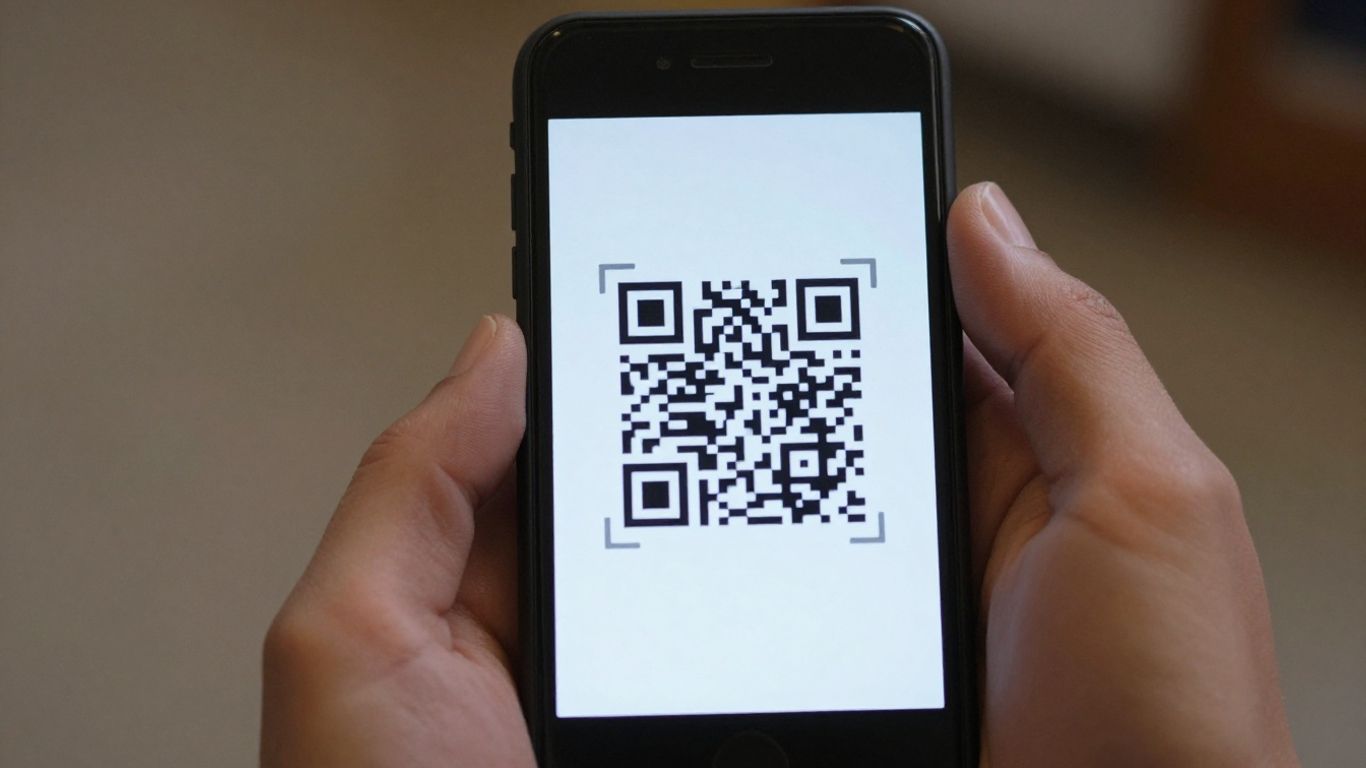
QR codes are everywhere these days, aren’t they? From restaurant menus to product packaging, they’ve become a super convenient way to get information quickly. While your phone’s built-in camera can handle most of them, sometimes you might want a bit more power or specific features. That’s where dedicated QR code reader apps come in.
These apps can offer a few advantages over just pointing your camera. For starters, some are built to be really fast, locking onto codes even in tricky lighting or if the code is a bit small. They can also provide extra safety features, like previewing a web link before you actually open it, which is a smart move to avoid dodgy websites. Plus, many of these apps support a wider range of barcode formats beyond just QR codes, which can be handy if you’re dealing with things like event tickets or shipping labels.
For businesses looking to get more out of their QR codes, services like Xcan.it really shine. They let you update the link behind a QR code without needing to reprint anything, which is a massive time-saver and cost-reducer. Imagine you’ve got a poster with a QR code, and the event details change – no problem, just update the link online. They also offer a dashboard where you can track how many times your QR codes are scanned, giving you real insights into how your campaigns are performing across print, signage, and other physical assets. Using dynamic QR codes like this can seriously boost the effectiveness of your real-world marketing efforts.
When choosing a QR code reader app, think about what you’ll use it for most. If it’s just for occasional use, your phone’s camera is probably fine. But if you scan codes often, or need to manage them for business, looking into options that offer advanced features like those from Xcan.it is definitely worth considering. It’s all about finding the right tool for the job, making sure it’s fast, safe, and does what you need it to do. You can find a good range of these apps available, many of which are free to download and use for basic scanning QR code reader apps.
Here are a few things to keep in mind when picking an app:
- Speed and Focus: How quickly does it lock onto a code? Does it struggle in low light?
- Safety Features: Does it show you where a link goes before you click it?
- Format Support: Does it only read QR codes, or other types like Data Matrix or PDF417 too?
- Ad-Free Experience: Are you bombarded with ads, or is it a clean experience?
Ultimately, the best QR code reader app for you will depend on your specific needs. For everyday use, the built-in camera is often sufficient. However, for more advanced functionality, tracking, and the ability to update links on the fly, dedicated platforms offer significant advantages.
4. Data Matrix Scanners
While QR codes are everywhere, Data Matrix codes are another type of 2D barcode you’ll often come across, especially in manufacturing and on smaller items. They look a bit like a QR code but have a solid line on two adjacent sides, making them easier for scanners to orient. Think of them on electronics, individual parts, or even some shipping labels.
These codes are fantastic for packing a lot of information into a tiny space. Because they’re so compact, they’re ideal for marking small products where a QR code might be too large. You’ll see them used for inventory management, tracking components, and even for marking medical devices.
When you’re looking for an app that can handle these, you want something that’s not just good with QR codes but also reliably decodes Data Matrix. Many of the best all-around barcode readers will support both, so you don’t need a separate app for each type. It’s about having one tool that covers your bases.
For businesses that rely heavily on these codes, especially for marketing or tracking campaigns, solutions like Xcan.it offer a significant advantage. They allow you to update the links associated with your QR codes without needing to reprint them, which is a huge time-saver. Plus, you can track scan data all in one place, giving you insights into how your campaigns are performing. Using dynamic QR codes this way can really boost your real-world campaigns across print, signage, and all sorts of assets.
Here’s a quick rundown of what makes a good Data Matrix scanner app:
- Multi-format support: It should handle QR codes, Data Matrix, PDF417, and Code 128 without any fuss.
- Speed and accuracy: Quick focus, especially on smaller codes, is key.
- Reliability: It needs to work consistently, even in less-than-ideal lighting conditions.
- Privacy: Ideally, it won’t be collecting unnecessary data or bombarding you with ads.
Choosing an app that supports multiple barcode formats means you’re prepared for whatever comes your way. You won’t be caught out when you encounter a Data Matrix code on a product or a PDF417 on a boarding pass. It’s about versatility and making sure your phone can be a reliable scanner for all your needs.
5. PDF417 Scanners
While QR codes are everywhere, you’ll also bump into other types of barcodes, especially if you’re dealing with things like event tickets, shipping labels, or even some forms of identification. That’s where PDF417 scanners come in handy. These are the stacked, rectangular barcodes that can hold a fair bit more information than a standard QR code.
Many of the best barcode reader apps support PDF417 alongside other formats like QR and Data Matrix, meaning one app can cover a lot of ground. This is super convenient, so you’re not fumbling around trying to find the right scanner for the job. Think about scanning a train ticket or a package label – these often use PDF417.
For businesses, the real magic happens with dynamic QR codes. Services like Xcan.it let you update the link or information within a QR code even after it’s been printed. This is a game-changer for campaigns, signage, and managing assets. You can track scans in a single dashboard, giving you insights into how your real-world campaigns are performing. Plus, using dynamic QR codes means you can adapt your messaging or update information without the hassle and cost of reprinting everything.
When you’re choosing an app, look for one that explicitly mentions support for PDF417, Data Matrix, and Code 128. This multi-format capability means you’re covered for most common scenarios, from event tickets to product packaging and logistics labels. It’s about having a reliable tool that works across different needs without needing multiple apps.
Here’s a quick rundown of why multi-format support is useful:
- Event Tickets: Many event and transport tickets use PDF417 for easy validation.
- Shipping & Logistics: Tracking labels and package information often rely on this format.
- Identification: Certain identification cards and documents might incorporate PDF417 barcodes.
- Business Operations: For companies managing inventory or assets, a scanner that reads various codes is a must-have. Check out barcode scanner apps that offer this flexibility.
6. Code 128 Scanners
While QR codes get a lot of the spotlight, other barcode types are still incredibly useful for specific tasks. Code 128 is one of those workhorses, often found on shipping labels, product packaging, and even ID cards. If your phone’s camera app struggles with these, or if you need a dedicated scanner that handles multiple formats, you’ll want an app that specifically supports Code 128.
Many modern barcode reader apps go beyond just QR codes. They can often scan a variety of formats, including Data Matrix, PDF417, and yes, Code 128. This multi-format support means you’re not tied to just one type of code. It’s handy if you’re dealing with inventory, event tickets, or logistics information.
For businesses looking to really make their print campaigns work harder, services like Xcan.it offer a smart solution. They provide dynamic QR codes, which means you can actually update the link or information after the code has been printed. No more reprinting everything if a website address changes! Plus, you get a dashboard to track scans, giving you insights into how your campaigns are performing across different print materials, signage, and assets. It’s a neat way to keep your real-world marketing fresh and measurable.
When choosing an app that supports Code 128, look for:
- Multi-format capability: Ensure it reads QR, Data Matrix, PDF417, and Code 128.
- Speed and accuracy: Quick focus and reliable scanning, even in less-than-ideal lighting.
- Privacy: Minimal permissions and no intrusive ads.
Having a scanner that can handle various barcode types means you’re prepared for almost anything. It simplifies inventory checks, event entry, and product lookups, all from the convenience of your phone. It’s about having the right tool for the job, without needing a whole toolbox.
7. Ad-Free Readers
Nobody likes wading through pop-up ads just to get a quick scan, right? That’s where ad-free readers really shine. They keep things simple and focused on the task at hand: scanning.
When you’re choosing an app, look for one that respects your time and privacy. The best ones won’t bombard you with adverts or try to track your every move. They just work. A clean interface means a smoother experience, especially if you’re scanning multiple codes throughout the day.
For those who need a bit more power, consider solutions like Xcan.it. It’s not just about scanning; it’s about managing your QR codes effectively. With Xcan.it, you can update QR code links without needing to reprint anything – a huge time-saver. Plus, you get a dashboard to track all your scans, giving you insights into how your campaigns are performing. They also offer dynamic QR codes, which are brilliant for improving real-world campaigns across print, signage, and even on physical assets. It’s a smart way to keep your information current and your campaigns effective.
Here’s what to look for in a good ad-free scanner:
- No intrusive advertisements: The primary goal is a distraction-free scan.
- Privacy-focused: Minimal permissions requested and clear data policies.
- URL preview: See where a link is going before you commit to opening it.
- Multi-format support: Handles QR, Data Matrix, PDF417, and Code 128 codes.
Choosing an app that’s ad-free often means it’s also more focused on core functionality and user privacy, making it a more reliable tool for everyday use.
8. Privacy-Focused Scanners
When you’re scanning QR codes, especially for things like menus or event tickets, it’s good to know your data is safe. Not all QR reader apps are created equal, and some might be a bit too keen on collecting information you’d rather keep private. It’s always best to choose scanners that are upfront about their data policies and avoid those packed with intrusive ads.
Many modern smartphones have built-in QR scanning capabilities through their camera apps, which is often the most private option. If you do need a dedicated app, look for ones that offer features like URL previews. This lets you see where a link is going before you commit to opening it, helping you steer clear of dodgy websites.
For those who use QR codes for marketing or business, tools like Xcan.it offer a more advanced, privacy-conscious approach. They allow you to:
- Update QR code links without reprinting: This is a game-changer for campaigns. If a link changes, you can update it instantly in the dashboard, saving time and money on new print runs.
- Track scans in one dashboard: Get insights into how your QR codes are performing, where they’re being scanned, and when. This data is invaluable for understanding campaign effectiveness.
- Use dynamic QR codes: These codes are more flexible than static ones, allowing for the link updates mentioned above and providing better tracking capabilities. They’re great for improving real-world campaigns across print, signage, and various assets.
Choosing a scanner that respects your privacy means you can use QR codes with confidence, knowing your personal information isn’t being unnecessarily collected or shared. It’s about a secure and straightforward connection between the physical and digital worlds.
9. Fast-Focus Readers
When you’re trying to scan a QR code, the last thing you want is for your phone to be fumbling around trying to get a clear picture. That’s where fast-focus readers come in. These apps are built to lock onto codes quickly, even if they’re a bit small or the lighting isn’t perfect. It means less wiggling your phone around and more getting straight to the information you need.
Think about it: you’re at a market, trying to scan a menu, or maybe you’ve got a ticket with a tiny code on it. If the app takes ages to focus, you might just give up. A good fast-focus reader makes the whole process smooth. It’s all about getting that scan done in a second or two, without any fuss.
For businesses using QR codes, this speed is a big deal. It means better customer experience. If you’re using QR codes on print, signage, or even product packaging, you want people to be able to scan them easily and quickly. Tools like Xcan.it really shine here. They let you create dynamic QR codes, which means you can update the link or information behind the code without having to reprint anything. This is super handy for campaigns where you might want to change a special offer or update event details. Plus, Xcan.it offers a dashboard where you can track all your scans. This gives you a clear picture of how your QR codes are performing in the real world, helping you understand what’s working and what’s not.
Here’s what makes a reader ‘fast-focus’:
- Quick Autofocus: The camera locks onto the QR code almost instantly.
- Low-Light Performance: It can still focus clearly even when it’s a bit dim.
- Stability: Less wobble or blur, even when you’re holding the phone slightly unsteadily.
- Small Code Accuracy: It can read smaller QR codes without needing to be super close.
The ability to quickly and accurately scan a QR code is more than just a convenience; it’s about making sure that the connection between the physical and digital world happens without friction. A slow or unreliable scan can be the difference between a customer engaging with your brand or walking away.
If you’re looking for an app that prioritises this speed and accuracy, consider options that are specifically designed for advanced real-time barcode scanning. This focus on performance means you spend less time fiddling with your phone and more time getting the information you need.
10. Low-Light Performance Scanners
Sometimes, you just can’t get good lighting. Maybe you’re trying to scan a QR code on a dimly lit menu in a restaurant, or perhaps it’s a ticket stub you’ve just pulled out of a dark pocket. In these situations, a scanner that struggles with low light can be incredibly frustrating. You end up waving your phone around, trying to catch the right angle, and often giving up.
The best barcode readers for low-light conditions often have built-in features to help out. This could be anything from a dedicated flashlight mode that illuminates the code without overexposing it, to software that intelligently boosts contrast and sharpness. Some apps can even scan codes directly from your photo gallery [eed4], which is handy if you took a picture earlier in poor lighting.
When choosing a reader for these tricky situations, look for:
- Flashlight Integration: A simple toggle to turn on your phone’s LED flash, controlled directly within the scanning app.
- Image Processing: Software that can enhance low-contrast images, reduce noise, and sharpen edges to make codes more readable.
- Autofocus Speed: A quick and accurate autofocus system is vital, as it needs to lock onto the code even when visibility is poor.
For those who use QR codes in their marketing or for asset tracking, the ability to manage and update codes is key. Platforms like Xcan.it allow you to update QR code links without needing to reprint them, which is a lifesaver if a URL changes. You can also track scans in a single dashboard, giving you insights into campaign performance. Plus, using dynamic QR codes means you can improve your real-world campaigns across print, signage, and various assets, even in less-than-ideal lighting conditions [8711].
Even when the lights are low, our scanners can still read your codes. This means you won’t miss a beat, no matter the time of day or the setting. For more details on how our tech handles tricky lighting, check out our website.
So, What’s the Verdict?
Right then, we’ve had a good look at the best barcode reader apps out there for your phone in 2026. It’s pretty clear that you don’t need anything fancy for most everyday tasks. Your phone’s built-in camera is usually the quickest and simplest way to get the job done, and it’s already there. But if you find yourself needing to scan a wider range of codes, or if you’re really bothered about privacy and want to avoid ads, then there are some solid app options available. Just remember to pick one that’s quick, doesn’t track your activity, and shows you where a link is going before you tap it. Happy scanning!
Frequently Asked Questions
Do I need a special app to scan QR codes on my iPhone?
Not usually! Your iPhone’s built-in Camera app can scan QR codes automatically. Just point your camera at the code, and a notification should pop up to take you to the link. You can also add a QR code scanner to your Control Centre for quick access.
What about Android phones – do they have a built-in scanner?
Most modern Android phones can scan QR codes straight from their Camera app. Some might have a specific ‘QR Code’ mode you need to switch on, or you might need to enable Google Lens suggestions in your camera settings. If yours doesn’t, a good free app is the next best option.
How can I be sure a QR code link is safe to open?
It’s smart to be cautious. Look for reader apps that show you a preview of the web address (URL) before you click it. This way, you can see if it looks dodgy or suspicious. Always avoid scanning codes from unknown or untrusted sources.
Can a QR code reader work even if I don’t have internet access?
Yes, many QR code readers can ‘decode’ the information on the code without needing an internet connection. You’ll only need data when you actually decide to click on the link or open the content the code leads to.
What types of barcodes should a good reader app be able to scan?
A really useful app will handle more than just standard QR codes. It’s good if it can also read Data Matrix, PDF417, and Code 128. These are often found on things like event tickets, product packaging, and identification cards.
Are QR code apps with ads okay to use?
While they can work, apps with ads might be a bit slower and could potentially track your usage. If you scan QR codes often, it’s much better to choose an app that’s completely ad-free and respects your privacy.












