
Looking for the best code scanner app for your phone in 2026? It can be a bit of a minefield out there with so many options. You want something that just works, doesn’t snoop on your data, and actually reads the codes without a fuss. Whether it’s for a quick link to a menu, a ticket, or some product info, having a reliable scanner is surprisingly handy. Let’s break down what makes a code scanner app truly useful.
Key Takeaways
- Start with your phone’s built-in camera; it’s often the quickest and safest option.
- Prioritise privacy: choose scanners that don’t track your activity or bombard you with ads.
- Look for apps that can read various code types, not just standard QR codes.
- Ensure the app has safety features like URL previews to warn you about dodgy links.
- A good code scanner app should focus quickly, even in dim lighting, and work offline.
1. Use Your Phone’s Built-In Scanner
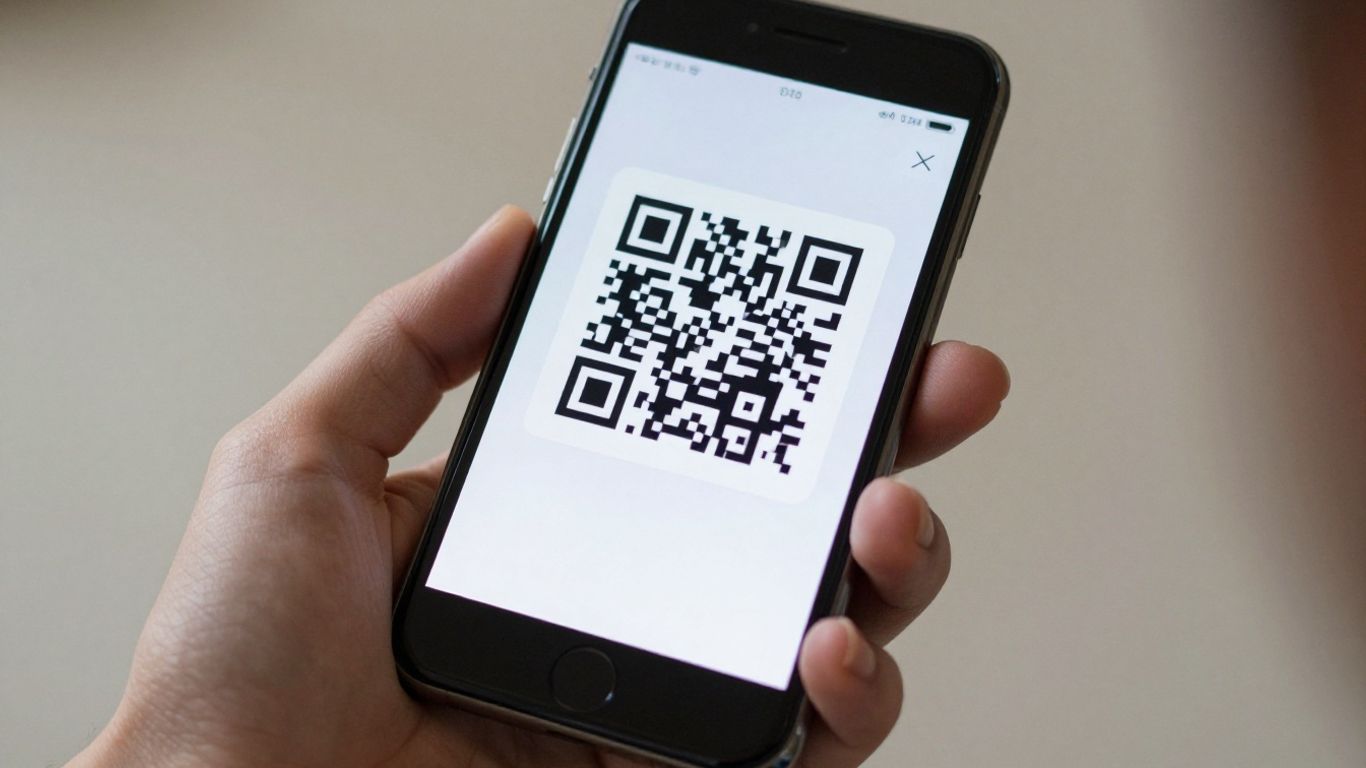
Most modern smartphones come with a built-in QR code scanner, usually integrated right into the camera app. This means you often don’t need to download anything extra to start scanning. Just open your camera, point it at the code, and a notification should pop up, leading you to the linked content. It’s a quick and straightforward way to access information, whether it’s a website, a Wi-Fi network, or contact details.
This native scanning capability is generally the fastest and most secure option available. It avoids the need for third-party apps that might have their own privacy concerns or display annoying ads. For instance, on iPhones, the Camera app handles QR codes automatically, and you can even add a dedicated Code Scanner to your Control Centre for easier access. Android users will find similar functionality in their default camera apps, often enhanced with Google Lens suggestions.
While built-in scanners are great for most everyday uses, some advanced features might require a dedicated app. However, for simply reading a QR code, your phone’s camera is usually all you need. It’s designed to rapidly identify positioning markers and decode the information within the pattern. This means less hassle and more immediate access to whatever the QR code is directing you to.
For those looking to go beyond basic scanning, platforms like Xcan.it offer advanced capabilities. They allow you to update QR code links without needing to reprint them, which is a huge time-saver for physical marketing materials. Plus, you can track scans in a central dashboard and use dynamic QR codes to really improve your real-world campaigns across print, signage, and other assets. This level of control and insight transforms QR codes from simple links into powerful marketing tools.
2. Choose A Reader That Respects Privacy
When you’re scanning codes, especially out and about, it’s really important to think about what happens to your data. Not all QR code readers are created equal, and some might be a bit too keen on collecting information you’d rather keep private. Look for apps that are upfront about their data policies and don’t ask for unnecessary permissions.
It’s a good idea to pick a reader that shows you where a link is going before it opens it. This way, you can spot dodgy-looking URLs and avoid them. Some apps might bundle in all sorts of extra features you don’t need, which can sometimes be a sign they’re more interested in tracking you than just scanning codes. A clean, focused app that prioritises your privacy is usually the way to go.
For businesses or anyone managing a lot of QR codes, tools like Xcan.it offer a much smarter approach. They let you update QR code links without having to reprint anything, which is a lifesaver if a URL changes. Plus, you can track scans from a single dashboard, giving you a clear picture of how your campaigns are performing. Using dynamic QR codes like this really helps improve real-world campaigns, whether they’re on print, signage, or even physical assets. It means your QR codes can stay relevant and effective for longer, making your marketing efforts much more efficient. You can explore some of the top free barcode and QR code scanner apps to see what features matter most to you.
3. Look For Multi-Format Support
It’s not just about QR codes anymore, is it? While QR codes are everywhere, you’ll also bump into other types of codes, like Data Matrix, PDF417, and Code 128. These pop up on everything from product packaging and event tickets to shipping labels and identification cards. A good scanner app should be able to handle all of these without you needing to switch apps.
Think about it: you’re at a market, scan a QR code for a stall’s website, and then you need to scan a product’s barcode for more info. If your app only does QR, you’re stuck. Having an app that supports multiple formats means fewer missed opportunities and a smoother experience overall.
For businesses, this is even more important. If you’re running campaigns across different media, you need a tool that can keep up. Services like Xcan.it really shine here. They let you create dynamic QR codes, which means you can actually update the link the QR code points to without having to reprint anything. Imagine sending out flyers and then deciding to change the landing page – with dynamic codes, it’s a simple dashboard update. Plus, you get to track how many times each code is scanned, giving you real insights into what’s working in your print, signage, and asset campaigns. It’s a smart way to make your real-world marketing more effective and adaptable. This app offers a wide range of formats.
4. Verify Safety Features
When you’re scanning QR codes, especially those found in public spaces, it’s really important to think about safety. You don’t want to accidentally land on a dodgy website or download something nasty. Most modern phones have built-in scanners in their camera apps, which is often the safest bet. If you’re using a separate app, make sure it’s one that’s well-regarded and doesn’t ask for a load of permissions it doesn’t need. A good scanner will usually show you where the link is going before it opens, giving you a chance to decide if it looks legit. Some even have built-in checks to flag suspicious links. For example, Xcan.it offers dynamic QR codes, which means you can actually update the link later without having to reprint the code. This is brilliant for campaigns where you might need to change a landing page or fix a typo. Plus, they let you track scans from a single dashboard, so you can see how effective your real-world campaigns are across print, signage, and other assets. Always check the URL preview before tapping to ensure it matches the expected destination.
Here’s a quick rundown of what to look out for:
- URL Preview: Does the app show you the full web address before opening it?
- Link Blocking: Does it warn you about known malicious or shortened links?
- Permissions: Does the app only ask for necessary permissions (like camera access)?
- Reputation: Is the app well-reviewed and from a trusted developer?
Be wary of QR codes that look like they’ve been tampered with, like stickers placed over existing codes, or codes that are poorly printed. If something feels off, it’s best to err on the side of caution and not scan it. You can find some great tips for online safety here.
Using a reliable scanner is key to a good experience. Apps like Kaspersky QR Scanner are known for their security focus, which is great if you scan a lot of codes in different places. Remember, the QR code itself is just a data carrier; the real risk comes from where it directs you.
5. Test Performance
When you’re choosing a QR code scanner app, how fast it works is a big deal. Nobody wants to stand around waiting for a code to be read, especially when they’re in a hurry. You want something that locks on quickly, even if the code is a bit small or the lighting isn’t perfect.
Think about it: you’re trying to catch a train, or you’ve just got your hands full of shopping bags. The last thing you need is a scanner that fumbles around, needing you to hold your phone at just the right angle for ages. A snappy scanner makes all the difference.
For those who use QR codes a lot, especially for business or marketing, performance goes beyond just speed. Tools like Xcan.it offer dynamic QR codes, which are a game-changer. You can update the link a QR code points to after it’s been printed. This means if a website address changes, you don’t have to reprint all your flyers or signs – a massive time and cost saver. Plus, you get a dashboard to track exactly how many scans each code is getting. This is brilliant for seeing what’s working in your campaigns, whether they’re on print, signage, or even product labels. It really helps you understand your audience better and improve your real-world marketing efforts.
6. Offline Decode Capability
It’s a bit of a pain when you’re trying to scan a QR code and your phone decides it needs a signal, isn’t it? Especially if you’re somewhere with dodgy reception, like on a train or in a basement. That’s where offline decode capability comes in. Basically, it means the app can read the information on the QR code itself, even if you’ve got no internet connection at all. You’ll still need data to actually open whatever the code links to, mind you, but the scanning part is done and dusted right there and then.
This is where services like Xcan.it really shine. They understand that real-world campaigns aren’t always in places with perfect Wi-Fi. With Xcan.it, you can update QR code links without having to go through the whole hassle of reprinting everything. Imagine you’ve got posters up, and you need to change the website address – no problem. You can also track all your scans from a single dashboard, which is pretty handy for seeing what’s actually working. Plus, their dynamic QR codes are brilliant for improving campaigns across print, signage, and even on physical assets. It means you’re not stuck with a link that’s no longer relevant, and you get a much clearer picture of how people are interacting with your marketing.
7. Ad-Free Experience
Nobody likes being bombarded with adverts when they’re just trying to scan a code. It’s distracting, slows you down, and frankly, it’s just annoying. When you’re looking for a code scanner app, finding one that respects your time and attention is key. An ad-free experience means you can scan what you need, when you need it, without interruption.
Beyond just being free of pop-ups, a good scanner should also be mindful of your privacy. Some apps might show fewer ads but still track your usage. For a truly clean experience, look for apps that are upfront about their data policies and don’t try to sell your information.
If you’re using QR codes for business or marketing, the experience becomes even more important. Tools like Xcan.it offer a way to manage your QR codes without the clutter of ads. They let you update QR code links even after they’ve been printed – imagine changing a menu link without reprinting everything! Plus, you can track scans in one central dashboard, giving you real insights into how your campaigns are performing across print, signage, and other assets. This is where dynamic QR codes really shine, offering flexibility and data that static codes just can’t match.
8. URL Preview And Link Blocking
When you scan a QR code, it often leads to a website. It’s a good idea to know where you’re going before you get there, right? That’s where URL preview and link blocking come in. A decent scanner app will show you the web address it’s about to open. This gives you a chance to check if it looks legitimate. This simple step can save you from landing on dodgy websites or falling for scams.
Some apps go a step further and actively block known malicious links. This is a really useful safety net, especially if you’re scanning codes out in the wild, like on posters or flyers. It’s a bit like having a bouncer for your browser, stopping the bad stuff before it even gets a chance to load. For example, Xcan.it offers dynamic QR codes, which means you can update the destination link without having to reprint the code itself. This is brilliant for marketing campaigns where you might want to change a landing page or update an offer. Plus, you can track scans in a dashboard, giving you insights into how your real-world campaigns are performing across print and signage.
Here’s what to look for:
- URL Preview: The app shows you the web address before opening it.
- Link Blocking: The app warns you or blocks access to known harmful websites.
- Dynamic Codes: The ability to change the link destination without reprinting the QR code.
- Scan Tracking: A dashboard to monitor how many times your codes are scanned.
It’s worth noting that some advanced mobile security features, like web content filtering, can also help protect you from malicious websites, regardless of how you access them.
9. Autofocus And Low-Light Boost
Ever found yourself squinting at a QR code in dim lighting, or having your phone’s camera just… not quite focus? It’s a common frustration, but thankfully, good scanner apps have features to sort this out. We’re talking about autofocus that locks on quickly, even with small or slightly blurry codes, and a low-light boost that brightens things up so your camera can actually see what it’s doing.
These aren’t just nice-to-haves; they make a real difference in how smoothly you can scan.
Think about it: you’re trying to scan a menu in a dimly lit restaurant, or a ticket stub at a concert. If the app struggles to focus or can’t see the code clearly, you’re left fumbling, trying different angles, and probably getting annoyed. A scanner with good autofocus and low-light capabilities means you just point, and it works, usually within a second or two. This is especially helpful if you’re using your phone’s built-in camera, which is often the first port of call for scanning QR codes.
For businesses using QR codes in their campaigns, this translates directly into a better customer experience. If your QR codes are on posters, signage, or product packaging, you want them to be scannable by anyone, anywhere, anytime. This is where dynamic QR codes really shine. Platforms like Xcan.it allow you to update the links behind your QR codes without needing to reprint them. So, if a website address changes or a promotion ends, you can simply update it online. Plus, you get a dashboard to track how many scans you’re getting, where they’re coming from, and when. This kind of insight helps you understand what’s working in your real-world campaigns.
10. Multi-Format Support
It’s not just about QR codes anymore, is it? The world of scannable codes has expanded, and a good app needs to keep up. You’ll want an app that can handle a variety of formats, not just the standard QR. Think about things like Data Matrix codes, which you often see on product packaging, or PDF417, commonly used for tickets and IDs. Supporting these means your scanner is ready for almost anything.
The best readers can handle QR, Data Matrix, PDF417, and Code 128, covering most everyday needs. This broad support is handy whether you’re scanning a concert ticket, a shipping label, or a product barcode in a shop. It means fewer ‘scan failed’ messages and a smoother experience overall. You can find apps that support all these standard formats, including WiFi, Contact, and Payment codes, which is pretty convenient [3259].
For businesses, this multi-format capability is even more important. Imagine running a campaign where you need to link print ads, product packaging, and even physical assets to online content. This is where dynamic QR codes really shine. Tools like Xcan.it allow you to update the destination of a QR code link after it’s been printed. So, if a website URL changes, you don’t have to reprint all your materials. You can simply update the link in your dashboard. Plus, you get to track how many times each code is scanned, giving you real-world insights into your campaign’s performance across different media like print and signage [c5a6]. It’s a smart way to keep your marketing flexible and measurable.
Our system is built to handle all sorts of information. Whether you need to link to a website, share contact details, or connect to Wi-Fi, we’ve got you covered. It’s super easy to use, no matter what kind of data you’re working with. Want to see how flexible it is? Check out our website for more details!
So, What’s the Verdict?
Right then, we’ve had a good look at what makes a top-notch code scanner app for your phone in 2026. Honestly, most of the time, your phone’s own camera app will do the job just fine. It’s quick, it’s safe, and you don’t need to download anything extra. But if you find yourself needing to scan a wider range of codes, or if you’re just a bit fussy about privacy and want to avoid ads, then looking into a dedicated app is a smart move. Just remember to pick one that’s fast, doesn’t track your activity, and shows you where you’re going before you get there. Happy scanning!
Frequently Asked Questions
Do I still need a separate app to scan QR codes?
Not usually! Most modern phones, like iPhones and many Android devices, have a built-in QR scanner in their camera app. This is often the quickest and safest way to scan. You might only need a separate app if you need to scan lots of different types of codes or want more advanced features like tracking.
Can a free QR code reader scan more than just QR codes?
Yes, absolutely! Many free scanning apps can read other types of codes too, like Data Matrix, PDF417, and Code 128. This is really handy if you come across codes on things like event tickets, product packaging, or ID cards.
How can I be sure a QR code link is safe to open?
The best scanners will show you a preview of the website address (URL) before they open it. Look for apps that warn you if a link looks suspicious or comes from a known risky website. Always be a bit cautious and avoid scanning codes from unknown or untrusted sources.
Can I scan QR codes even if I don’t have internet access?
Yes, many QR code readers can decode the information in a QR code even when you’re offline. They’ll save the link, and you can open it later when you have an internet connection. This is great for when you’re travelling or in areas with poor signal.
What makes a QR code scanner app ‘private’?
A private scanner won’t show you annoying ads, and it won’t try to collect your personal information or track how you use the app. It focuses purely on scanning and respects your data by not sharing it unnecessarily.
Why is it important for a scanner to have good autofocus and low-light performance?
Good autofocus means the app can quickly focus on the QR code, even if it’s a bit blurry or you’re moving. Low-light boost helps it read codes that are in dim conditions, like at a concert or in a dimly lit restaurant. This makes scanning faster and less frustrating.












