
How to Use a QR Code for Email to Drive More Customer Enquiries
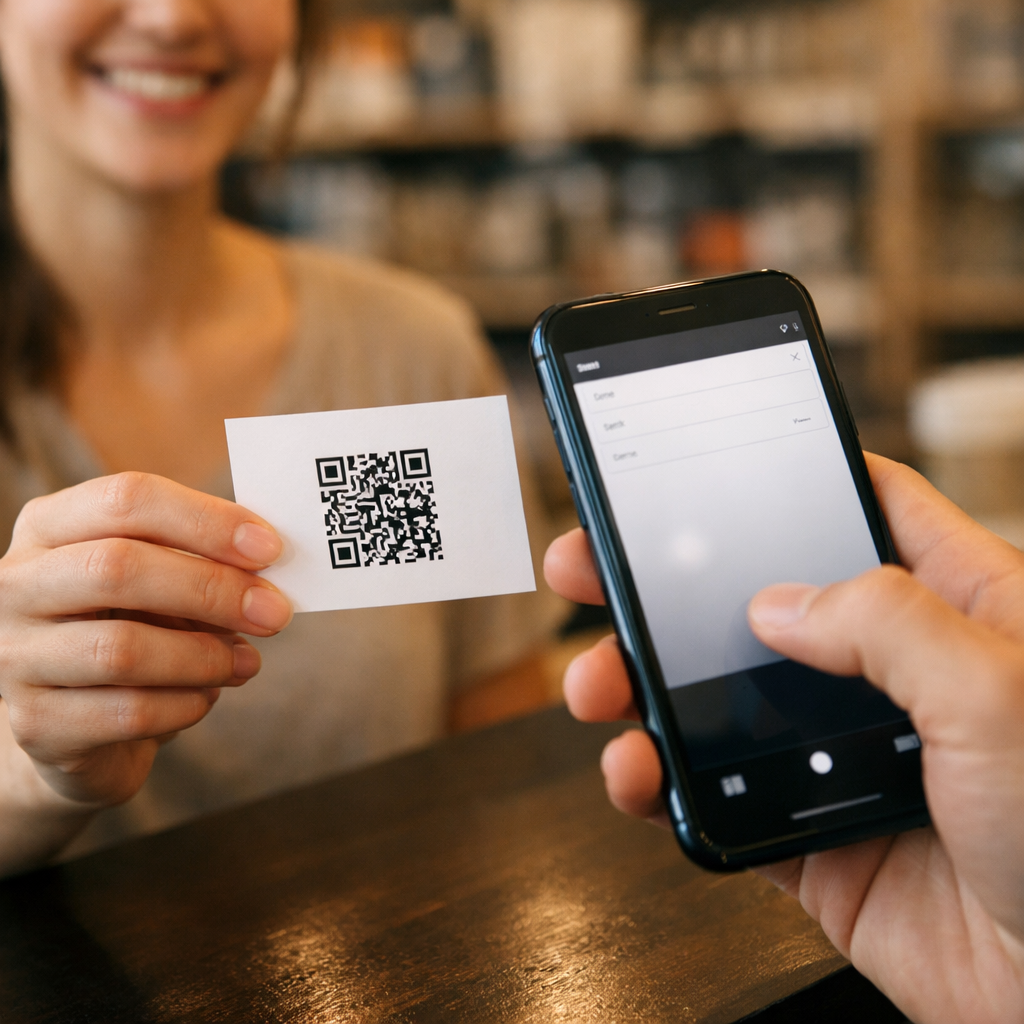
A QR code for email gives people a faster way to start an enquiry from printed media. Instead of asking someone to remember an address, open their mail app, type the recipient, and work out what to say, the scan opens the email action immediately. In the strongest setups, the address is ready, the subject line is relevant, and the drafted message reduces response friction.
That matters because most printed marketing loses people during the handoff. Posters, packaging, brochures, counter cards, window graphics, property boards, and direct mail can all attract attention, but attention alone does not create enquiries. For businesses in London, Greater London, and across the United Kingdom, an email QR workflow can turn physical interest into a real message faster and make printed assets more commercially useful over time.
💡 Short answer
A QR code for email helps people contact your business faster by removing manual typing and reducing response friction. It is useful on printed assets because it turns offline attention into an immediate email action. In plain English: someone scans, their email app opens, and they are much closer to sending the enquiry, quote request, booking message, or support email you want.
Quick facts: how a QR code for email works
- Core purpose: reduce the number of steps between seeing a printed call to action and starting an email enquiry.
- Best use cases: quote requests, brochure requests, bookings, trade enquiries, support messages, and printed campaign response.
- Where it works well: posters, packaging, brochures, menus, point-of-sale displays, direct mail, property boards, and in-store signage.
- Operational upside: easier enquiry capture from physical media and stronger visibility into which printed assets are worth keeping, changing, or scaling.
- Strategic fit: strongest when combined with managed QR workflows that help you keep control after print rather than treating each code as a one-off asset.
Complete guide: how to use a QR code for email to drive more customer enquiries
1) What a QR code for email actually does
A QR code for email is built to trigger an email action on a phone. When the user scans the code, the goal is simple: open the compose flow faster than a normal printed ad or sign would allow.
That matters because ordinary print often creates unnecessary friction. A flyer says “email us now”, but the person still has to unlock the phone, open their mail app, type the address, think of a subject line, and decide what to say. Every extra step loses people.
An email QR code reduces that drop-off. It creates a shorter path between printed media and customer action, which is why it works well anywhere response speed and convenience matter.
2) Why this is stronger than just printing an email address
Many businesses still print an email address and hope that is enough. Sometimes it is, but often it is not. Enquiry rates fall when the next step takes too much effort or too much confidence.
A QR-led email prompt works better because it feels immediate. The user does not need to remember anything. The path is obvious. On a shop floor, in a venue, at a trade stand, on packaging, or beside a product display, that difference can be the gap between interest and action.
This is also where the xcan.it principle of Print Now, Link Later becomes commercially useful. Even when the printed call to action stays the same, businesses still need operational control over what happens after print.
3) How the technical side works in practice
At a standards level, email links are usually based on the mailto: URI format. RFC 6068 defines the mailto URI scheme and allows an email address plus header fields such as subject and body. Apple’s archived Mail Links reference also explains that the mailto scheme opens the Mail app and can include subject, body, and multiple recipients.
In practical QR tools, this normally means a scanned code can open the email app with the recipient ready and, in many cases, a subject line and drafted message already filled in. Commercial QR guides such as QR Code Generator’s email QR page show this standard use clearly.
4) The strongest use cases for an email QR code
Email works best when the user may want a slightly fuller response than SMS, or when the enquiry benefits from more detail, attachments, or business context. That is why this format can outperform a normal website URL in certain real-world situations.
- property signage: “Email for brochure” or “Email to request viewing details”.
- trade events: “Email for the product sheet” or “Email for trade pricing”.
- retail packaging: “Email for setup help” or “Email for warranty support”.
- menus and hospitality: “Email for private bookings”.
- point-of-sale displays: “Email for a quote” or “Email for product availability”.
- service businesses: “Email to request a call back” or “Email for a site survey”.
These are all situations where the user wants a quick route into a business conversation without needing a longer browsing journey first.
5) Why printed media benefits from this approach
Printed media usually catches attention in places where typing is inconvenient. People are shopping, walking, travelling, waiting, comparing products, or seeing an offer in the moment. They do not always want to type out an address manually.
That is why an email call to action can work well on posters, point-of-sale displays, shelf cards, brochures, menus, stickers, direct mail, and property boards. The scan respects the speed of the environment. The person opens the email flow immediately and can act while intent is still fresh.
If you are also weighing whether email or text is the better response path, your SMS guide at How to Use a QR Code for SMS to Drive Faster Customer Response is a useful companion because it shows where message-based response can be even quicker in high-friction environments.
6) The biggest mistake: treating the code as the strategy
A QR code for email is not the strategy. It is only the trigger.
The real strategy sits in the offer, the printed context, and the next step. If your brochure says “Scan to email us” but gives no reason, response will be weak. If the prompt is vague, generic, or too broad, the friction just comes back in a different form.
The strongest versions usually make the outcome obvious:
- Email for today’s quote
- Email for the full brochure
- Email to request a call back
- Email for trade pricing
- Email for technical support
The customer should know exactly why the scan is worth doing.
7) Should the subject line and message be prefilled?
Often yes. A prefilled subject and starting message reduce effort and improve consistency, especially for campaigns where you want structured responses such as quote requests, booking requests, or brochure enquiries.
However, not every workflow should over-script the user. In higher-consideration sales or support contexts, it can be better to open the email flow with only the essentials ready and leave space for the customer to explain what they need.
A good operational split is:
- prefilled subject and draft for simple, repeatable enquiry flows
- lighter prefill for more detailed sales, service, and support conversations
8) Static versus managed thinking
An email QR code can be used as a fixed, single-purpose asset, but that is usually where businesses lose flexibility. Campaigns change. Departments change. Asset ownership changes. Printed materials often stay in circulation longer than expected.
This is why managed QR thinking matters operationally, even when the customer-facing action looks simple. With a better workflow, the business can keep stronger control over printed assets, reporting, and future changes. That is the wider logic behind Dynamic QR Code Redirect Systems Explained and QR Code Lifecycle Management.
9) Why post-print control matters commercially
One of the most common QR mistakes is assuming the printed asset is finished the day it goes live. In reality, the operational work usually starts after print. Teams need to know where codes are deployed, what each one is meant to do, and whether those physical assets are still earning their place.
That is why xcan.it’s infrastructure-led material matters here. Managing QR Codes as Digital Infrastructure is useful if you are thinking beyond one-off campaigns, while The Operational Risks of Static QR Codes is relevant if your business is still treating printed codes as fixed objects rather than manageable assets.
10) How London and Greater London businesses can use this well
London businesses often work in fast environments where convenience matters. The user may be in-store, passing a display, outside a property, attending a trade event, or seeing packaging after purchase. That makes email QR journeys especially useful when the response needs slightly more detail than a text message but still needs to happen quickly.
- estate agents in Greater London: email to receive a brochure or viewing pack from property boards.
- retail brands in Westfield: email for stock enquiries, product information, or aftercare support.
- hospitality venues in Soho or Shoreditch: email for event bookings or private hire details.
- trade suppliers in Park Royal: email for trade pricing, technical specifications, or account enquiries.
- showrooms across London: email to request a quote, callback, or consultation.
In each case, the printed asset becomes more than a sign. It becomes a low-friction enquiry tool.
11) Measuring what works after print
Print marketing often suffers from one core blind spot: businesses do not always know which physical asset created the enquiry. Was it the brochure, the poster, the counter card, the packaging insert, or the window graphic?
That is why measurement matters. When QR deployments are managed well, teams can compare scan activity across assets, locations, campaigns, and time periods. That gives them better evidence about which printed placements deserve more budget and which ones are not commercially pulling their weight.
For businesses that want to move beyond ad-hoc QR use, Start for Free is the clearest xcan.it route into testing a live deployment before scaling.
12) Examples of strong email QR implementation
Example A — property board: the sign says “Email for brochure and viewing details”. The scan opens the mail app immediately and reduces the risk that the passer-by forgets to follow up later.
Example B — trade leaflet: the printed piece says “Email for wholesale pricing”. That works well when the enquiry needs a clearer commercial follow-up than a quick website visit.
Example C — in-store display: the display says “Email for stock availability”. This gives the customer a simple action when staff are busy.
Example D — hospitality venue: the menu or card says “Email for private dining enquiries”. That helps capture higher-intent leads from physical spaces.
Example E — aftercare insert: the product insert says “Email for setup support”. That improves post-purchase contact without pushing the user through a generic contact page.
13) Practical checklist before rollout
Before printing an email QR campaign at scale, check the basics properly:
- test across devices: confirm that the mail app opens cleanly and the drafted fields behave as expected
- keep the call to action specific: make the value of the enquiry obvious
- match the message to the context: quote, brochure, callback, support, booking, or trade request
- avoid vague prompts: the point is convenience and clarity
- check print contrast and size: scan quality still matters
- plan for post-print control: do not assume the asset will never need managing later
- measure by asset or location where possible: this is how future print decisions improve
14) YouTube video example (one)
This video is a closer fit for the page because it focuses specifically on creating an email QR code rather than general QR use:
15) Quote: Mark Hickman, Co-founder
“The value of a QR code for email is not just convenience. It is control. When printed media makes it easier for someone to enquire immediately, and the business can still manage that asset properly after print, the printed piece becomes far more useful.”
— Mark Hickman, Co-founder, Xcan It
16) External and internal reading worth embedding
Useful external reading includes RFC 6068 on the mailto URI scheme, which is helpful for understanding the standards side of email links, and Apple’s Mail Links reference, which shows how the mailto scheme can launch the email compose flow. For a practical implementation angle, QR Code Generator’s email QR guide is useful because it shows the common commercial pattern of prefilled email QR codes.
Internally, the strongest supporting reads are Print Now, Link Later for the post-print control model, Dynamic QR Code Redirect Systems Explained for the redirect architecture, QR Code Lifecycle Management for operational control, and How to Use a QR Code for SMS to Drive Faster Customer Response if you want to compare email and SMS response paths in printed environments.
Conclusion: a QR code for email works best when the next step is obvious
A QR code for email is useful because it helps printed media do a more immediate job. It turns physical attention into a faster enquiry action and removes some of the friction that usually kills response.
But the real commercial value does not come from the code alone. It comes from pairing the right call to action with the right printed context, then managing those assets properly after they are live. That is where businesses move beyond one-off QR use and start building a more controlled physical-to-digital enquiry system.
For businesses across London, Greater London, and the UK, the opportunity is simple: make it easier for people to enquire now, keep control after print, and treat every printed QR asset as something that should earn its place.
FAQs
What is a QR code for email?−
A QR code for email is a code that opens the email compose flow on a mobile device, usually with the recipient address ready and often with a subject line and drafted body already filled in.
How does an email QR code help customer enquiries?+
It removes manual typing between seeing a printed message and starting contact, which can increase enquiry speed and reduce drop-off.
Can I use a QR code for email on printed marketing?+
Yes. It works well on brochures, posters, packaging, menus, signage, direct mail, property boards, and point-of-sale displays where quick email response matters.
Can an email QR code include a subject line and message?+
Yes. The common mailto format supports fields such as subject and body, though you should still test the exact behaviour on the devices most relevant to your audience.
Why does managed QR control matter for an email campaign?+
Because printed assets often remain in use longer than planned. Better QR management helps teams keep visibility over those assets and improve how physical media performs over time.
Talk to an Xcan It Specialist
Want printed QR assets that do more than send people to a page? We’ll help you build smarter enquiry journeys, stronger post-print control, and measurable scan visibility across packaging, brochures, signage, posters, and campaigns.