
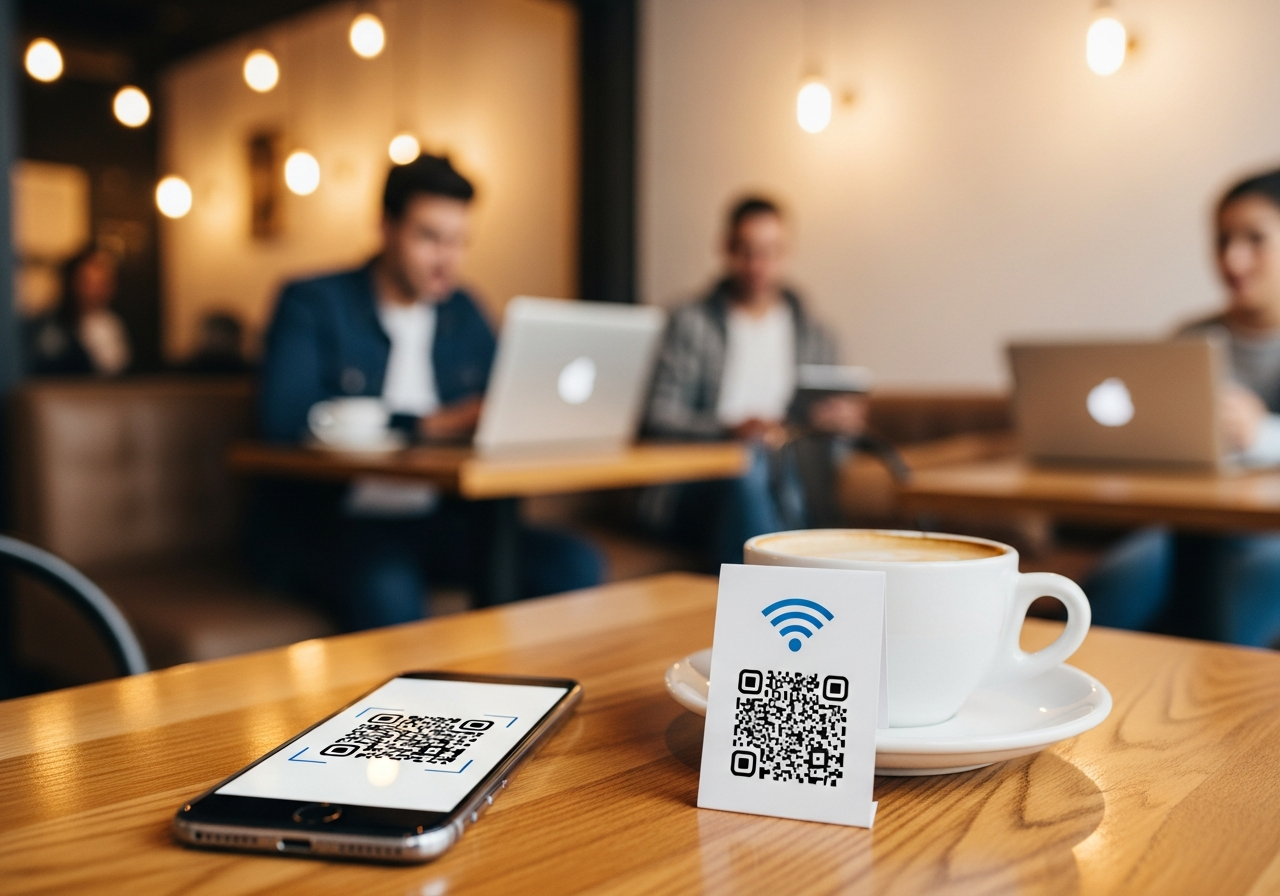
WiFi QR Codes: How Contactless Login Boosts Convenience for Businesses and Guests
“What’s the WiFi password?” is still the most common question in cafés, hotels, salons and coworking spaces across Yorkshire. WiFi QR codes turn that interruption into a one-scan, contactless login. Instead of typing long passwords or shouting them across the bar, guests just scan and connect — making life easier for staff and customers in Leeds, Sheffield, York, Bradford, Harrogate and beyond.
💡 Short answer
A WiFi QR code encodes your network name, security type and password so guests can join your WiFi by scanning with their phone — no typing required. Modern Android phones and iPhones can read WiFi QR codes natively, letting users connect in seconds instead of wrestling with long passwords. For Yorkshire businesses, that means less friction, fewer support questions and a smoother guest experience. When you generate WiFi QR codes as dynamic codes in Xcan It, every scan becomes a measurable event, so you can see which locations, campaigns or touchpoints actually drive logins.
WiFi QR codes in 30 seconds
- What they do: store your WiFi details (SSID, security type and password) in a scannable format.
- How they work: the phone reads the QR and offers a “Join network” prompt — no manual typing.
- Where they go: table tents, room cards, reception desks, meeting rooms, co-working desks and event passes.
- Who they help: cafés, hotels, serviced offices, salons, clinics, venues and student spaces across Yorkshire.
- Why use Xcan It: generate WiFi QR codes as dynamic codes so you can track scans, refresh credentials and keep branding consistent.
How WiFi QR codes work — and why they’re ideal for Yorkshire guests
1) What is a WiFi QR code?
A WiFi QR code is a special type of QR code that contains all the information a device needs to join a wireless network:
- The network name (SSID)
- The security type (for example, WPA2)
- The WiFi password (if required)
When a guest scans the code with a supported phone, the device recognises it as WiFi credentials and offers to connect automatically. No more reading out passwords, no more typos.
2) What does the login experience look like for guests?
For a customer in a Leeds café or a hotel lobby in York, the experience looks like this:
- They see a clearly labelled QR: “Scan to join WiFi”.
- They open their camera or QR scanner and scan the code.
- Their phone shows a prompt such as “Join network XcanGuest?”.
- They tap “Join” and are connected — no password typing.
On modern Android devices and iPhones, this flow is supported natively via built-in QR reading and WiFi sharing features, making QR-based WiFi access an everyday pattern rather than an experimental trick.
3) Xcan It: 16 QR types, including WiFi
Xcan It’s QR code generator supports 16 QR types from a single interface:
URL, text, phone, SMS, Email, WhatsApp, Facetime, Location, WiFi, Event, vCard, Crypto, PayPal, UPI Payment, EPC Payment, PIX payment.
That means your WiFi QR codes can sit alongside:
- URL QR codes for menus, booking systems or welcome pages
- WhatsApp and phone QR codes for support or reservations
- Payment QR codes for quick checkouts, tabs or upgrades
All using one design language, one analytics stack and one dynamic routing layer.
4) Who benefits from WiFi QR codes in Yorkshire?
WiFi QR codes shine anywhere guests expect fast, frictionless connectivity:
- Cafés and coffee shops in Leeds & Sheffield – table-top WiFi QR codes reduce staff interruptions and keep remote workers happy.
- Hotels and B&Bs in York, Harrogate and Whitby – codes on room cards, key wallets and TV stands avoid handwritten passwords and outdated instructions.
- Coworking spaces and serviced offices in Leeds & Bradford – QR codes printed on desks or welcome packs streamline onboarding for new members and day-pass users.
- Bars and restaurants across Yorkshire – use WiFi QR codes alongside menu QR codes, helping guests connect before placing online orders or browsing drink lists.
- Clinics, dentists and private practices – waiting-room WiFi becomes genuinely self-service, without giving out sensitive router labels.
- Event venues and conference centres – temporary networks for conferences, trade shows or weddings can be shared using clearly branded WiFi QR codes on signage and programmes.
5) Security: are WiFi QR codes safe?
Handled properly, WiFi QR codes can be more secure and less error-prone than sharing passwords verbally or on scraps of paper:
- Use a guest network – separate guest traffic from internal systems, with its own password and limits.
- Rotate passwords – with dynamic QR codes via Xcan It, you can update the underlying WiFi credentials delivered after the scan without reprinting the visual code itself.
- Avoid publicising private SSIDs – don’t encode admin or back-office networks, only dedicated guest SSIDs.
- Combine with captive portals if needed – for some venues, the WiFi QR simply handles connection, while a portal enforces terms and branding.
From the guest’s perspective, it feels like magic. From your IT or ops perspective, it’s simply a more controlled way to share the same credentials you’d otherwise write on a wall.
6) WiFi QR codes + Xcan It: from convenience to insight
Most “free” generators stop at the QR itself. Xcan It adds a layer of intelligence in front of your WiFi login flow:
- Dynamic routing: instead of burning your WiFi details directly into the QR, the code can point to a short Xcan It URL that:
- Logs the scan (time, device type, approximate location)
- Then hands off to the WiFi configuration or portal
- Campaign tagging: use different WiFi QR codes for different areas (e.g. “Leeds café upstairs”, “Sheffield terrace”, “York lobby”) and compare scan volumes.
- Hybrid journeys: combine WiFi with a branded welcome page reached after connection (menus, offers, feedback, social follows).
- Change logic without reprinting: update passwords, SSIDs or post-connection URLs from your Xcan It dashboard.
For multi-site operators in Yorkshire, this turns “WiFi access” into a measurable part of the guest journey rather than a cost centre.
7) Realistic examples: WiFi QR codes across Yorkshire
Here’s how this plays out on the ground:
- Independent coffee shop in Leeds city centre – prints WiFi QR codes on table talkers: “Scan to join our guest WiFi”. A second URL QR on the same card leads to their digital menu and newsletter sign-up.
- York boutique hotel – each room has a small card with the room name and a WiFi QR code. Guests scan once and stay connected throughout their stay, without having to call reception for passwords.
- Sheffield coworking hub – uses different dynamic WiFi QR codes for hot-desking, meeting rooms and event spaces. They track scan volumes per zone to understand occupancy patterns and demand.
- Bradford training centre – delegates receive printed lanyard cards with a WiFi QR code, keeping the login process off the projector screen but accessible to everyone.
- Harrogate spa and wellness retreat – uses WiFi QR codes in the lounge and dining areas only, keeping “digital-free” zones elsewhere without confusion.
Watch it in action: this short tutorial shows how WiFi QR codes simplify guest access to home and business networks — a useful visual primer before you build a more advanced, trackable setup with Xcan It.
8) From WiFi access to wider engagement
Once guests are online, you can connect WiFi QR codes to broader QR journeys powered by Xcan It:
- Post-login offers: after connecting, show a landing page with a URL QR code for loyalty sign-up or a discount.
- Feedback loops: use table cards that pair WiFi access with a QR link to quick satisfaction surveys.
- Social & reviews: encourage happy guests to follow your Yorkshire business on social media or leave a review once they’re online.
- Cross-sell and upsell: send connected users to digital menus, room service ordering or event calendars.
WiFi QR codes don’t have to be the end of the journey. In a dynamic QR ecosystem, they’re often the quiet starting point of a much richer relationship.
Conclusion: WiFi access should never be the hard part
No one travels into Leeds, books a York hotel or joins a Harrogate coworking space for the joy of typing a 16-character WiFi password. WiFi is a hygiene factor — but the friction around getting online still damages first impressions more than most teams realise.
WiFi QR codes solve that elegantly. They let guests scan once and get on with what they came to do, whether that’s working, relaxing, exploring or collaborating. For staff, they reduce repetitive questions and awkward password moments. For owners, they create a simple, branded digital touchpoint at the exact moment someone arrives in your space.
When those WiFi QR codes are built and managed as dynamic codes in Xcan It, they go one step further: helping you understand where, when and how often people are joining, so you can tune your spaces, campaigns and support accordingly.
If you run a Yorkshire venue, café, hotel, clinic or workspace, a good starting point is simple: pick your main guest area, give it a cleanly designed WiFi QR code, and pair it with one follow-on action (like a menu or feedback page). Then watch how many guests quietly connect, and how much smoother their visits feel.
FAQs
Do WiFi QR codes work on both iPhone and Android?−
Yes. Most modern Android devices and all recent iPhones can scan WiFi QR codes either via the camera or built-in QR features. If a device doesn’t support automatic WiFi join, it will still display the network details so guests can enter them manually.
Will guests see my WiFi password when they scan the code?+
Depending on the device and implementation, they may or may not see the raw password. In either case, you should treat the QR as equivalent to sharing that password and use a dedicated guest network rather than your internal WiFi.
What happens if I change my WiFi password?+
With static WiFi QR codes, you would need to regenerate and reprint them. With Xcan It’s dynamic approach, you can update the credentials or the way they are delivered (for example via a short URL or portal) without changing the printed code itself.
Can I track WiFi QR scans with Xcan It?+
Yes. When you configure WiFi access through Xcan It’s dynamic QR layer, each scan is logged first (with metadata such as time, device type and approximate location) before the user is guided into the WiFi connection flow.
Is this suitable for public or high-traffic environments?+
Absolutely. In busy spots like Yorkshire train cafés, hotel lobbies, clinics and event venues, WiFi QR codes significantly reduce queue friction and staff load. Just make sure you’re using a well-designed guest network with sensible limits.
Can I use different WiFi QR codes for different areas or events?+
Yes. Many businesses create separate dynamic WiFi QR codes for different rooms, floors, events or towns. Xcan It lets you tag and compare them so you can see how each space or occasion behaves over time.
Talk to an Xcan It Specialist
Want to make WiFi access effortless for your guests — and finally understand how often it’s used? We’ll help you design WiFi, URL, WhatsApp and other QR journeys tailored to your Yorkshire locations, all tracked from one Xcan It dashboard.












