
Right then, let’s talk about QR codes. You see them everywhere these days, don’t you? On posters, menus, even on your mate’s beer mat. And to get the info out of them, you need a decent app for QR code reader. But with so many out there, how do you pick the best one? It’s not just about scanning; you want something quick, safe, and that doesn’t snoop on you. We’ll walk through what makes a good app, so you can stop faffing about and get on with it.
Key Takeaways
- Start with your phone’s built-in camera app for QR code scanning; it’s usually the quickest and safest option.
- If you need more features, opt for a dedicated app that prioritises user privacy, avoiding excessive data collection.
- Look for an app that supports various code formats beyond just QR, like Data Matrix and PDF417.
- Prioritise apps that offer safety features, such as URL previews and warnings for suspicious links.
- A good app should be fast, with quick autofocus and decent performance even in low light conditions.
1. Use Your Phone’s Built-In Scanner
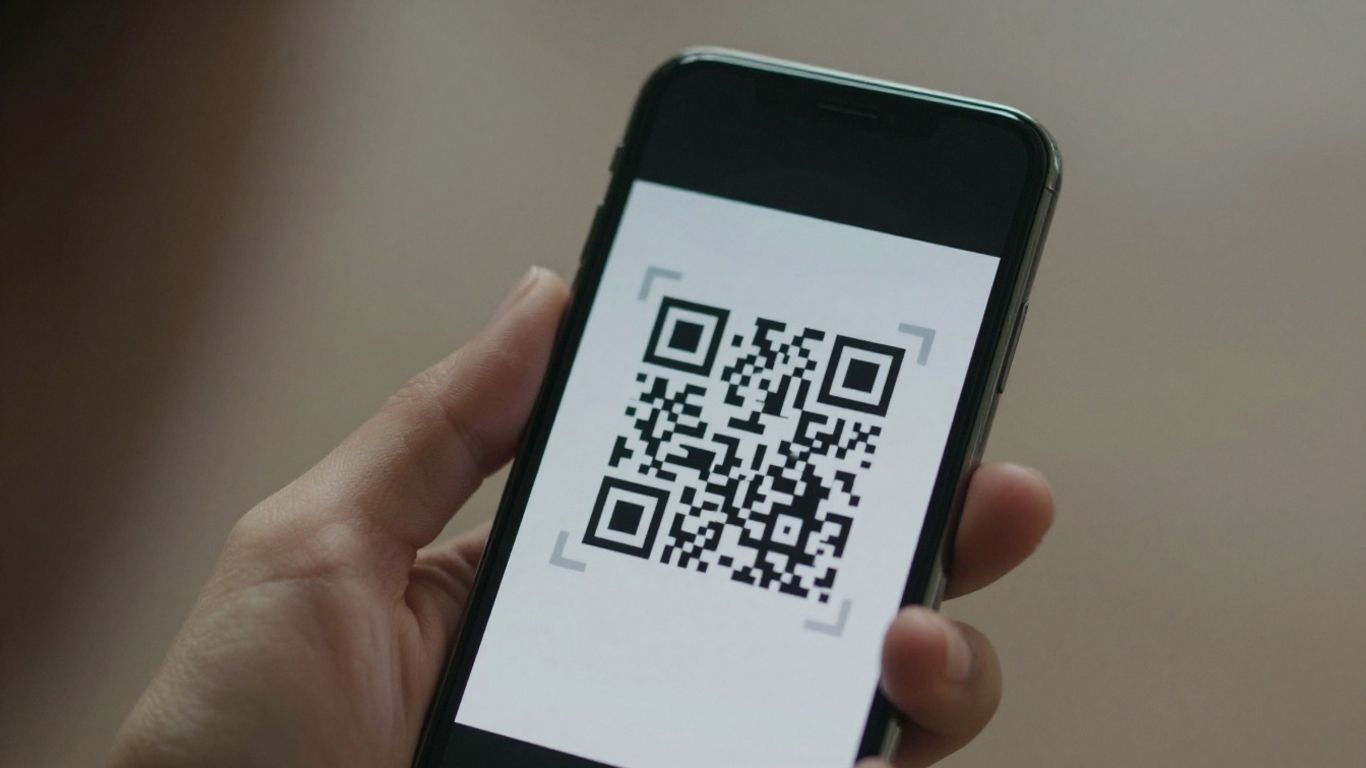
Most modern smartphones come with a built-in QR code scanner, usually integrated right into the camera app. This is often the quickest and most straightforward way to scan a QR code, meaning you don’t need to download any extra software. Just open your camera, point it at the code, and a notification should pop up with the link or information. It’s a simple process that works on both iPhones and most Android devices.
This native scanning capability is usually fast, private, and safe, often providing a preview of the URL before you commit to opening it. This built-in feature means you can get information from menus, tickets, or posters without any fuss.
However, if you’re looking to do more with your QR codes, like updating links without reprinting, tracking scan data, or using dynamic codes for marketing campaigns, you might need a more advanced solution. Platforms like Xcan.it allow you to manage dynamic QR codes, which means you can change the destination link at any time without having to create and print new codes. This is incredibly useful for things like updating event details or changing a website address. Plus, Xcan.it offers a dashboard to track scans, giving you insights into how your real-world campaigns are performing across print, signage, and other assets. It turns a simple QR code into a measurable tool for your business.
2. Choose A Reader That Respects Privacy
When you’re picking an app to scan QR codes, it’s really important to think about your privacy. Not all apps are created equal, and some might collect more data than you’re comfortable with. Look for readers that are upfront about their data policies and avoid those that seem to track your activity.
It’s a good idea to choose a reader that shows you where a QR code is going before it opens the link. This way, you can spot dodgy websites or unexpected destinations. Some apps even have built-in safety checks to warn you about potentially risky links, which is a nice bonus.
For businesses or anyone managing multiple QR codes, tools like Xcan.it offer a lot more. You can actually update the link behind a QR code without having to print a new one – pretty handy! They also let you track how many times your codes are scanned from a single dashboard, giving you insights into your campaigns. Plus, using dynamic QR codes means you can adapt your marketing across print, signage, and other assets on the fly. This level of control and insight is invaluable for making real-world campaigns more effective.
Here’s what to keep an eye out for:
- URL Previews: Always see the destination before you commit to opening it.
- No Tracking: Opt for apps that don’t collect or sell your scanning data.
- Minimal Permissions: Does the app really need access to your contacts or location?
- Clear Policies: A good app will have an easy-to-understand privacy policy.
Remember, your phone’s built-in camera is often the most private and secure option for basic QR code scanning. If you need more features, be sure to research the app thoroughly before downloading.
If you’re looking for a robust solution that respects privacy and offers advanced features, consider exploring options that allow for dynamic QR code management. These platforms often provide better control and analytics for your campaigns.
3. Look For Multi-Format Support
While QR codes are everywhere, they aren’t the only type of scannable code out there. You’ll also bump into things like Data Matrix codes on smaller products or PDF417 codes on things like train tickets and driving licenses. A good QR reader app shouldn’t just be limited to QR codes; it should be able to handle a variety of formats. This way, you’re covered no matter what kind of code you encounter.
Think about it: you might be scanning a product label one minute and a boarding pass the next. Having an app that supports multiple formats means you don’t need to switch between different tools. It just works.
Here are some common formats you’ll want your reader to support:
- QR Code: The most common type, used for URLs, contact info, and more.
- Data Matrix: Often found on smaller items like electronics or pharmaceuticals.
- PDF417: Frequently used for identification cards, tickets, and shipping labels.
- Code 128: Common in logistics and inventory management.
Some apps go the extra mile, offering features that make managing your codes much easier. For instance, Xcan.it allows you to update QR code links even after they’ve been printed. This is a game-changer if a link changes or you need to correct a typo – no more reprinting! Plus, they offer dynamic QR codes, which are brilliant for improving real-world campaigns. You can track scans in a single dashboard, giving you insights into how your print, signage, and other assets are performing. It’s about making your QR codes work harder for you across all your physical materials.
4. Safety Checks And URL Previews
When you scan a QR code, it’s usually to go somewhere online. That’s why it’s super important to know where you’re heading before you actually get there. A good QR reader app will show you the web address (URL) the code points to before it opens anything in your browser. This gives you a chance to check if it looks legit.
Always be a bit suspicious of shortened links or URLs that look a bit odd. Sometimes these can be used to send you to dodgy websites. Some apps have built-in safety features that can warn you if a link is known to be risky, which is a really handy feature to have.
It’s also worth thinking about the QR code itself. Does it look like it’s been stuck on top of another code? Is it in a weird place? These little things can sometimes be clues that something isn’t quite right.
For businesses looking to make their QR code campaigns more effective and secure, platforms like Xcan.it offer some great tools. You can create dynamic QR codes, which means you can actually update the link the QR code points to without having to reprint it. This is a lifesaver if a URL changes or you want to update a promotion. Plus, Xcan.it lets you track scans from a single dashboard, so you can see how well your QR codes are performing across different print materials or signage. This kind of insight helps you improve your real-world campaigns no end.
Here’s what to look out for:
- URL Preview: The app shows you the destination link before opening.
- Link Warnings: Alerts you to potentially unsafe or shortened URLs.
- Context Check: Consider where the QR code is placed and if it makes sense.
- Dynamic Codes: For businesses, these allow link updates and tracking via Xcan.it.
A little bit of caution goes a long way. By using a reader that shows you where you’re going and being mindful of the QR code’s context, you can avoid most online pitfalls.
5. Performance: Autofocus And Low-Light Boost
When you’re scanning a QR code, the last thing you want is a blurry mess or a code that takes ages to lock on. Good performance means your phone’s camera or reader app needs to be quick and accurate, even when the lighting isn’t ideal.
A fast autofocus is key; it helps the camera lock onto the QR code swiftly, reducing the time you spend fiddling with your phone. This is especially noticeable with smaller codes or when you’re trying to scan something on the go. Similarly, a low-light boost can make a huge difference. Think about scanning a menu in a dimly lit restaurant or a poster at dusk – without this feature, the code might just be unreadable.
For those who rely on QR codes for business or frequent use, tools like Xcan.it offer a significant advantage. They allow you to update QR code links without the hassle of reprinting, which is a lifesaver if a URL changes. Plus, you can track scans directly from a dashboard, giving you insights into how your campaigns are performing. Using dynamic QR codes, as Xcan.it provides, can really boost your real-world campaigns, whether they’re on print, signage, or other assets.
Here’s what to look for in a high-performing QR reader:
- Quick Autofocus: The camera should snap into focus on the QR code almost instantly.
- Low-Light Capability: The app should still be able to read codes clearly even in dim conditions.
- Glare Reduction: Some apps can compensate for reflections on shiny surfaces.
- Small Code Accuracy: The ability to read tiny QR codes without errors.
A reader that struggles with focus or light can lead to frustration and missed opportunities. It’s worth testing a few to see which one feels the snappiest on your device.
6. Offline Decoding Capabilities
It’s a bit of a myth that you always need an internet connection to scan a QR code. In reality, the actual decoding – that’s the process of turning the black and white squares into readable information – happens right on your device. This means you can scan codes even when you’re offline, like on a plane or in a spot with dodgy signal. The app just stores the decoded information, and you can open the link or view the content once you’re back online.
This offline capability is super handy, but it’s also a sign of a well-built reader. Apps that prioritise this often focus on privacy too, as they don’t need to send data back and forth constantly. For businesses, this means their QR codes work reliably everywhere, not just where there’s Wi-Fi.
Think about using dynamic QR codes, for instance. With a service like Xcan.it, you can actually update the link behind a QR code without needing to reprint anything. This is a game-changer for campaigns on print, signage, or even product packaging. You get a single dashboard to track all your scans, seeing what’s working and what’s not. This flexibility, combined with offline decoding, makes your real-world marketing campaigns much more effective and adaptable. Being able to update links on the fly means your campaigns stay relevant, no matter when or where they’re scanned.
Here’s why offline decoding matters:
- Accessibility: Scans work in areas with no or poor mobile signal.
- Reliability: Ensures your QR codes function consistently across different environments.
- Efficiency: Reduces the need for immediate internet access to simply read the code.
While the decoding itself is offline, remember that actually opening the link or accessing the content will require an internet connection. The app just bridges that gap by reading the code first.
7. Ad-Free Experience
Nobody likes being bombarded with adverts when they’re just trying to scan a QR code. It’s distracting, slows you down, and frankly, it’s just annoying. When you’re looking for a QR code reader, especially a free one, an ad-free experience should be high on your list. It means the app is focused on doing its job well, without trying to sell you something every few seconds.
A clean interface makes scanning quicker and more pleasant.
Beyond just avoiding pop-ups, think about what an ad-supported app might be doing in the background. Some free apps might collect your data to show you targeted ads, which isn’t ideal if you’re concerned about privacy. It’s always better to opt for a reader that’s upfront about its practices and keeps your information to itself. This is where services like Xcan.it really shine. They offer dynamic QR codes, which means you can actually update the link the QR code points to after it’s been printed. Imagine putting up a poster and then realising the website address has changed – with dynamic codes, you just update it online, no need to reprint everything. Plus, you get a dashboard to track how many people are scanning your codes, which is brilliant for seeing how effective your campaigns are across print, signage, and even on physical assets. It’s a smarter way to use QR codes for real-world marketing.
Choosing an app that respects your time and privacy means fewer interruptions and a more secure scanning process. It’s about getting the information you need without the fuss.
If you scan QR codes often, whether for personal use or for business, investing a little time to find an ad-free, privacy-focused reader is well worth it. It makes the whole process smoother and more reliable. You can find some great options that offer a completely free QR code scanner with no ads and offline capabilities, which is a win-win.
8. How To Pick A QR Code Reader
Choosing the right QR code reader can feel a bit like picking a new app from a crowded app store – there are loads of options, and they all promise to be the best. But when it comes to scanning those little squares, a few key things really make a difference.
First off, have you tried your phone’s built-in camera? For most people, this is the easiest and safest way to start. iPhones and many Android phones have this feature built right in, so there’s no need to download anything extra. It’s usually fast, private, and gives you a preview of the link before you open it, which is a big plus for safety.
If your phone’s camera doesn’t quite cut it, or you need more features, here’s what to look for in a dedicated app:
- Privacy First: This is a big one. Look for apps that are ad-free and don’t track your activity. You want a tool that respects your data, not one that sells it on.
- Safety Checks: A good reader will show you the URL before opening it and might even warn you if a link looks suspicious. This is your first line of defence against dodgy websites.
- Multi-Format Support: While QR codes are everywhere, other formats like Data Matrix and PDF417 are used on things like product packaging or event tickets. An app that handles these means one less app to worry about.
- Performance: Speed matters. Look for apps that focus quickly, even in low light or on small codes. This saves you fiddling around.
For businesses or anyone running campaigns, the game changes a bit. Tools like Xcan.it offer dynamic QR codes. This is brilliant because you can actually update the link the QR code points to without having to reprint anything. Imagine a poster with a QR code that leads to a special offer – if the offer changes, you just update the link online, and the same printed code works for the new deal. Plus, you get a dashboard to track how many times your QR codes are scanned, giving you real insights into what’s working across print, signage, and other assets. It really helps make your real-world marketing efforts more flexible and measurable.
When selecting a QR code reader, prioritise simplicity and security. Your phone’s native camera is often the best starting point, offering a balance of speed and privacy. If you need more advanced features, choose apps that are transparent about their data usage and provide clear safety warnings.
9. What To Look For In A Free Reader
When you’re looking for a free QR code reader, it’s easy to get overwhelmed by the sheer number of options. But don’t worry, we can break down what really matters. First off, your phone’s built-in camera is often the best place to start. It’s usually fast, secure, and doesn’t bombard you with ads. If you do need a separate app, though, here are the key things to keep in mind:
- Privacy First: This is a big one. Look for apps that are upfront about their data policies. Ideally, they should have no ads and not ask for permissions they don’t need, like access to your contacts or location. A clear privacy policy is a good sign.
- Safety Checks: A good reader will show you where a QR code is leading before it opens the link. This is super helpful for spotting dodgy websites or phishing attempts. Some even have built-in warnings for known malicious links.
- Multi-Format Support: While QR codes are common, you might also encounter others like Data Matrix or PDF417, especially on tickets or product packaging. A reader that handles multiple formats means you’re covered for more situations.
- Performance: Nobody likes waiting around for a code to scan. Look for apps that focus quickly, even in low light. A smooth scanning experience makes all the difference.
- Offline Decoding: This is a handy feature. It means the app can read the QR code even if you don’t have an internet connection. The actual opening of the link will still need data, of course, but the decoding part works offline.
Think about Xcan.it for a moment. While it’s more of a platform for creating and managing QR codes, it highlights what makes QR codes truly useful in the real world. With Xcan.it, you can actually update the link behind a QR code without having to reprint it. This is a game-changer for campaigns on print, signage, or any physical asset. Plus, you get to track how many times your codes are scanned from a single dashboard. This kind of dynamic QR code capability really helps improve how businesses run their real-world campaigns. It’s about making those physical touchpoints work harder for you.
Ultimately, the best free reader is one that’s reliable, respects your privacy, and makes scanning simple. Don’t be afraid to try a few out and see which one feels right for you. Remember, you can always check out different reader apps to compare features.
10. FAQs About QR Code Readers
Got some lingering questions about QR code readers? You’re not alone. Let’s clear a few things up.
What’s the deal with coloured QR codes?
Sometimes, a QR code might not scan because of its colour. This usually happens when there isn’t enough contrast between the dark and light parts of the code, or if you’re using very light colours for the foreground. For reliable scanning, always aim for good contrast. Think dark on light, or vice versa, with clear separation. It’s a simple fix that makes a big difference.
Here are some common questions people ask:
- Do I need a separate app for my phone?
Most modern smartphones, both iPhones and Androids, have built-in QR scanners in their camera apps. You usually don’t need an extra app unless you need to scan less common formats or want advanced features like analytics. For everyday use, your phone’s camera is often all you need. - Can a QR code reader work without an internet connection?
Yes, absolutely. Many readers can decode the information within a QR code even when you’re offline. The actual scanning and decoding happen locally on your device. You’ll only need an internet connection when you tap to open the link or access the data the code points to. - What other types of codes can a good reader handle?
Beyond standard QR codes, a good reader should support other formats like Data Matrix, PDF417, and Code 128. This is really handy for things like scanning tickets, packaging labels, or even identification cards. - Are there any downsides to using a free, ad-supported reader?
While free readers can be useful, those with ads might be a bit slower and could potentially collect your data. If you scan QR codes frequently, opting for an ad-free reader is generally a better experience for both speed and privacy.
For businesses looking to make their QR code campaigns more effective, tools like Xcan.it offer a significant advantage. You can actually update the links in your QR codes without having to reprint them, which is a huge time-saver. Plus, you get a dashboard to track how many scans you’re getting. This means you can use dynamic QR codes to really improve your marketing efforts across print, signage, and any physical assets you use. It’s about making your real-world campaigns smarter and more responsive.
When choosing a QR code reader, think about what you’ll use it for most. If it’s just for occasional website links, your phone’s built-in camera is probably perfect. If you deal with different types of codes or need to track scans, then a dedicated app with more features might be worth looking into. Always check the privacy policy and permissions before installing anything new.
Got questions about how QR code readers work? We’ve got answers! From understanding the basics to exploring advanced features, our FAQ section covers it all. Dive in and become a QR code pro. For more in-depth information and to manage your own QR codes, visit our website today!
Wrapping Up Your QR Code Journey
So, there you have it. Finding the right QR code reader is mostly about using what’s already on your phone. The built-in camera apps on most iPhones and Androids do a cracking job for everyday use. They’re quick, private, and don’t bombard you with ads. If you find yourself needing to scan more types of codes, or if you’re just a bit particular about privacy and speed, then looking at a dedicated app makes sense. Just remember to check for things like URL previews and no tracking. Ultimately, the best reader is the one that gets the job done reliably and keeps your information safe. Happy scanning!
Frequently Asked Questions
Do I need a special app to scan QR codes?
Not usually! Most modern phones, like iPhones and many Androids, have a built-in QR scanner in their camera app. You can just open your camera and point it at the code. If your phone doesn’t have this, or you need to scan different types of codes, a separate app might be helpful.
Are free QR code reader apps safe to use?
Many free apps are perfectly fine, but it’s wise to be careful. Look for apps that don’t have lots of ads, don’t ask for too many permissions (like access to your contacts), and clearly state how they use your data. The built-in camera scanner is often the safest bet.
Can a QR code reader scan more than just QR codes?
Yes, many good QR code reader apps can also read other types of codes, like Data Matrix or PDF417. This is useful if you often scan things like product packaging, tickets, or ID cards, as these can use different code formats.
How can I tell if a QR code link is safe before opening it?
The best QR code reader apps will show you a preview of the website address (URL) before they open it. This way, you can see if it looks suspicious or like a scam. If the app doesn’t show a preview, be extra cautious.
Will a QR code reader work if I don’t have internet?
Yes, many QR code readers can scan and save the information even when you’re offline. You’ll only need an internet connection when you actually decide to open the link the QR code leads to.
Why might a QR code not scan properly?
Sometimes QR codes don’t scan well if they have low contrast (e.g., light grey on white), are too small for the distance, have a damaged print, or if there’s glare on the surface. Making sure the code is clear and has a bit of empty space around it usually helps.












