
QR Code Stickers for Small Business to Get More Customers and Repeat Orders
QR code stickers help small businesses turn physical touchpoints into measurable customer actions. A scan can send someone to a menu, booking page, first-order offer, review request, reorder page, loyalty reward, product guide, or support page in seconds.
This guide explains how small businesses can use QR code stickers to get more customers, increase repeat orders, and keep printed campaigns useful after launch. It also shows why trackable and editable QR workflows are usually stronger than one-off static codes when you want better commercial control.
💡 Direct answer
QR code stickers help small businesses get more customers and repeat orders by reducing friction between interest and action. Instead of asking people to search, type, or remember what to do next, one scan can take them straight to the right page. The best QR stickers do not just “link somewhere”. They move the customer into a clear next step and give the business better post-print control, measurement, and flexibility.
Quick facts: what small business QR stickers should do
- Get to the action fast: the scan should lead to one clear next step such as order, book, call, review, join, or reorder.
- Stay editable after print: a useful QR setup lets you change the destination later without wasting stickers already in use.
- Track commercial signals: scan data becomes more valuable when it shows what location, campaign, product, or printed asset is actually performing.
- Fit real small-business use cases: menus, takeaway packaging, tills, loyalty cards, windows, posters, inserts, and service handovers.
- Support repeat business: reorders, refill journeys, loyalty rewards, booking reminders, and follow-up offers are often where QR stickers create the best long-term return.
Complete guide: how QR code stickers help small businesses get more customers and repeat orders
1) Why QR code stickers work for small business
Small businesses often lose sales in the gap between interest and action. A customer sees the product, the poster, the takeaway bag, the till sign, or the table card, but the next step still requires effort. They have to search for the website, remember the offer, look for your booking page, or go back later and often never do.
A QR code sticker solves that problem by making the next step immediate. Instead of asking the customer to do more work, the business removes friction. One scan can open a product page, pre-filled enquiry route, order flow, loyalty page, or follow-up offer in a few seconds.
That is why QR stickers are commercially useful for smaller businesses with limited time, limited budget, and a stronger need to make each customer interaction count.
2) What the best small-business QR journeys actually look like
The strongest QR journeys are not generic. They are specific to the moment of intent.
- At a cafe table: open the menu, reorder, or join a loyalty scheme.
- On takeaway packaging: claim a bounce-back offer or reorder the same item later.
- On product labels: view ingredients, instructions, care guidance, or a repeat-purchase page.
- At the till: leave a review, join email offers, or claim a first-return incentive.
- On a window poster: book a service, browse a product range, or message the business directly.
The pattern is simple. The scan should remove uncertainty and make the customer’s next action obvious.
3) How to use QR stickers to get more first-time customers
For customer acquisition, QR stickers work best when they are tied to a clear reason to scan. Small businesses usually get stronger results when they connect the scan to one concrete value point rather than a vague “scan me” prompt.
Strong acquisition uses include:
- first-order discounts
- book-now offers
- sample requests
- quick product discovery
- event sign-ups
- location-specific landing pages
This matters because a first scan should do more than create awareness. It should convert interest into a measurable action.
4) How QR stickers help generate repeat orders
Repeat business is often where QR stickers become most commercially valuable for small businesses.
Once a customer already knows the brand, the biggest barrier is rarely trust. It is friction. A QR sticker on packaging, a receipt, a thank-you card, or a countertop prompt can remove that barrier by opening:
- a reorder page for the exact product
- a refill or subscription route
- a loyalty reward page
- a returning-customer discount
- a WhatsApp order or repeat booking path
- a product-specific follow-up page
When repeat action becomes easier than searching from scratch, the business captures more of the second sale.
5) Why editable QR codes are stronger than fixed one-off codes
Many small businesses make the mistake of printing a QR code too early and locking the destination before the campaign, product page, or offer is properly settled.
A better setup is to keep the printed QR code the same while retaining control over where it points later. That is especially useful when your offer changes, your booking page moves, the product range evolves, or you want to shift the same printed sticker from one promotion to the next.
For the core operating model, see Print Now, Link Later and Dynamic QR Codes That You Can Update Anytime.
6) Why post-print control matters more than most small businesses realise
Many small businesses think the job is finished once the QR sticker is printed. In practice, that is where the real commercial value starts. A printed QR code becomes much more useful when it can stay relevant after launch, especially if the offer changes, the landing page improves, or the business wants to measure what happens after the scan.
This is why more brands are moving towards QR codes for packaging that stay editable, trackable and useful after print rather than fixed one-destination codes that become outdated too quickly.
For small businesses that want better visibility after launch, it also helps to understand how to use trackable QR codes for post-print control and scan analytics so each printed sticker contributes data, not just traffic.
7) What to track if you want better business decisions
Scan data only matters when it helps you decide what to keep, change, or stop. Before rollout, define which business question each QR sticker is supposed to answer.
- Which location gets the most scans?
- Which product or pack gets more repeat traffic?
- Which offer produces more actual orders?
- Which printed asset is doing no useful work?
- Which page should be improved after the scan?
If that is the direction you want, the tracking model should be built in from the start rather than added later.
8) Best places to use QR stickers in a small business
The strongest placements are usually the ones closest to attention, purchase intent, or post-purchase use.
- product packaging for reorders, setup, product education, or support
- counter displays for reviews, upsells, and loyalty join-ups
- window stickers for after-hours bookings and walk-by traffic
- menus and table talkers for ordering and promotion
- flyers and posters for campaign response and local offers
- thank-you inserts for repeat orders and referral incentives
- equipment or service handover labels for onboarding and support
In most cases, the best QR location is where the customer already has intent and only needs a fast route forward.
9) Small business examples that make the use case clearer
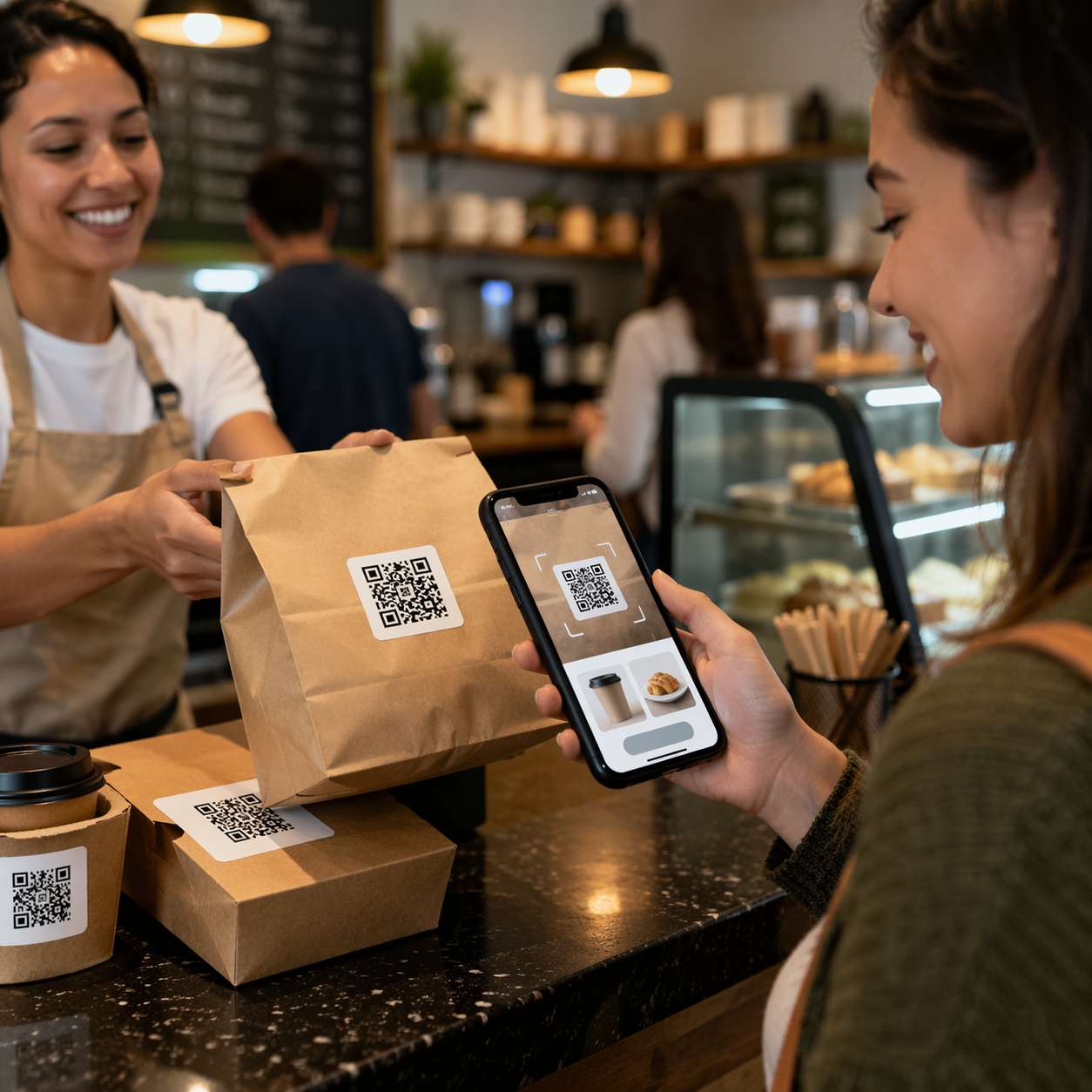
- Independent cafe: QR stickers on tables and takeaway cups link to the menu, loyalty offer, and reorder page for office catering.
- Salon or clinic: a window QR links passers-by to live booking slots, while aftercare product labels lead to refill purchases.
- Local food brand: packaging QR stickers open serving ideas, ingredients, and repeat-order bundles.
- Trades business: handover labels on installed products point to manuals, maintenance advice, and service booking pages.
- Boutique retailer: till-point QR stickers ask for reviews, while packaging inserts drive second-purchase incentives.
These are not enterprise-only use cases. They are practical, low-friction ways to make printed materials perform harder for a smaller business.
10) Where standards and smarter 2D QR workflows matter
Not every small business needs a standards-heavy setup on day one, but the wider direction is still useful to understand. The market is moving towards QR systems that can carry richer product information, support traceability, and stay useful across both customer-facing and operational use cases.
That is why it is worth understanding QR codes powered by GS1, implementation best practice, and GS1 Digital Link when you want a more future-ready print strategy.
The practical lesson for a small business is simple: the more useful and updateable the code is after print, the stronger the long-term value of the sticker.
11) Fresh internal and external reading worth linking to
Strong supporting reads include Print Now, Link Later, Dynamic QR Codes That You Can Update Anytime, Branded Dynamic QR Codes with Built-In Calls to Action, The Complete Guide to Dynamic QR Code Infrastructure, QR Codes for Packaging That Stay Editable, Trackable and Useful After Print, and How to Use Trackable QR Codes for Post-Print Control and Scan Analytics.
12) YouTube video example: why updateable QR codes matter after print
This video is a strong fit because it focuses on the business case for moving from simple one-off codes to QR workflows that support richer product information, smarter packaging, and stronger long-term flexibility.
13) Quote: Mark Hickman
“For a small business, the best QR sticker is not the fanciest design. It is the one that makes the next customer action obvious, stays useful after print, and gives you better control over what happens after the scan.”
— Mark Hickman, Co-founder
Conclusion: QR code stickers help small businesses turn attention into action
QR code stickers work for small business because they remove friction at the exact moment a customer is ready to act. They make it easier to order, rebook, review, reorder, join, or learn more without forcing the customer to search or remember what to do next.
The biggest gains usually come from two decisions. First, link the QR sticker to one genuinely useful next step. Second, keep control after print so the code can stay relevant as your offers, pages, and customer journeys evolve.
When done properly, a QR sticker stops being a passive graphic and becomes a measurable growth tool that helps a small business get more customers and more repeat orders from the same printed surface.
FAQs
How can small businesses use QR code stickers to get more customers?−
By linking physical touchpoints to the most useful next step, such as ordering, booking, claiming an offer, viewing a menu, or sending an enquiry. The best results come when the QR code solves one clear customer need fast.
Can QR code stickers help generate repeat orders?+
Yes. They work especially well on packaging, inserts, and aftercare materials where a scan can open a refill page, reorder route, loyalty page, subscription option, or returning-customer offer.
Should a small business use static or dynamic QR codes?+
Dynamic QR codes are usually stronger because they let you update the destination later and track scans over time. That gives you more flexibility and reduces waste after printing.
Where should small businesses place QR code stickers?+
Common high-value placements include packaging, tills, windows, menus, takeaway bags, posters, thank-you cards, and service handover labels. The best place is where the customer already has intent and only needs a fast route to act.
What should a small business link a QR code sticker to?+
To the next action that matters most: an order page, booking flow, product guide, loyalty join-up, review request, support page, or repeat-purchase route. Avoid sending people to a generic homepage unless that is genuinely the best answer.
Speak to Us Today
Need a QR sticker setup that helps your small business win more customers and drive repeat orders without losing control after print? Talk to the team about editable, trackable, branded QR workflows built for real-world use.
Start with the use case first: what useful action should happen after the scan, and how should that action be measured once the sticker is already in the wild?