Key Takeaways
A good dynamic QR codes app should connect printed materials with destinations you can manage later. The practical choice is the one that supports dependable print output, clear ownership and useful scan data.
- Dynamic codes let teams change destinations after printing.
- Print-ready exports need suitable sizing, contrast and quiet zones.
- A central dashboard makes codes easier to organise and maintain.
- Scan comparisons help teams improve physical campaigns.
- A staged rollout is safer than printing thousands of untested codes.
Understand what a dynamic QR codes app does
A dynamic QR codes app places a manageable redirect between the printed code and its final destination. That means a team can keep the physical asset in place while changing the page, document or form behind it. For sign companies, facilities resellers and agencies, this is an operational layer rather than a novelty feature.
The first question is simple: will the information behind the code change during the life of the printed asset? If the answer is yes, dynamic QR codes usually offer the more practical setup. They also create a basis for measuring scans by placement, campaign or location.
Dynamic versus static QR codes
A static QR code stores its destination directly, so changing the destination normally means creating and printing a new code. A dynamic code points to a managed link, which can be updated after the artwork has gone into production. The visible pattern may look the same, but the management process is very different.
That distinction matters on long-life signage, packaging, property boards and compliance labels. A printed asset can remain useful while a campaign page, inspection document or property detail changes. Dynamic QR infrastructure explains the redirect principle in more technical terms, without confusing the printed pattern with the destination it manages.
How destination updates work after printing
The printed code opens a controlled redirect first, then sends the reader to the current destination. An authorised user changes that destination in the dashboard, rather than editing the artwork or replacing the label. This is useful when a URL changes, a campaign moves from teaser to launch, or a document needs a new version.
A useful workflow is to create separate codes for separate assets, even when they initially share one destination. Labels such as “Leeds warehouse door” or “Branch 03 fire panel” preserve the link between the physical object and its digital record. That makes later updates more precise and reduces the risk of changing the wrong code.
Why scan tracking matters for real-world campaigns
A scan count turns a physical placement into something a team can review. It will not, by itself, prove a sale or identify an individual, but it can show whether a board, leaflet, vehicle or label is being used. That evidence helps operators decide where to keep, move or redesign printed assets.
Keep scan reporting proportionate and privacy-conscious. A QR programme should focus on useful campaign and engagement information, while conversion events such as enquiries or form submissions are usually measured on the destination page.
Look for print-ready QR code features
Print quality is part of the product, not a last-minute design detail. The code must survive the material, viewing distance, lighting and handling conditions of the finished asset. A platform that supports both design controls and practical exports reduces friction between the marketing team, printer and site operator.
Ask whether the files suit the production process you already use. Check how branding affects contrast, whether margins remain clear, and whether the team can test the finished artwork before a large run. For a print reseller, those details affect rework, client confidence and margin.
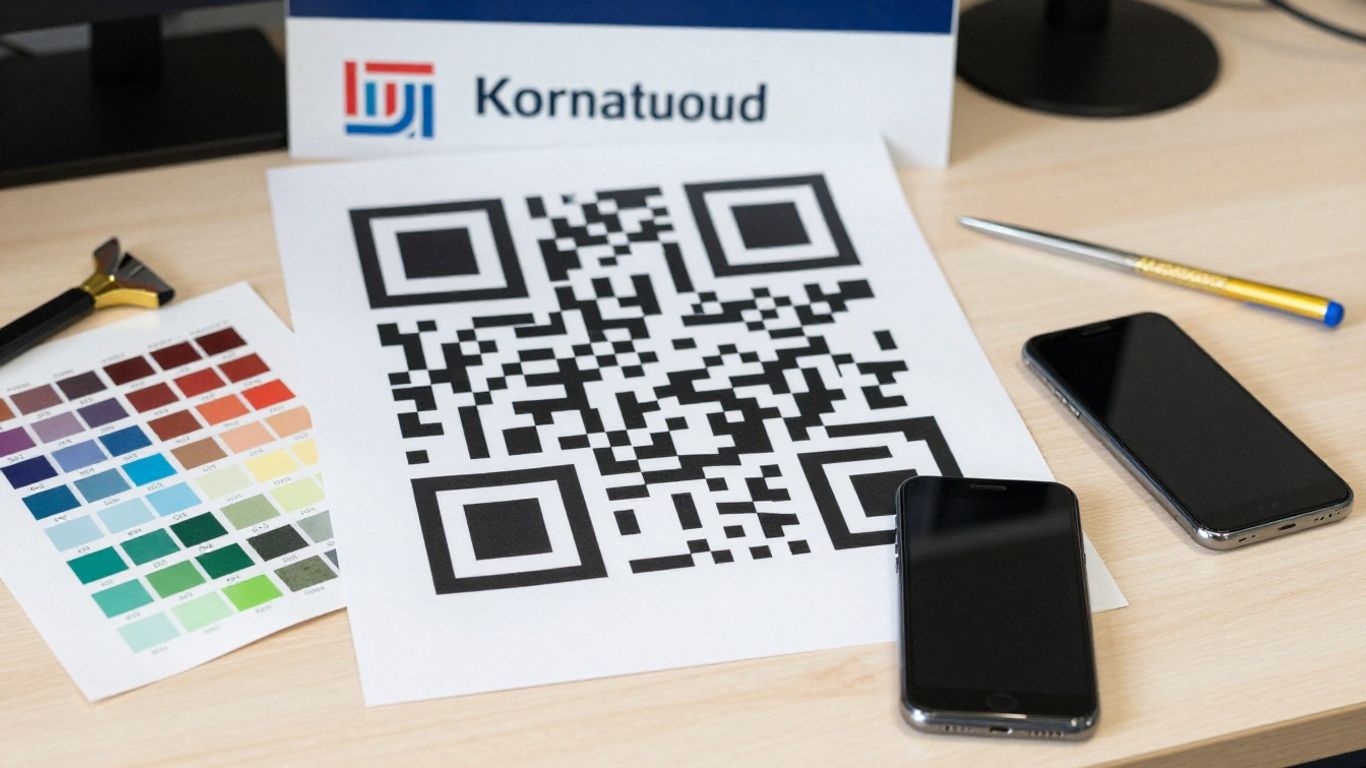
Export formats for posters, signage and packaging
PNG and PDF exports cover many everyday requirements, including signage, stickers, windows, menus, flyers and slides. The right choice depends on how the artwork will be placed into a wider design and how the printer handles resolution. Keep an original export for production, rather than repeatedly copying a compressed screenshot.
It is also sensible to retain a code ID or clear internal label in the asset register, even if it is hidden from the public-facing artwork. That small discipline makes it easier to identify a replacement file or confirm which code belongs to a particular site.
Sizing, contrast and quiet zones for reliable scans
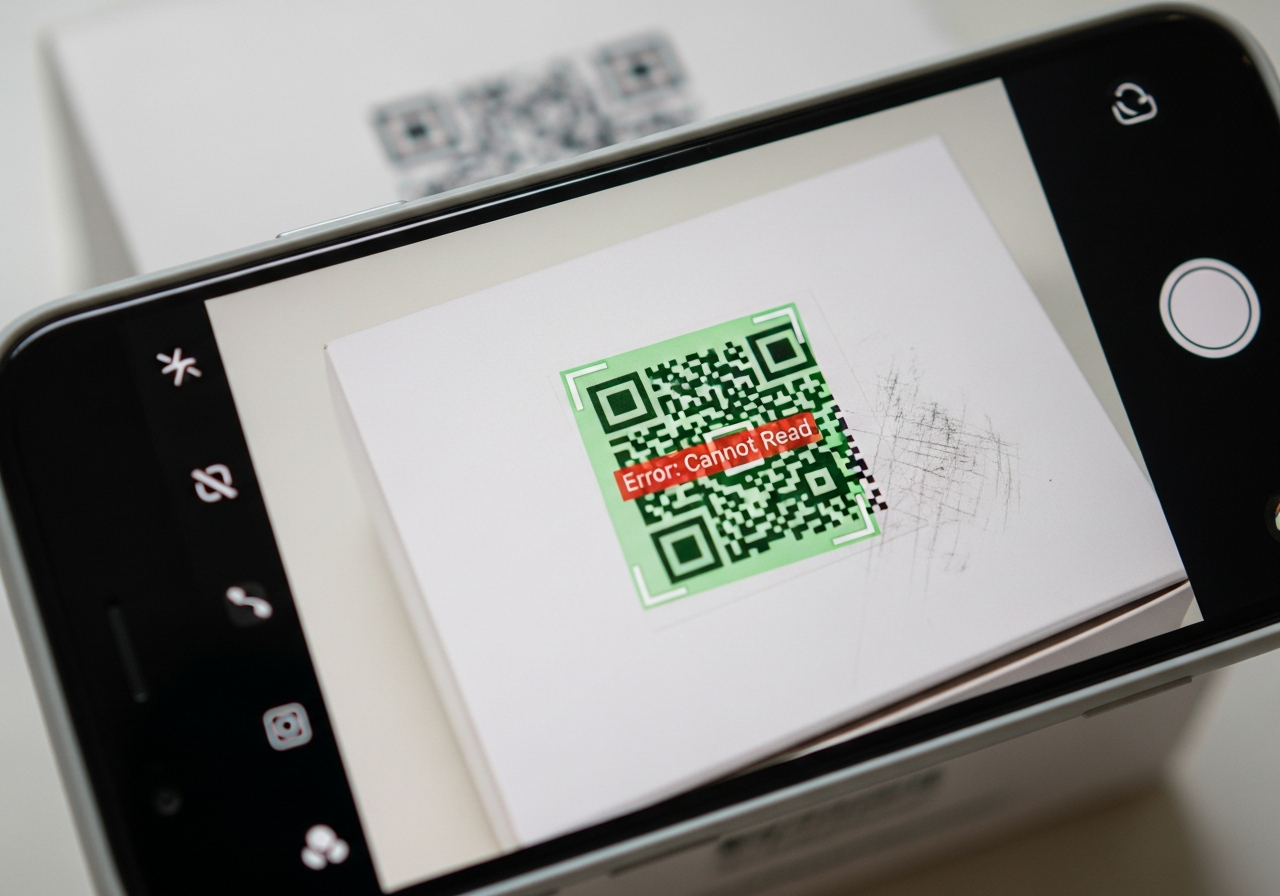
A code needs enough physical size for the expected scanning distance, strong contrast between pattern and background, and an uncluttered quiet zone around its edges. Glare, folds, low light and textured surfaces can all make scanning harder. High error correction and proper margins provide useful resilience, but they do not compensate for a code that is tiny or visually crowded.
Before approving a run, test the actual material under realistic conditions. A glossy window, warehouse label and outdoor board each deserve their own check. Free dynamic QR creation can help teams explore branded designs, but production testing still belongs to the organisation commissioning the print.
Branding, logos and custom templates
Brand colours, dot shapes, eye styles, frame text and logos can make a code fit an established identity. They should be treated as controlled design choices rather than decoration. Preserve a clear contrast and generous margin, then test the result on the phones likely to be used by visitors, staff or customers.
Templates are particularly useful for agencies and print companies managing repeat work. A standard layout can reduce setup time, while a separate label or code ID keeps each physical placement distinguishable in the management system.
Manage printed QR codes from one dashboard
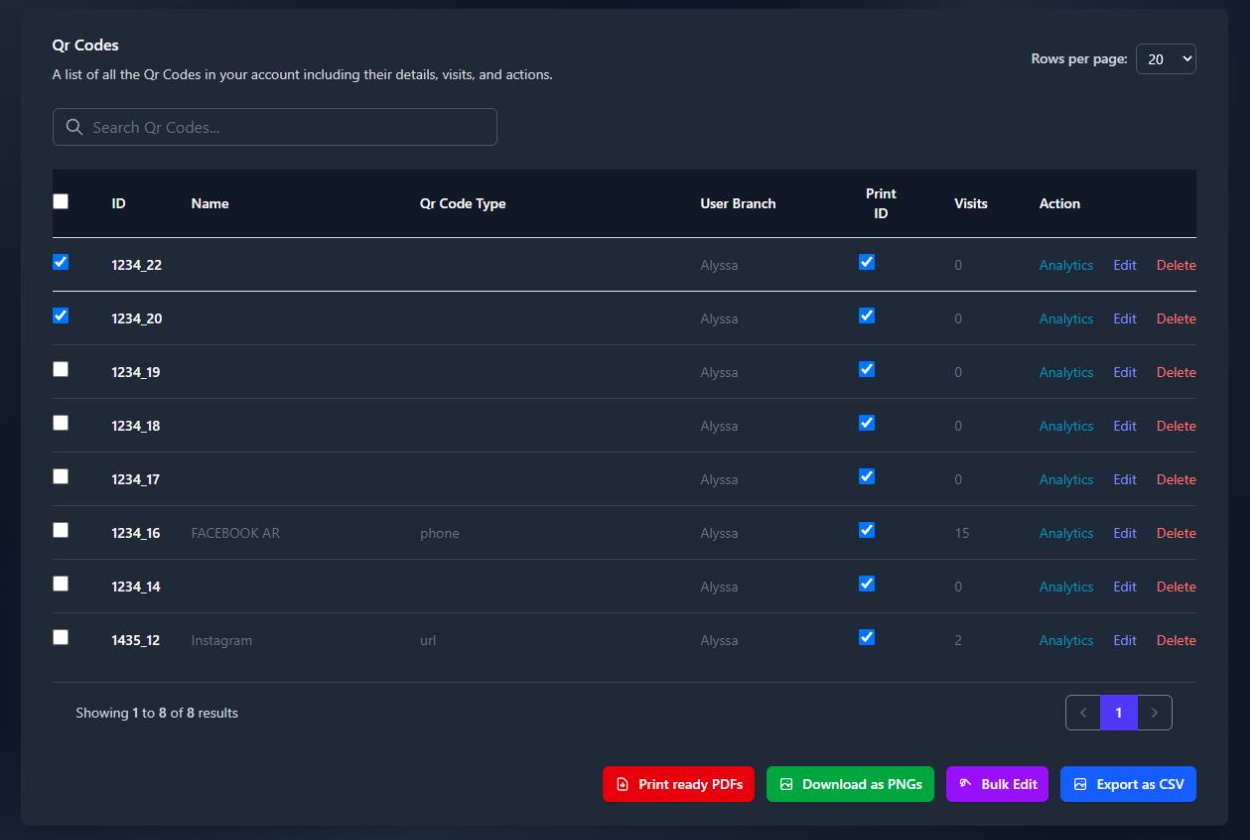
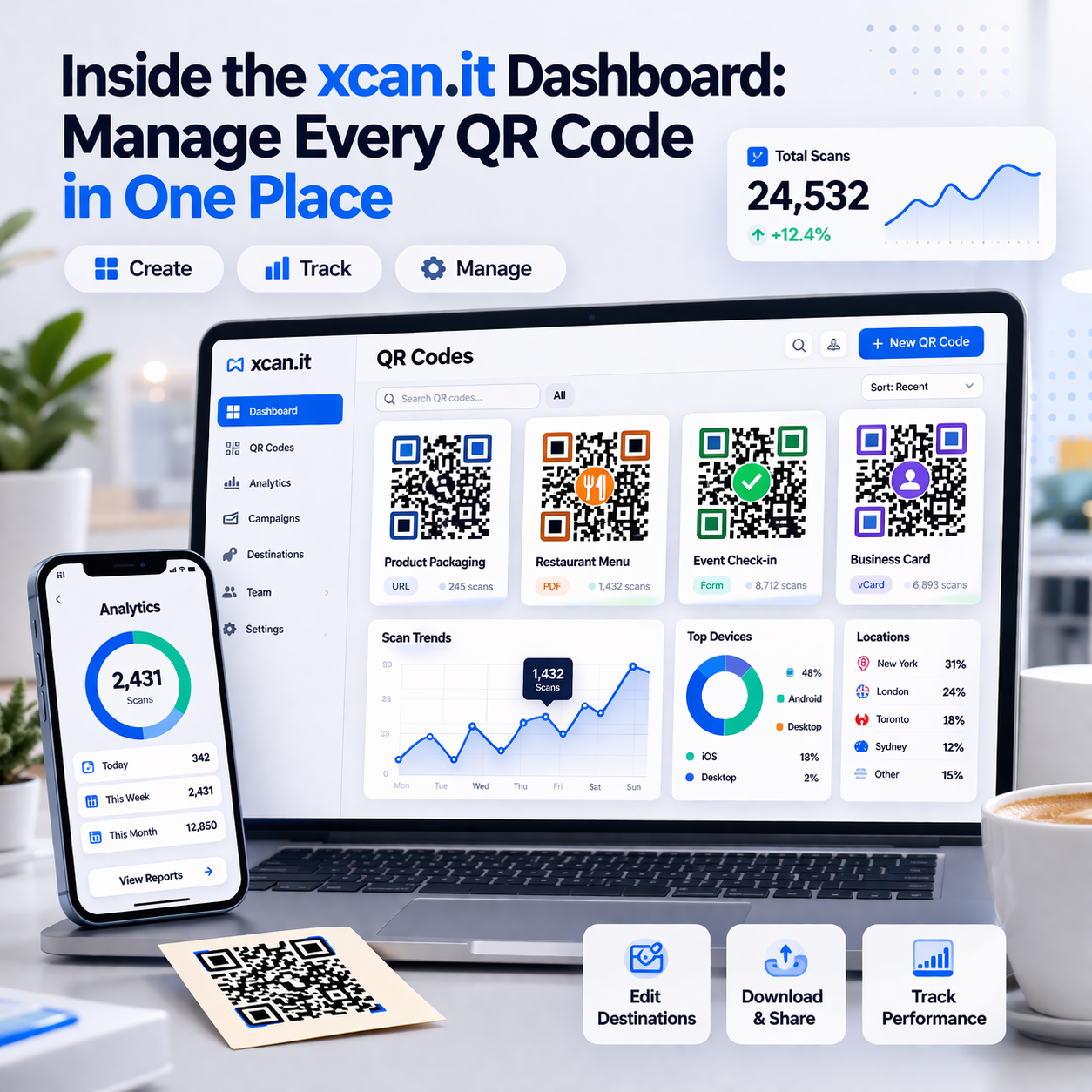
A dashboard becomes valuable when a team has more than a handful of codes. Instead of searching through artwork folders and spreadsheets, operators can see the code, its label, destination and activity in one place. That reduces mistakes when an estate contains multiple branches, assets or campaigns.
Central management also clarifies responsibility. A marketing team may manage campaign destinations, while a facilities team maintains inspection records. Good governance keeps those workflows connected without giving every user unrestricted editing rights.
Organise codes by campaign, location and asset
Use names that describe the physical placement first: “Bristol depot gate”, “North region van 14” or “Estate board, plot 7”. Add campaign or asset details where they help searching. The label should make sense to someone who did not create the code six months ago.
Separate codes are often preferable to one shared code when scan comparisons matter. A common design can still be used across a network, but unique codes reveal which branch, board or item generated the activity.
Update links without reprinting physical materials
The main operational benefit is straightforward: an authorised user can change the destination while the printed pattern stays in place. This avoids reprinting when a campaign URL changes, a property listing is updated or a compliance document moves. The saving is not just paper; it can also be labour, installation time and disruption.
Use the update carefully. Check the new destination, confirm that it works on a phone, and record why the change was made if the code supports a long-term operational process. The redirect should remain active for as long as the physical asset is expected to be scanned.
Use “Print Now – Link Later” for faster rollouts
Separating print approval from final link selection can shorten production schedules. A team can generate and print codes today, then assign or update destinations when the campaign, event or document is ready. This is especially useful for sign makers, agencies and facilities suppliers working to fixed print slots.
A practical rollout might follow these steps:
- Create unique codes for each important physical placement.
- Label them using the site, asset or branch name.
- Export and proof the artwork before production.
- Assign the final destination when it is ready.
The printed media can then move through production without waiting for every digital detail to be final. Keep an owner and a review date against each code so that “link later” does not become “link never”.
Track scans and improve performance
Scan data is most useful when it is tied to a decision. A total count can show activity, but comparisons explain which placements deserve attention. Separate codes, consistent labels and sensible time periods make the data easier to interpret.
Do not treat every scan as a conversion. A poster may generate interest while the landing page creates the enquiry; both stages need to be considered. The best reporting connects physical placement, scan activity and the next meaningful action without claiming more certainty than the data supports.

Compare scans across posters, branches and locations
Create a distinct code for each placement when location matters. A branch window, vehicle, event stand and equipment label should not all share one identifier if the team needs to compare them. Consistent naming makes the dashboard useful to both operators and account managers.
For multi-site work, compare like with like. A busy station poster and a quiet internal noticeboard serve different audiences, so raw totals need context. Review scan rates alongside exposure, opening hours and campaign duration where those details are available.
Use scan trends to identify what works
Look for repeated patterns rather than reacting to one unusual day. A rise after a layout change, a drop after a destination update or sustained activity from one location can guide the next print run. This is where a dynamic code becomes an improvement loop rather than a one-off link.
The useful question is not only whether a code was scanned, but whether the physical placement earned another round of attention.
Use the answer to refine positioning, wording, size and destination speed. Retire codes that no longer serve a purpose, and keep a record of changes so the team can distinguish campaign effects from technical problems.
Connect QR activity with landing pages and conversions
A scan is an entry point, not the whole customer journey. Add relevant analytics to the destination page, use clear calls to action and make forms short enough for a mobile screen. For a campaign managed by an agency, this separates reach from the later actions that matter commercially.
The same principle applies to operational assets. A scan from a fire-safety label might lead to a checklist or inspection record rather than a sales page. The destination should match the physical context and make the next step obvious.
Apply dynamic QR codes across physical touchpoints
Dynamic codes are most useful where printed information has a working life. They can connect a physical object to a page, document, form or live update while leaving the object itself unchanged. That makes them relevant to print operations, compliance teams, property businesses and agencies managing client estates.
Choose the destination and level of tracking according to the touchpoint. A public sign needs clarity and safety checks, while an internal asset label may need a controlled document and a maintenance owner. The physical setting should shape the workflow.
Posters, signage and menus
Posters and signs often outlive the offer, event or information they first advertised. A dynamic destination allows the same printed surface to remain useful as details change. Menus, property boards and public information signs can similarly point to current content without a new production run.
Keep the call to action plain and place the code where it can be reached without blocking the surrounding information. Inspect public codes regularly, particularly where stickers or other overlays could be applied.
Packaging, prospectuses and promotional materials
Packaging and prospectuses may be printed months before they are distributed. A managed destination can accommodate a revised product page, downloadable document, application form or campaign message. That flexibility is useful when production lead times are longer than digital approval cycles.
Promotional materials benefit from the same discipline as signage: use one code per meaningful variant when reporting matters, and avoid putting a code on a busy image or fold line. The scan journey should be quick on a mobile connection.
Asset labels, equipment and compliance records
Asset labels are a strong fit for long-term redirect management. A code on equipment can lead to a manual, booking record, safety instruction, maintenance log or inspection form, then be repointed when the documentation changes. Fire and safety assets can also connect a physical item with its servicing history, status and required actions.
For compliance resellers, the important question is ownership. Decide who updates the destination, who checks the label and how an auditor can identify the physical asset. Clear labels and controlled access matter as much as the QR pattern.
Events, visitor check-ins and transport
Events can use codes on tickets, banners and venue signage for schedules, maps, session recordings or feedback forms. Visitor check-ins offer a quick entry route for offices, gyms, shared spaces and events. Transport and vehicle assets can point to bookings, manuals, handover documents or damage reporting.
These use cases change quickly, so a destination that can be updated without replacing every sign or sticker is practical. Test connectivity at the venue or depot, not only at a desk before deployment.
Evaluate Xcan.it for your organisation
For UK organisations buying a dynamic QR codes app, the evaluation should start with workflow rather than novelty. Ask how codes are produced, labelled, printed, updated and reviewed after installation. Xcan.it is positioned around dynamic QR codes, editable destinations, scan analytics and physical campaigns, which fits teams managing print, signage and assets.
The platform also needs to fit commercial delivery. A print company may want to add a managed QR service to client work; a facilities reseller may need repeatable labels and controlled access; an agency may need to manage several campaigns without losing ownership of the underlying codes.
Combine dynamic QR codes, analytics and in-house printing
A single workflow can cover creation, branding, export, printing, destination updates and scan review. Xcan.it supports PNG and PDF exports for print or digital use, alongside labels, editable destinations and a simple click counter per code. That combination keeps the redirect layer close to the physical work it serves.
The practical test is whether the team can move from artwork to live destination without introducing another manual register. If the answer is yes, the system is doing more than generating a pattern: it is helping maintain a physical-to-digital process.
Give teams controlled access across branches
Multi-site organisations need a clear division between people who create codes, people who update links and people who review activity. Seats, branch prefixes and role-based access can help a super user manage access while teammates work with their own logins.
Set those rules before the first large deployment. A branch label should identify the location, and an asset owner should know what to do if a destination is incorrect or a public code appears to have been tampered with.
Start with free codes and scale as needs grow
A small pilot can test the complete process without committing to a large print run. Create a few codes, label them clearly, print them on the intended materials, test the destinations and review the scan counts. Xcan.it offers up to 10 dynamic QR codes on its free tier, with expansion available for more codes, deeper analytics or team features.
For agencies and resellers, the pilot should also measure delivery time and support effort. If clients need white-label delivery, acknowledge the DNS work involved: a custom subdomain requires an A record pointing to the platform’s server, and it applies to newly created codes rather than existing ones.
Plan a reliable QR code rollout
A rollout succeeds when the physical and digital parts are owned together. Choose one operational use case, establish naming conventions and decide who can change destinations. Then prove the process on a small group of real assets before scaling it across branches or clients.
This is particularly relevant to print and compliance resellers. Their reputation is tied to what remains on a wall, vehicle, package or piece of equipment long after the initial handover. A reliable system includes maintenance, not just generation.
Choose one use case and label each code clearly
Start with a use case where an update or scan comparison would genuinely help. Property signage, asset records, event information and safety documentation are good candidates because the physical item has a clear owner and lifespan. Give each code a label that identifies its location or asset.
Avoid creating dozens of anonymous codes at once. A smaller, well-documented set will teach the team more than a large batch that nobody can confidently maintain.
Test every printed code on iPhone and Android
Scan the finished material with current iPhone and Android devices, using the lighting, distance and angle expected in the real setting. Check that the preview matches the intended destination, the page loads quickly and the code remains readable after fitting or installation.
Also test the failure cases. Look for glare, folds, dirt, low contrast and obstructions. A code that only works perfectly on a designer’s monitor is not ready for a warehouse, street, vehicle or public building.
Keep destinations fast, secure and easy to use
Use HTTPS destinations, keep the first page mobile-friendly and ask only for information that the journey needs. Make the next action clear, whether that is downloading a document, checking a property, completing a form or viewing an inspection record.
Staff should inspect public codes for tampering and confirm that the previewed URL is expected. A dynamic redirect gives the owner control to change a destination quickly, but it does not remove the need for sensible security and content governance.
Review results before expanding the programme
Set a review point after the first meaningful period of use. Compare scans by placement, check for failed journeys and ask the people responsible for the physical assets whether updates are straightforward. Then adjust the design, labels, destinations or permissions before adding more sites.
Teams that need campaign support can also examine social campaign reporting alongside QR activity, while a facilities supplier might pair an asset workflow with a garage safety checklist or a local team’s marketing measurement plan. These examples are reminders to connect scan data with the wider task, not to treat a QR count as the final business result. A free rollout check can help turn the first pilot into a repeatable process.
Conclusion
Choosing a dynamic QR codes app is really a decision about maintaining physical information over time: print a code, manage its destination, observe its use and improve the surrounding journey. For UK print, agency, property and compliance teams, that link between durable assets and changeable digital content is the part worth evaluating carefully.
Frequently Asked Questions
What is a dynamic QR code?
A dynamic QR code points to a managed destination that can be changed after the code has been printed. A static code normally stores a fixed destination and cannot be updated in the same way.
Can a QR code destination be changed after printing?
Yes, when the code uses a managed redirect. The owner changes the destination in the relevant dashboard while the printed pattern remains unchanged.
Do dynamic QR codes track personal information?
Scan reporting can provide campaign-level information such as counts, times or broad patterns, but it should not be treated as individual surveillance. Personal data collection requires a separate, transparent and lawful approach.
What makes a QR code reliable in print?
Reliable codes need suitable size, strong contrast, a clear quiet zone and an uncluttered background. Test the final printed material in the lighting and conditions where people will scan it.
Should each branch have its own QR code?
Use separate codes when you need to compare branches, locations or assets. A shared code is simpler, but it cannot show which physical placement generated a scan.
Can QR codes link to documents and forms?
Yes. A QR code can open web pages, PDFs, forms, videos and other online destinations, provided the destination is mobile-friendly and remains available.
How should an organisation start a QR programme?
Begin with one clear use case and a small pilot. Label every code, test the finished print on more than one phone, assign an owner and review scan activity before expanding.