
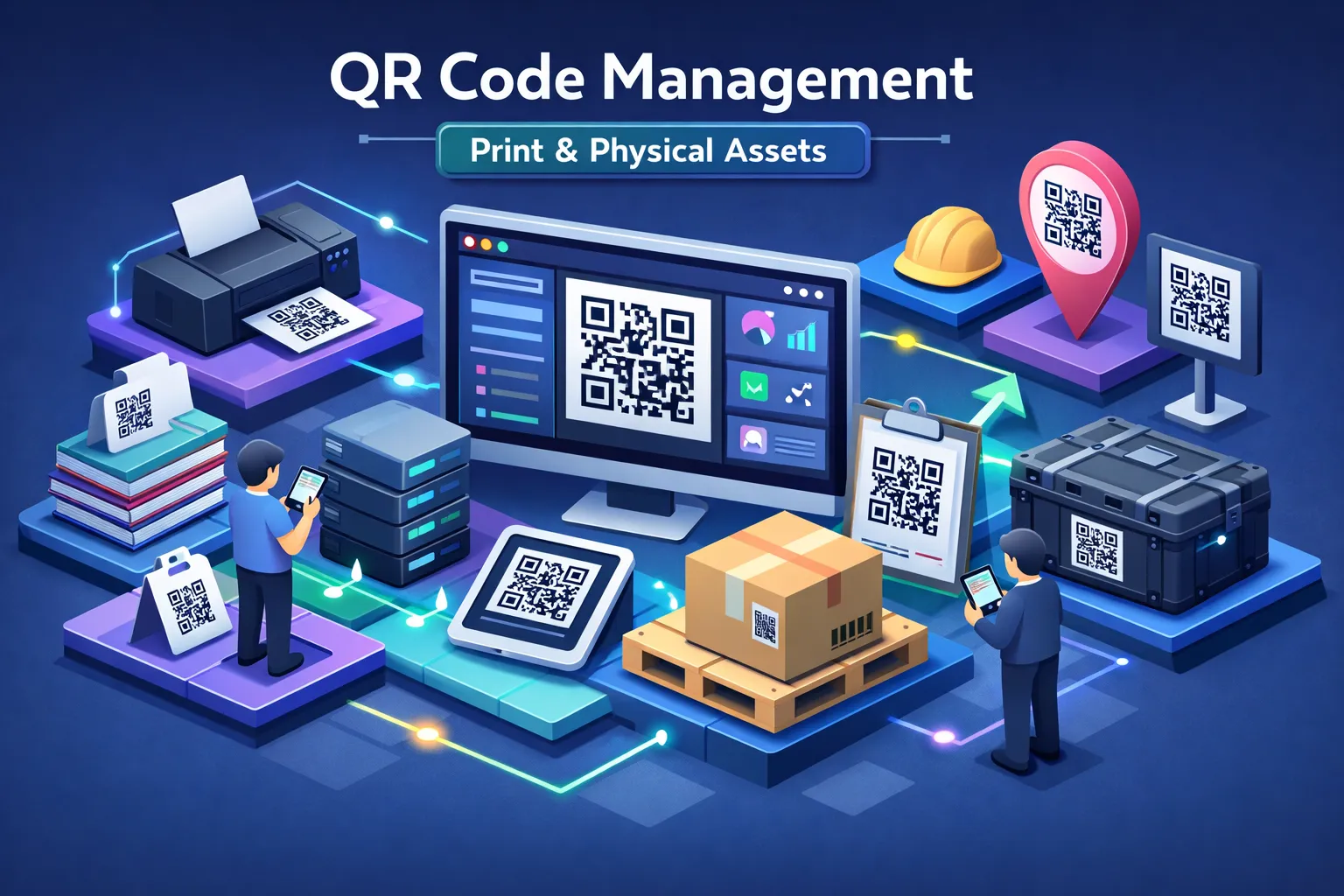
QR code management software for printed materials and physical assets exists to solve a problem that most organizations only recognize after it has already cost them money. A campaign goes live. Posters are printed, distributed, and displayed across three cities. Three weeks later, the destination URL changes, and every one of those printed codes now leads to a 404 error. The budget spent on design, print, and distribution is not recoverable. The engagement window is gone. And every person who scanned and hit a dead link walked away with an impression of the brand that no follow-up email is likely to repair.
This scenario is common enough that marketing teams, facilities managers, universities, and government departments treat reprint budgets as a recurring line item rather than an exceptional cost. The financial exposure scales fast: reprinting 10,000 flyers runs roughly $500, while relabeling a product line can reach $50,000. For mid-sized organizations, reprint costs tied to operational documents can exceed $30,000 in a single year, depending on print volume and materials. The root cause is the same in every case: a static QR code with no mechanism for post-print control.
This guide exists to help you buy the right platform the first time. By the end, you will have a clear feature checklist, realistic pricing benchmarks, and a framework for evaluating QR code management software that matches your organization’s actual deployment needs, whether those are printed marketing materials, campus signage, or tagged field equipment. The criteria here reflect the operational requirements that separate platforms built for scale from tools built for casual use.
Why static QR codes are a liability on printed materials
The reprint problem no one budgets for
A static QR code encodes the final destination directly into the pattern itself. The URL, the PDF path, the form link: all of it is locked into the visual structure of the code at the moment of generation. Once that code is printed, the code and its destination are permanently linked. Any change to the destination requires generating a new code, which means a new print run, which means real money spent correcting a problem that better infrastructure would have prevented.
Consider a university printing 5,000 orientation leaflets pointing to a PDF hosted on a server with an expiring domain. The semester starts, the link breaks, and the window to reach incoming students with that information has closed. Reprinting is expensive; missing the moment is worse. For single-use, short-lived materials, this is a manageable risk. For physical assets, permanent signage, and multi-month campaigns, it is a structural problem built into the technology choice.
What dynamic QR code management changes
A dynamic QR code takes a different approach. The code itself encodes a short redirect URL, which points to a server-side record storing the actual destination. When someone scans the code, their device follows the short URL to the platform’s server, which then routes them to the current target content. That target can be updated instantly from a dashboard, with no change to the printed code, no reprint, and no disruption to codes already deployed in the field. Learn more about how dynamic QR codes work.
The operational advantages go further than editability. Because the redirect is managed server-side, the platform can record every scan: the date, the device type, the geographic location, and the time. This turns every printed surface into a measurable engagement channel. Post-print editability, real-time redirect management, and scan analytics form the baseline any serious platform must deliver. Everything else builds from there.
Evaluating QR code management software for printed materials and physical assets
Editable redirects and centralized campaign control
The ability to change a QR code’s destination without reprinting is the non-negotiable starting point for any platform evaluation. Beyond that baseline, assess whether the platform supports unlimited destination edits, configurable expiry dates, scan-count limits, and optional security controls from a single dashboard. These controls determine whether the software can serve operational needs, not just marketing campaigns.
Centralized management becomes critical at scale. An organization running 200 asset tags across three facilities cannot operate efficiently by logging into 200 separate records. Look for bulk editing, folder and campaign grouping, and role-based permissions that let marketing, operations, and IT teams each work within their scope without stepping on each other’s workflows.
Asset tagging, bulk generation, and QR code lifecycle management
For physical assets specifically, the platform needs to support bulk QR code generation from spreadsheet imports, with each code tied to a unique asset record. Leading platforms process batches of up to 10,000 codes via CSV upload, which makes large-scale equipment tagging, inventory labeling, and facility signage projects manageable in practice rather than a manual burden. For guidance on tools that support large-scale, bulk creation workflows, see this list of top tools to generate bulk QR codes.
Ask explicitly whether codes can be activated, deactivated, or transferred between assets without generating new codes and reprinting tags. In a well-designed platform, the lifecycle of the code and the lifecycle of the asset it represents are managed independently. That separation is what gives operations teams control without triggering print costs every time an asset changes status or location.
Scan analytics and integration depth
Analytics should cover scan counts, device type, geographic location, date, and time at minimum. This data connects physical print engagement to digital campaign performance and gives teams the evidence they need to justify print spend, optimize placement, and report on ROI. Platforms that export this data in CSV or PDF format extend its usefulness into existing reporting workflows.
Integration depth matters for teams that need scan data to flow into other systems. Support for Google Analytics via UTM parameters is widely expected. Enterprise deployments typically also need API access, CRM connectors (HubSpot, Salesforce, Zoho), and SSO providers such as Microsoft Entra ID for automated user provisioning. If your deployment includes CMMS or IT systems, evaluate native connectors and documented integration paths like those described in this overview of CMMS IT integrations. Platforms built for operational scale support these integrations natively; platforms built for casual use do not.
Print durability and production: what capable platforms actually offer
Print specifications your team needs to get right
Before any code goes to print, the technical specifications need to be right. For standard commercial printing, 300 DPI is the minimum resolution; large-format signage and packaging require 600 DPI to keep the code’s modules sharp at scale. File format matters equally: always export in vector formats (SVG, EPS, or PDF) to prevent pixelation regardless of the output size. PNG files exported at screen resolution (72 DPI) fail beyond arm’s length and have no place in a professional print workflow. You can also review best practices for QR code printing to align production files with printing requirements.
Size and error correction are the two most commonly underspecified variables. A practical guideline is the 10:1 ratio: a code intended to be scanned from 10 inches away should be at least 1 inch wide. For physical assets and outdoor applications, error correction level Q (25% data recovery) is the right choice because it keeps the code readable even after surface damage, weathering, or partial obstruction. Level H (30% recovery) is appropriate where a logo is overlaid on the code or where industrial conditions are severe. For examples of packaging-focused deployments, see how QR codes on packaging are being used to drive consumer engagement.
Durable materials and optional print-production services
For physical assets, material selection is as important as print specification. Laminated vinyl, polyester-based tags, and weatherproof substrates extend code life significantly on equipment, outdoor signage, and infrastructure installations. Industrial-grade asset tags using anodized aluminum or metalized polyester are rated for UV stability, chemical resistance, and temperature ranges from -65°F to +300°F, with outdoor lifespans of five years or more.
One platform differentiator many buyers overlook is integrated print production. Some QR code platforms for printed materials include a built-in print service that bridges the gap between software and physical output. This eliminates a common failure point: the specification gap between what the platform generates and what an external print vendor actually produces. When production is handled end-to-end within the same platform, integrated print production can reduce specification errors and help ensure consistency from the start.
How Xcan It covers every requirement from one dashboard
One platform for creation, editing, and tracking across all assets
Xcan It’s centralized dashboard is designed to address every feature requirement laid out above. Dynamic QR codes are generated and remain fully editable after printing. Destinations can be updated in real time, with no change to the printed code and no reprint required. Scan analytics broken down by date, device type, and location are available from the same interface, giving teams a single source of truth for both management and measurement.
The dashboard eliminates the coordination tax that slows multi-team deployments. Marketing, operations, and print teams all work from one platform, with role-based permissions that scope each user’s access appropriately. Agencies managing multiple clients get campaign-level separation without needing separate accounts. Enterprises coordinating QR programs across departments or global sites get the centralized control that prevents the fragmented, tool-per-team sprawl that makes audits and updates painful. For a direct comparison of platform approaches, consider reading xcan.it vs QRCodeKIT: Advanced QR Code Management Compared.
Integrated print-production for durable, deployment-ready assets
Xcan It’s optional print-production service connects software and physical output directly. Organizations can move from QR code creation to print-ready, durable stickers and signage without sourcing a separate print vendor, negotiating spec compliance, or managing a two-vendor coordination problem. The codes produced through this service are built to the material and resolution standards that outdoor and industrial deployments require.
This matters most for large-scale QR tagging programs across campuses, facilities, or field equipment fleets where consistency across hundreds or thousands of tags is non-negotiable. A code that fails in the field because a vendor used the wrong substrate or resolution undermines the entire program. Keeping production within the same platform that manages the codes removes that risk entirely.
Pricing models and what to realistically budget
How vendors structure QR code management licensing
Most platforms use tiered SaaS subscriptions. Entry-level plans run $10 to $100 per month and cover basic dynamic code creation with limited analytics. Mid-market solutions start around $100 to $200 per month and unlock bulk generation, deeper analytics, and integration support. Enterprise contracts with custom pricing are standard above a certain asset count or scan volume, with annual contracts commonly ranging from $10,000 into six figures for large-scale deployments.
Vendors price on different metrics: per user (typically $15 to $30 per seat at SMB scale), per active code, by scan volume, or by feature tier. Before committing, identify which metric will grow fastest in your deployment. A facilities team tagging 500 assets will hit a code-count ceiling before a scan-volume ceiling. A high-traffic retail campaign will hit the scan limit first. Understanding your growth vector determines which pricing model gives you the best long-term cost.
The hidden costs buyers consistently miss
Beyond the subscription, total cost of ownership includes branded domain or shortlink hosting, SSL certificate management, and landing page infrastructure. If your deployment requires integrations with ERP or inventory systems, budget for implementation engineering time even if the API is technically available. Physical tags themselves range from low-cost paper labels to $100-plus per asset for industrial-grade options with tamper-evident and weatherproof construction.
Approximately 30% of QR code services offer free tiers, but these consistently strip out the features that matter for operational deployments: dynamic redirects, bulk generation, and detailed analytics. Free tools are appropriate for testing concepts. They are not appropriate for managing physical assets or print campaigns where reliability and control are requirements, not nice-to-haves.
A practical checklist before you commit to a platform
Questions to ask every vendor before signing
Use these questions as a structured filter across every platform you evaluate. A vendor that cannot answer all of them clearly has gaps that will surface after deployment, not before.
- Can I edit QR code destinations after printing with no code limit?
- Does the platform support bulk generation via CSV or spreadsheet import?
- What analytics are included: scan count, device type, location, date, and time?
- Are role-based permissions available for multi-user or multi-client management?
- Does the platform offer durable print production, or do I need a separate vendor?
- What integrations are supported natively: Google Analytics, REST API, CRM, SSO?
How to run a pilot before a full rollout
Start with a single campaign or asset category, not the entire estate. Generate 20 to 50 codes, tag a representative sample of assets or materials, and run the campaign for 30 days. This scope is small enough to complete quickly but large enough to surface real operational friction that a demo never reveals.
Focus on three signals during the pilot: redirect reliability under real-world conditions, analytics accuracy against known scan counts, and dashboard usability for non-technical team members. These signals predict whether the platform will scale across your full operation. A system that confuses a facilities coordinator or produces inconsistent scan data in a 50-code pilot will not perform better across 5,000 codes.
Choose infrastructure, not a tool
QR code management software for printed materials and physical assets is not a commodity purchase. It is infrastructure for physical-to-digital engagement, and the choice you make determines whether every printed surface your organization deploys becomes a measurable, controllable touchpoint or a liability waiting to break at the worst moment.
The right platform eliminates reprint waste by keeping destinations editable long after the ink dries. Beyond that, centralized control over codes across every asset, campaign, and location means scan data becomes actionable insight rather than noise, and print engagement connects directly to the digital systems your organization already depends on. These capabilities are increasingly standard in paid plans, though features like SSO, API access, and compliance certifications are more commonly found in mid-market and enterprise tiers. For a deeper vendor comparison perspective, review xcan.it vs QRCodeKIT: Advanced QR Code Management Compared to see how architectural differences affect operational outcomes.
Xcan It is built around the same requirements this guide outlines, from dynamic QR generation and real-time analytics to scalable permissions and integrated print production for durable, deployment-ready assets. If you are ready to move from static codes and reprint cycles to a system that gives you permanent control, Branded QR Assets with Built-In Calls to Action, Powered by Xcan It and see what centralized QR management actually looks like in practice.












