
Right then, let’s talk about QR codes. They’re everywhere these days, aren’t they? From menus to posters, you just whip out your phone and scan. But what’s the best way to do it? We’ve had a look at a bunch of options, and it turns out not all QR scanner apps are created equal. Some are a bit clunky, others are packed with ads, and some just don’t work very well. We’ve put together a list of the top contenders for 2026, whether you’re on an iPhone or an Android device. Finding the right qr scanner app can make a surprising difference to your day-to-day.
Key Takeaways
- Most modern smartphones have a built-in QR scanner in their camera app, which is usually the quickest and safest option.
- If you need more features, look for a qr scanner app that is fast, private, and doesn’t show ads.
- Good scanner apps will preview the website link before opening it, helping you avoid dodgy sites.
- Consider apps that can scan more than just QR codes, like Data Matrix or PDF417, if you deal with various items like tickets or packaging.
- For the best experience, choose a qr scanner app that focuses quickly, even in dim light, and works offline if needed.
1. iPhone Camera
For iPhone users, the built-in Camera app is your go-to for scanning QR codes. It’s incredibly straightforward: just open the Camera app, point it at the code, and a notification will pop up on your screen. Tap that, and you’re taken straight to the linked content. No need for extra downloads or complicated steps.
It’s a quick and easy way to access websites, Wi-Fi networks, or contact information. This native functionality means you’re already equipped to start scanning right out of the box.
While the Camera app handles most everyday QR codes perfectly, sometimes you might want a bit more power. That’s where tools like Xcan It come in. They offer advanced features that go beyond basic scanning. For instance, Xcan It lets you update QR code links without needing to reprint anything, which is a lifesaver for campaigns. You can also track scans from a single dashboard, giving you real insights into how your QR codes are performing across print, signage, and other assets. Plus, they enable the use of dynamic QR codes, which are brilliant for making your real-world marketing efforts more effective and adaptable.
2. Code Scanner
While your phone’s built-in camera is often good enough for a quick scan, sometimes you need a bit more power. That’s where dedicated apps like Code Scanner come in. They’re designed to be fast and efficient, often handling tricky codes or low-light situations better than the standard camera app.
One of the standout features you’ll find with tools like Xcan.it is the ability to update your QR code links without having to reprint anything. This is a game-changer for marketing campaigns or any situation where information might change. Imagine a poster with a QR code that leads to an event registration page. If the date or time shifts, you can simply update the link in your Xcan.it dashboard, and the existing QR code will automatically point to the new information. No more wasted print runs!
Speaking of dashboards, Xcan.it also lets you track scans in one central place. This means you can see how many people are interacting with your QR codes, where they’re scanning from, and at what times. This kind of data is incredibly useful for understanding campaign performance and making adjustments.
And if you’re looking to really boost your real-world campaigns across print, signage, and even physical assets, dynamic QR codes are the way to go. Xcan.it makes it easy to create and manage these, giving you the flexibility to change destinations on the fly and gather valuable insights. It’s a smart way to bridge the gap between your physical and digital presence.
Using dynamic QR codes means your campaigns stay relevant, even after they’ve been printed. You gain insights into user behaviour, allowing for smarter marketing decisions and a more connected customer experience.
For those who need more than just basic scanning, apps like Code Scanner offer a robust solution. They often support a wider range of barcode formats too, which can be handy if you’re dealing with tickets, loyalty cards, or product packaging. Plus, many are designed to be ad-free and prioritise your privacy, which is always a good thing. If you’re looking for a reliable scanner that offers advanced features, it’s worth checking out Code Scanner for its speed and clean performance.
3. Google Lens
Google Lens is a pretty neat bit of tech that’s often built right into your Android phone’s camera. It’s not just for scanning QR codes, though it does that brilliantly. Think of it as a visual search engine in your pocket. Point your camera at something, and Lens can tell you what it is, translate text on the fly, or even help you find similar products online. It’s incredibly handy for quick information gathering without needing to type anything in.
When it comes to QR codes, Lens acts as a fast and reliable scanner. It usually pops up suggestions automatically when it spots one, making the whole process feel quite intuitive. You can even use it to scan codes directly from your photo gallery, which is a nice touch if you’ve saved an image of a QR code for later.
One of the standout features of Google Lens is its ability to integrate with other Google services, like copying text from your camera straight to your computer using the ‘Remote Clipboard’ feature. It’s these little extras that make it more than just a simple scanner.
While Google Lens is fantastic for general use, if you’re running a business and need more advanced features like tracking scan data or updating QR code links without reprinting, you might want to look at dedicated platforms. Tools like Xcan It allow you to manage your QR campaigns effectively, providing insights into performance and the flexibility to change destinations on the fly. This is particularly useful for print, signage, and asset tracking where reprinting can be a hassle.
For everyday scanning needs, though, Google Lens is a solid, built-in option that’s hard to beat on Android devices. It’s a great example of how powerful your smartphone camera can really be unlock your camera’s superpowers.
4. Android Camera
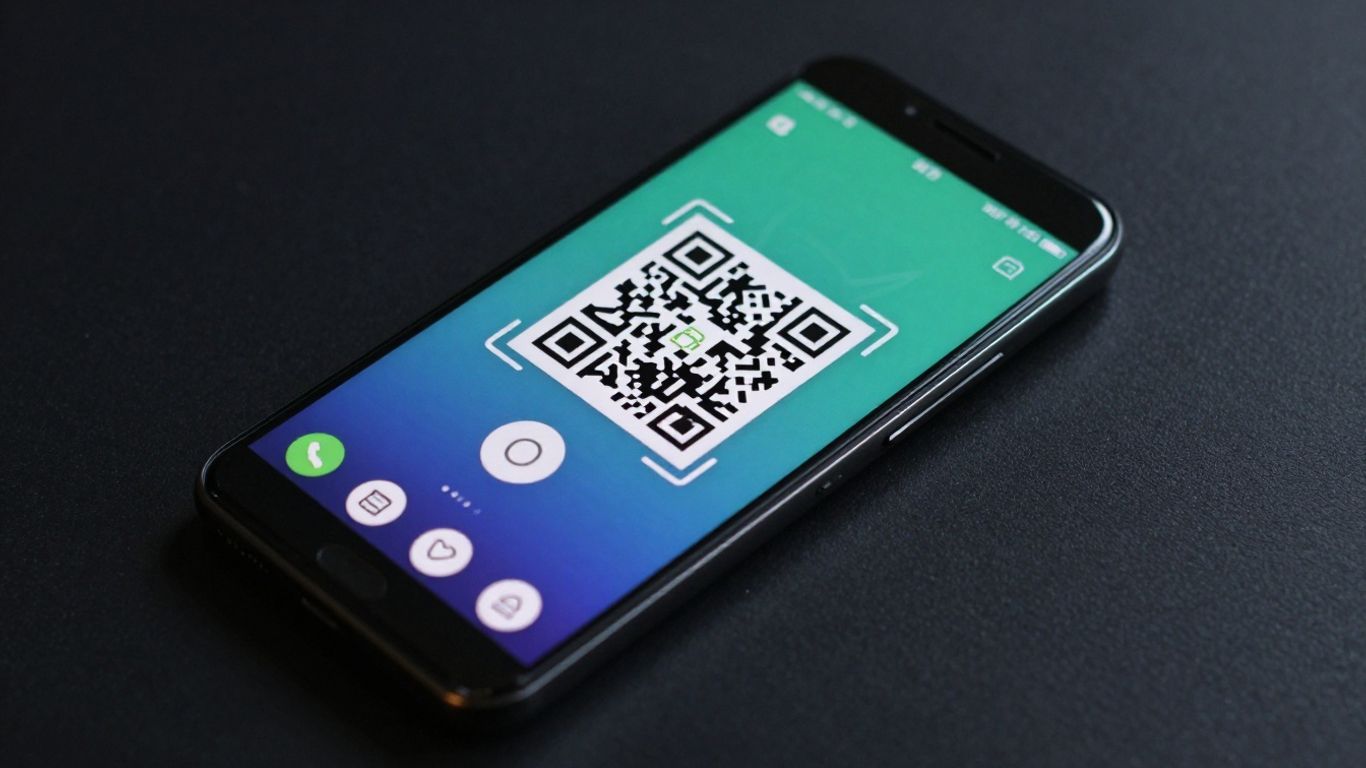
Most Android phones come with a built-in QR scanner right in the camera app. You don’t need to download anything extra for basic scanning. Just open your camera, point it at the QR code, and a notification should pop up, letting you access the linked content. It’s pretty straightforward, really. For those times when the camera app might need a little nudge, you can often enable Google Lens suggestions within your camera settings. This gives your phone a bit more power to recognise and interpret those little squares.
If you’re looking to do more than just scan, like managing marketing campaigns, you might want to consider a dedicated service. For instance, Xcan.it allows you to update QR code links without having to reprint anything, which is a lifesaver for campaigns. Plus, you can track all your scans from a single dashboard and use dynamic QR codes to really boost your efforts across print, signage, and other assets. It’s a neat way to keep your real-world campaigns connected and measurable.
Here’s a quick rundown of how to use your Android camera for scanning:
- Open the default Camera app.
- Point your phone at the QR code, making sure it’s well-lit and in focus.
- A notification or banner should appear. Tap it to open the link.
- If it doesn’t work, check your camera settings to enable QR code scanning or Google Lens integration. Scanning QR codes on Android is usually this simple.
While the built-in camera is fantastic for everyday use, dedicated platforms offer advanced features for businesses. Think about campaign tracking and the ability to change links on the fly. It’s about making your QR codes work harder for you.
5. Xcan It Scanner
When you need a bit more power from your QR codes, Xcan It really steps up. It’s not just about scanning; it’s about making your real-world campaigns smarter. The big win here is the ability to update your QR code links without having to reprint anything. Think about it – a poster goes up, but the event details change. With Xcan It, you just hop into your dashboard and update the link. No fuss, no wasted print runs.
This platform is built for businesses that want to get more out of their print materials, signage, and even assets. You can use dynamic QR codes to track how many people are scanning them, where they’re scanning from, and when. It all comes together in one handy dashboard, giving you a clear picture of what’s working. This means you can really improve your marketing efforts by seeing what resonates with people.
Here’s what makes Xcan It stand out:
- Update Links on the Fly: Change the destination URL of your QR code anytime, even after it’s been printed. This is a game-changer for events, promotions, or any campaign where details might shift.
- Track Your Scans: Get insights into your QR code performance. See how many scans you’re getting, which codes are most popular, and understand your audience better.
- Dynamic QR Codes: These are the flexible workhorses. They allow for all the updates and tracking mentioned above, making your campaigns more agile and effective.
It’s a smart way to connect the physical world with your digital presence, making sure your campaigns are always current and measurable. You can create, edit, and track all your QR codes from one convenient spot using their UK-built system.
Xcan It is particularly useful for enhancing things like educational materials or campus resources. Imagine linking physical items, like lab equipment or study guides, to up-to-date videos or records. It enriches what you already have without needing to replace it, which is a pretty neat trick for schools and universities.
6. Uniqode Scanner
When you’re looking for a QR scanner that does more than just read codes, Uniqode really stands out. It’s not just about scanning; it’s about managing your entire QR code strategy. One of the biggest headaches with QR codes is when the link needs to change – usually, that means reprinting everything. Uniqode lets you update your QR code links without ever needing to print a new one. This is a game-changer for marketing campaigns, especially when you’ve got codes on posters, business cards, or even product packaging.
Beyond just updating links, Uniqode offers a really neat way to keep tabs on how your codes are performing. You get a dashboard where you can track scans, see where they’re coming from, and generally get a feel for what’s working. This kind of insight is super helpful for improving your real-world campaigns, whether they’re on print materials, signage, or even attached to assets.
They also champion the use of dynamic QR codes, which are the key to making all this flexibility and tracking possible. Dynamic codes are essentially a bridge between the physical code and the digital destination, and Uniqode makes managing that bridge straightforward. It’s a solid choice if you’re serious about using QR codes to connect with your audience and measure your efforts. You can read about other users’ experiences with Uniqode here.
Using dynamic QR codes means you’re not locked into a single destination. You can pivot your campaign, update information, or even change the linked content entirely, all while using the same physical QR code. This flexibility saves time, money, and reduces waste.
7. Flowcode Scanner
Flowcode is a bit of a different beast in the QR code world. It’s not just about scanning; it’s more about creating and managing these codes for marketing and business use. Think of it as a platform that lets you design dynamic QR codes that you can actually update later without having to reprint everything. This is a massive plus if you’re running campaigns across print, signage, or even on physical assets.
One of the standout features is the ability to track scans. Flowcode gives you a dashboard where you can see how your codes are performing. This means you can actually measure the return on investment for your real-world campaigns, which is pretty neat. It’s designed for people who want to connect the physical world to their online presence in a measurable way.
Flowcode positions itself as a premium tool for businesses looking to get more out of their QR codes, focusing on customisation, analytics, and campaign management. It’s user-friendly, too, with many finding its interface intuitive.
If you’re serious about using QR codes to drive engagement and understand your audience better, Flowcode is definitely worth a look. It’s a tool that helps you make your QR codes work harder for you. You can read about other users’ experiences with Flowcode here.
While many phones have built-in scanners, Flowcode offers a more robust solution for those who need advanced features. It’s a good option if you’re looking for more than just a basic scan. You can find out more about free QR code generators if you want to compare options.
8. QR Code Reader by Scan
While your phone’s built-in camera is often good enough for a quick scan, sometimes you need a bit more power. That’s where apps like QR Code Reader by Scan come in. They can offer a more robust scanning experience, especially if you’re dealing with less-than-perfect codes or need to scan a variety of formats beyond just QR.
What sets some of these dedicated apps apart is their focus on dynamic QR codes. Tools like Xcan.it allow you to update the link behind a QR code without having to print a new one. This is a game-changer for marketing campaigns, signage, or any situation where the destination might change. You can also track how many people are scanning your codes through a central dashboard, giving you real insights into what’s working. This means you can improve your real-world campaigns across print, signage, and even on assets.
Here’s what to look for in a good QR scanner app:
- Speed and Accuracy: It should focus and scan quickly, even in low light or on small codes.
- Safety Features: Look for apps that preview URLs before opening them, helping you avoid dodgy links.
- Format Support: Beyond QR, support for Data Matrix, PDF417, and Code 128 can be really handy for tickets, packaging, and more.
- Ad-Free Experience: Nobody likes intrusive ads popping up when they’re just trying to scan something.
Using a dedicated app can offer more control and insight, especially for businesses looking to manage their QR code campaigns effectively. It’s about making those connections between the physical and digital worlds as smooth as possible.
9. Barcode Scanner
While many apps focus solely on QR codes, some are built to handle a wider range of barcodes, and that’s where Barcode Scanner shines. It’s not just about reading those familiar black and white squares; this app is designed to be a workhorse for anything with a barcode.
This app is highly effective for work-related tasks, efficiently recognising various barcode formats and delivering quick, accurate results. It’s a real time-saver when you’re dealing with inventory, shipping labels, or even event tickets. You’ll find it handles 1D and 2D barcodes with ease, often outperforming other readers that struggle with smaller or less-than-perfectly printed codes.
Here’s what makes it stand out:
- Multi-format support: Beyond QR codes, it reliably scans Data Matrix, PDF417, and Code 128, which are common on packaging, tickets, and identification cards.
- Speed and accuracy: It boasts quick autofocus and a knack for reading codes even in tricky lighting conditions, minimising those frustrating scan failures.
- No fuss, no ads: You get a clean scanning experience without annoying pop-ups or unwanted data collection, keeping your focus on the task at hand.
For those needing to manage real-world campaigns, tools like Xcan.it offer a significant advantage. They allow you to update QR code links without the hassle of reprinting, track scan performance in a central dashboard, and utilise dynamic QR codes to really boost your campaigns across print, signage, and various assets. It’s about making your physical marketing work smarter for you.
When you’re choosing a scanner, think about what you’ll be scanning most often. If it’s just the odd QR code for a menu, your phone’s camera is probably fine. But if you’re managing stock, events, or any kind of campaign where you need to update information or track engagement, a more robust scanner like this, or a platform that offers dynamic codes, becomes really useful. It’s about having the right tool for the job, plain and simple. Explore the top free barcode and QR code scanner apps to see which fits your needs best.
10. Kaspersky QR Scanner
While many phones now have built-in QR scanning capabilities, sometimes you need a bit more. Kaspersky QR Scanner is a solid choice if you’re looking for an app that prioritises security. It’s designed to be a straightforward scanner that checks links for malicious content before you open them, offering an extra layer of protection. This can be particularly useful when scanning codes in public places where you might not be sure of the source.
It’s a good idea to have a reliable scanner app on your phone, especially if you’re frequently interacting with QR codes in the real world. For those who need more advanced features, like the ability to update QR code links without reprinting, track scan data in a central dashboard, and utilise dynamic QR codes for better campaign management across print and signage, services like Xcan.it are worth exploring. They offer a way to make your real-world campaigns more effective and measurable.
Kaspersky QR Scanner is a good option for basic, secure scanning. If your needs go beyond simple scanning, consider looking into platforms that offer dynamic QR code management for enhanced campaign performance. You can find more information on Kaspersky’s security features and offerings here.
While Kaspersky QR Scanner is a handy tool for quickly checking QR codes, have you considered a more robust solution for managing your own QR codes? Our platform offers advanced features to create, track, and manage all your QR codes with ease. Discover how our service can benefit your business today!
So, What’s the Verdict?
Right then, we’ve had a good look at what makes a decent QR scanner app. Honestly, for most of us, your phone’s own camera app is probably going to do the job just fine. It’s quick, it’s safe, and you don’t need to download anything extra. But if you find yourself needing to scan all sorts of different codes, or if you just want that bit more control and privacy, then looking into a dedicated app is a good shout. Just remember to keep an eye out for those ad-free, privacy-focused options that preview links – that’s the key to a smooth and safe scanning experience.
Frequently Asked Questions
Do I still need a separate QR code app?
For most people, no! Modern iPhones and many Android phones can scan QR codes straight from their built-in Camera app. You might only need a separate app if you want to scan different types of codes (like barcodes on products) or if you need extra features like keeping a history of your scans.
Is the iPhone’s Camera app a good QR scanner?
Absolutely. The built-in Camera app on iPhones is quick, safe to use, and shows you where the QR code link will take you before you open it. You can also add a dedicated ‘Code Scanner’ to your iPhone’s Control Centre for even easier access.
What about QR scanning on Android phones?
Most Android phones can scan QR codes using their standard Camera app or through Google Lens, which is often integrated. If your phone’s camera doesn’t do it automatically, check your camera settings to see if you can enable a QR code mode or Google Lens suggestions.
Can free QR scanner apps collect my data?
Some free apps might, especially if they show ads. To be safe, it’s best to choose apps that clearly state they don’t track you, have minimal permissions, and don’t have lots of pop-up ads. If you’re unsure, sticking with your phone’s built-in camera is the safest bet.
Can a QR scanner app work without an internet connection?
Yes, many QR scanner apps can read and understand the code even when you don’t have Wi-Fi or mobile data. They’ll save the link so you can open it later when you’re back online. However, to actually visit the website or download the file, you’ll need an internet connection.
What other types of codes can a good QR scanner app read?
A really useful QR scanner app doesn’t just read QR codes. It can also handle other common types like Data Matrix (often found on small items or electronics), PDF417 (used for things like driving licenses or event tickets), and Code 128 (common in shipping and logistics).












