
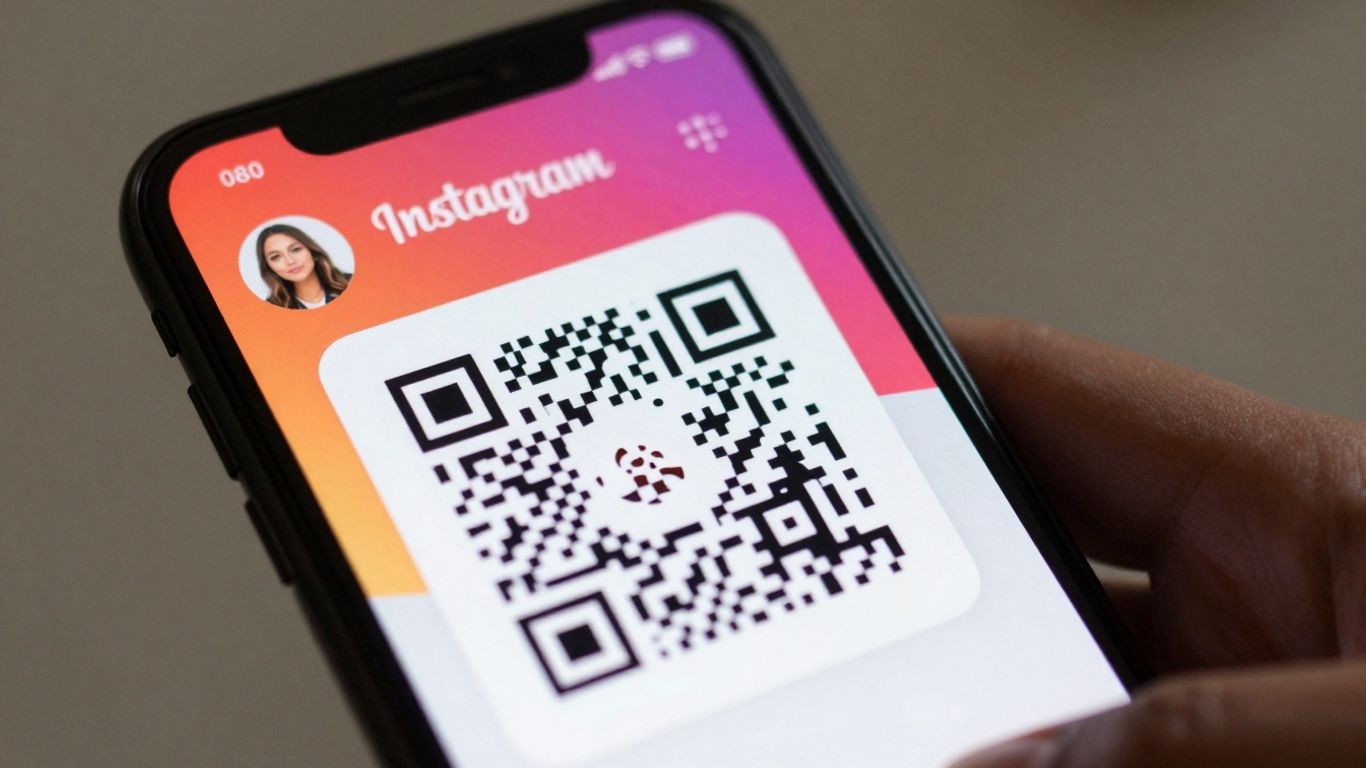
So, you’re looking to give your Instagram account a bit of a boost? It’s not always easy to get noticed these days, but there’s a handy tool you might not be using much: the instagram qr code. Think of it as a digital shortcut, making it super simple for people to find and follow you. We’ll go through how to make one and where to put it so more people actually see it. It’s all about making it as easy as possible for new followers to land on your page.
Key Takeaways
- An instagram qr code is a scannable image that links directly to your Instagram profile, making it easier for people to find and follow you.
- Using branded QR codes can make your Instagram profile more recognisable and professional, encouraging more scans.
- Placing your instagram qr code in visible spots, both online and offline, is key to reaching a wider audience.
- Tracking how many people scan your QR code helps you understand what’s working and where to improve your strategy.
- Dynamic QR codes offer flexibility, allowing you to change the destination link without needing to reprint the code, which is useful for ongoing campaigns.
Understanding Instagram QR Codes
QR codes for Instagram might seem like a simple square, but they’re actually a pretty clever way to connect your online presence with the real world. Think of them as a digital handshake, making it super easy for people to find and follow you on Instagram without having to type in your username. This is a big deal for growing your audience and making sure people can actually find your profile when they see your brand out and about.
What is an Instagram QR Code?
An Instagram QR code is essentially a scannable image that, when captured by a smartphone camera, directs the user straight to your Instagram profile, a specific post, or even a Reel. You can generate these directly within the Instagram app itself. It’s a quick way to share your profile without needing to spell out your handle, which can be a lifesaver if your username is a bit tricky to remember or type.
Why Use Instagram QR Codes for Growth?
Using QR codes is a smart move for anyone looking to boost their Instagram following. They bridge the gap between offline and online interactions. Imagine putting a QR code on a flyer, a business card, or even a product. Someone sees it, scans it, and boom – they’re on your Instagram page. This makes it incredibly easy for potential followers to discover you, especially if they’ve just encountered your brand in person. It’s all about reducing friction and making that first step to following you as simple as possible. A social media QR code can streamline engagement and expand your online reach.
The Benefits of Dynamic Instagram QR Codes
While standard QR codes are fine, dynamic QR codes are where the real magic happens for growth. The biggest advantage? You can change where the QR code links to after it’s been printed. This means if your Instagram handle changes, or you want to direct people to a new campaign or a specific post, you don’t have to reprint everything. Platforms like Xcan.it let you update your QR code links without reprinting, which saves a lot of hassle and money. Plus, they offer a dashboard to track scans, giving you insights into how effective your QR codes are. Using dynamic QR codes can really improve your real-world campaigns across print, signage, and other assets.
Creating Your Instagram QR Code
So, you’ve decided to use QR codes to boost your Instagram presence. That’s a smart move! Now, let’s get down to actually making one. It’s not as complicated as it might sound, and with the right tools, you can have a professional-looking QR code ready to go in no time.
Choosing the Right QR Code Generator
When you’re looking for a QR code generator, you’ll find loads of options. Some are basic, offering just a simple link, while others provide a whole suite of features. For Instagram growth, you’ll want something a bit more robust. Think about what you need: customisation, tracking, and the ability to change the link later. A generator that lets you create dynamic QR codes is a game-changer. This means you can update where the QR code leads without having to print new ones – a huge time and money saver.
The best generators allow you to update your QR code links without reprinting, track scans in one dashboard, and use dynamic QR codes to improve real-world campaigns across print, signage, and assets.
Here’s a quick look at what to consider:
- Dynamic vs. Static: Static codes are fixed; once created, they can’t be changed. Dynamic codes, on the other hand, let you edit the destination URL whenever you need to. This is brilliant for campaigns where details might change or if you want to update your Instagram profile link.
- Customisation Options: Can you change the colours, add your logo, or alter the shape? A branded QR code looks much more professional and is more likely to be scanned.
- Analytics: This is where the real growth happens. You need to know how many people are scanning your code, where they’re scanning from, and when. A good generator will provide a clear dashboard for this.
- Ease of Use: You don’t want to spend hours figuring out how to create a simple QR code. Look for an intuitive interface.
Platforms like Xcan.it offer dynamic QR codes with customisation and analytics, making them a solid choice for serious Instagram growth. You can paste your Instagram profile link into their generator, design your code, and then track its performance all from one place.
Designing a Branded Instagram QR Code
Making your QR code look good is just as important as making it work. A generic black and white square might get the job done, but a well-designed, branded code will stand out and encourage more scans. Think of it as another piece of your brand identity.
Here’s how to make yours pop:
- Add Your Logo: Most good generators let you place your Instagram logo right in the centre of the QR code. This instantly tells people what to expect when they scan it.
- Use Brand Colours: Don’t stick to black and white. Use colours that match your brand palette. Just make sure there’s enough contrast between the code itself and the background so it scans reliably.
- Consider Shapes and Frames: Some generators offer different shapes for the QR code modules or allow you to add a frame with a call to action, like "Scan Me!" or "Follow Us".
Remember, while customisation is great, don’t go overboard. The primary goal is scannability. Too many complex designs can confuse the scanner.
Ensuring Scanability and Readability
This is the make-or-break part. A QR code that doesn’t scan is useless. Even if it scans, if it leads to a broken link or a confusing page, you’ve wasted an opportunity.
- Test, Test, Test: Before you print or share your QR code anywhere, scan it yourself using different devices and apps. Ask friends or colleagues to test it too.
- Size Matters: The size of your QR code needs to be appropriate for the distance from which it will be scanned. A general rule is the "10x rule": if people will be standing 1 metre away, the code should be about 10 centimetres wide. For posters viewed from a distance, you’ll need a much larger code.
- Quiet Zone: Always leave a clear space, or
Strategic Placement for Maximum Reach
So, you’ve got your Instagram QR code ready to go. Now, where do you put it so people actually see it and, more importantly, scan it? This is where smart placement comes into play. Think about where your audience hangs out, both online and offline, and put your QR code right there. It’s about making it easy for people to connect with you.
Leveraging Physical Marketing Materials
Your physical stuff is prime real estate for QR codes. Think business cards, flyers, posters, even product packaging. Every touchpoint is an opportunity. For instance, a well-placed QR code on a flyer handed out at an event can instantly direct people to your Instagram profile, giving them more information or a way to follow up.
- Business Cards: A small, unobtrusive QR code can link directly to your Instagram profile, making it super simple for new contacts to find and follow you.
- Flyers & Posters: Use these for events, promotions, or general brand awareness. A clear call to action like "Scan to follow us on Instagram!" is key.
- Product Packaging: If you sell physical products, adding a QR code to the packaging is a fantastic way to encourage repeat engagement and build a community around your brand.
- In-Store Signage: Table tents, window decals, or counter displays can all feature QR codes, inviting customers to connect while they’re already interacting with your business.
Integrating QR Codes into Digital Content
Don’t stop at print! QR codes can also be a clever addition to your digital presence. While you can link directly to your Instagram from many digital platforms, a QR code can be useful in specific scenarios, like on websites where direct linking might be less intuitive or for specific campaigns.
- Website Footers: A subtle QR code in your website’s footer can offer an alternative way for visitors to find your Instagram.
- Email Signatures: Include a QR code in your email signature to make it easy for recipients to connect with you on Instagram.
- Presentations & Videos: If you’re giving a presentation or have a video that people might want to engage with further, a QR code can be displayed on screen, linking to your Instagram for more content or behind-the-scenes looks.
Optimising Placement for Different Audiences
Who are you trying to reach? The answer to that question will heavily influence where you place your QR codes. A code aimed at attracting new customers might go on a shop window, while one targeting existing fans could be on a loyalty card or in an email newsletter.
The trick is to think about the user’s journey. Where are they likely to be when they see the code? What are they doing? Make it as frictionless as possible for them to scan and connect.
For example, if you’re running a special promotion, you’ll want the QR code to be prominent on any marketing materials related to that offer. If you’re trying to build a community, placing codes in places where your audience naturally gathers, like at events or on relevant merchandise, makes a lot of sense. Platforms like Xcan.it are brilliant here because they let you create dynamic QR codes. This means you can update where the code leads without having to reprint anything – super handy if a promotion changes or you want to direct people to a new piece of content. Plus, you get to track how many scans you’re getting, which tells you if your placement is actually working. This ability to update links and track performance is a game-changer for real-world campaigns across print, signage, and all your physical assets. It means you can adapt your strategy on the fly, making sure your QR codes are always driving the most effective engagement. Instagram QR codes offer a powerful way to expand your reach, monitor campaign effectiveness, and bridge the gap between your online presence and offline interactions. By utilizing these codes, you can seamlessly connect with your audience and drive engagement. Instagram QR codes are more than just a link; they’re a bridge.
Tracking and Analysing Performance
So, you’ve put your Instagram QR codes out there. That’s great! But how do you know if they’re actually doing anything for your growth? This is where tracking and analysing performance comes in. It’s not just about putting codes everywhere; it’s about understanding what happens after someone scans them.
Understanding Scan Analytics
Think of scan analytics as your QR code’s report card. It tells you who’s interacting with your codes, when, and where. This data is super helpful for figuring out what’s working and what’s not. You can see things like:
- Total scans over time: How many people have scanned your code since you launched it.
- Peaks by day/time: When are people most likely to scan your code? This could be during business hours, evenings, or weekends.
- Device and OS mix: What kind of phones are people using to scan your codes?
- Rough location patterns: Where are most of the scans coming from? This is useful if you have codes in multiple locations.
Tools like Xcan.it provide a dashboard where you can see all this information. You can even label your QR codes (e.g., "Window Poster – Soho" or "Table Tent – Camden") to compare performance across different placements. This level of detail helps you make smarter decisions about where to put your codes next.
Measuring Campaign Effectiveness
Knowing how many scans you’re getting is one thing, but how do you know if those scans are actually leading to results? That’s where measuring campaign effectiveness comes in. You need to connect your QR code scans to your actual business goals. For example, if your QR code is meant to drive traffic to your Instagram profile, you’ll want to see if your follower count has increased since you started using it. If it’s leading to a special offer, are people redeeming that offer?
It’s easy to get lost in the numbers, but always tie your QR code analytics back to your original marketing objective. Are you trying to get more followers, drive website traffic, or boost sales? The analytics should help you answer that.
For instance, if you’re using QR codes on physical marketing materials, you can track how many scans come from a specific poster or flyer. This helps you understand which materials are most effective. You can also integrate QR code tracking with other analytics tools, like Google Analytics, to see the full customer journey [cf2f].
Iterating Based on Performance Data
This is perhaps the most important part. Looking at your analytics isn’t just a one-off task; it’s an ongoing process. You need to use the data you collect to make improvements. If you notice that a particular QR code placement isn’t getting many scans, don’t just leave it there. Try moving it, changing the call-to-action, or even retiring it altogether.
With dynamic QR codes from Xcan.it, you have the flexibility to update the destination link without having to reprint the code. This means if your offer changes or your landing page gets a refresh, your existing QR codes can still be relevant. This ability to iterate quickly based on performance data is what turns QR codes from a static marketing tool into a dynamic growth engine. You can test different approaches, see what resonates with your audience, and refine your strategy over time [6d8c].
Advanced Instagram QR Code Strategies
Once you’ve got the basics down, it’s time to get creative with your Instagram QR codes. Think of them as versatile tools that can do more than just link to your profile. They can be used to run special offers, drive follower growth, and even connect people directly to specific posts or Reels.
Using QR Codes for Special Offers
QR codes are brilliant for time-sensitive promotions. Imagine a flyer for a local event or a tag on a product in your shop. A QR code here could lead directly to a landing page with a discount code exclusive to scanners. This not only encourages immediate action but also makes it easy to track how many people are engaging with your offers from specific placements. For example, a café could put a QR code on their takeaway cups offering 10% off their next purchase when they scan and show it on their next visit. This encourages repeat business and gives you a direct measure of campaign success.
Driving Follower Growth with QR Codes
Want more followers? A QR code can be a direct route. Instead of just linking to your profile, consider a QR code that, upon scanning, prompts users to follow you directly or offers a small incentive for doing so, like early access to new content or a chance to win a prize. This is a great strategy for physical locations, business cards, or even collaborations. You could even link to a specific social media post that highlights why people should follow you, giving them a clear reason to hit that follow button. This is a smart way to expand your reach and build a community around your brand.
Connecting QR Codes to Specific Instagram Content
Don’t limit yourself to just your profile page. QR codes can be set up to link directly to a particular Instagram post, Reel, or Story highlight. This is fantastic for campaigns where you want to direct people to a specific piece of content, like a new product launch post, a tutorial Reel, or a behind-the-scenes Story. For instance, if you’re promoting a new product, a QR code on your packaging could link directly to the Instagram post showcasing it, complete with details and purchase information. This provides a richer, more immediate experience for the user.
The real magic happens when you use dynamic QR codes, which allow you to update the destination link without reprinting the code itself. This means if a promotion changes or a link breaks, you can fix it instantly. Platforms like Xcan.it provide a dashboard to track all your scans, letting you see which codes are performing best and where your audience is coming from. This ability to update and track makes your real-world campaigns, whether on print, signage, or other assets, far more effective and adaptable.
Using dynamic QR codes means your marketing efforts aren’t static. You can adapt to changing offers, update information, and track engagement in real-time, making your campaigns more responsive and successful.
Troubleshooting Common QR Code Issues
Even the best-laid plans can hit a snag, and QR codes are no different. Sometimes, they just don’t scan, or the link stops working. It can be frustrating, but usually, there’s a straightforward fix. Let’s look at the common culprits and how to sort them out.
Why Isn’t My Instagram QR Code Scanning?
This is probably the most common headache. If your code isn’t being picked up by a phone’s camera, it’s often down to a few visual factors. Think about how the code looks:
- Contrast is key: A dark code on a light, matte background is best. Avoid pale colours, metallic inks, or busy patterns that make it hard for the camera to distinguish the modules.
- The ‘quiet zone’: This is the blank space around the QR code. It needs to be clear and at least four modules wide. If you’ve got logos or text too close, it can interfere with scanning.
- Size and distance: The code needs to be big enough for the distance people will be scanning from. A general rule is that the scanning distance should be about 10 times the width of the code. So, for a poster across a room, you’ll need a much larger code than for a business card.
- Print quality: Blurry, pixelated, or damaged prints are a no-go. Ensure your code is exported at a high resolution, ideally as a vector file (like SVG or PDF) or a high-DPI PNG.
- Lighting and glare: Shiny surfaces or direct light can create glare that makes the code unreadable. Using matte finishes and avoiding direct reflections helps a lot.
- Curvature or damage: Codes printed on curved surfaces or those that are creased or torn might not scan reliably. Keep your codes flat and undamaged where possible.
Ensuring Link Longevity and Updates
Even if your QR code scans perfectly, the link it points to needs to stay active and relevant. A broken link is just as bad as a code that won’t scan.
- Use HTTPS: Always ensure your destination URL uses HTTPS for security and better compatibility with scanners.
- Minimise redirects: While some redirects are fine, long chains of them can sometimes cause issues or slow down the loading time. A clean, direct link is usually best.
- Dynamic QR codes are your friend: This is where services like Xcan.it really shine. With dynamic QR codes, you can change the destination URL after the code has been printed. This means if your website page moves, or you want to update a promotion, you don’t need to reprint all your materials. You just update the link in your dashboard.
Maintaining Security and Trust with QR Codes
People are increasingly aware of the potential risks associated with scanning QR codes, especially those found in public spaces or sent via email. Building and maintaining trust is vital.
- Be transparent: If possible, give users a hint about where the QR code will take them. For example, a sign might say "Scan here for our menu" or "Scan for today’s specials."
- Avoid unexpected prompts: If a QR code leads to a page that immediately asks for login details or payment information without clear context, users are likely to be suspicious. Ensure the landing page is relevant to the QR code’s placement and purpose.
- Use branded domains: Services like Xcan.it allow you to use custom, branded domains for your dynamic QR codes. This looks more professional and trustworthy than a generic, shortened URL. You can also track scans in one dashboard, giving you insight into campaign performance without compromising user trust.
When things go wrong with a QR code, it’s rarely a complex technical fault. More often than not, it’s a simple issue with how the code is presented visually or the stability of the link it points to. By paying attention to the basics of design, placement, and using dynamic QR codes, you can avoid most common problems and keep your campaigns running smoothly.
Having trouble with your QR codes? Don’t let common glitches stop you. We’ve put together some easy tips to fix those annoying issues. If you’re still stuck, our website has more helpful guides. Visit us today to get your QR codes working perfectly!
Putting It All Together
So there you have it. QR codes aren’t just a quick way to get to a website anymore; they’re a proper tool for connecting with people. Whether you’re sticking them on posters, packaging, or even just a business card, they offer a simple bridge from the physical world to your Instagram profile. By making them easy to scan and giving people a clear reason to do so, you’re opening up a new avenue for followers and engagement. It’s a straightforward step that can make a real difference to your online presence.
Frequently Asked Questions
What exactly is an Instagram QR code?
An Instagram QR code is like a special barcode that, when scanned with your phone’s camera, instantly takes you to an Instagram profile, post, or story. It’s a quick way to share your Instagram presence without typing out your username.
Why should I bother using QR codes for my Instagram account?
Using QR codes can really help your Instagram account grow! People can easily find and follow you by scanning the code from posters, flyers, or even other social media. It makes it super simple for potential followers to connect with you.
Can I change where my QR code leads later on?
Yes, you can! If you use a ‘dynamic’ QR code, you can change the link it points to even after you’ve printed it. This is brilliant because you don’t have to print new codes every time you want to update your Instagram profile or share a new link.
How do I make sure my QR code actually works when people scan it?
To make sure your QR code is easy to scan, print it large enough and with good contrast (dark on a light background is best). Avoid putting it on bumpy or shiny surfaces. Always test it yourself with different phones before you share it widely.
Can I put my logo on my Instagram QR code?
You certainly can! Many QR code tools let you add your logo or change the colours to match your brand. Just make sure that adding these custom touches doesn’t make the code too tricky for phones to read. Keep it clear and recognisable.
Is it safe to scan any QR code I find?
While most QR codes are safe, it’s wise to be a little cautious. Some sneaky people might hide bad links in QR codes. It’s a good idea to check the website address that pops up before you open it, especially if it looks a bit strange or asks for personal info right away.












