
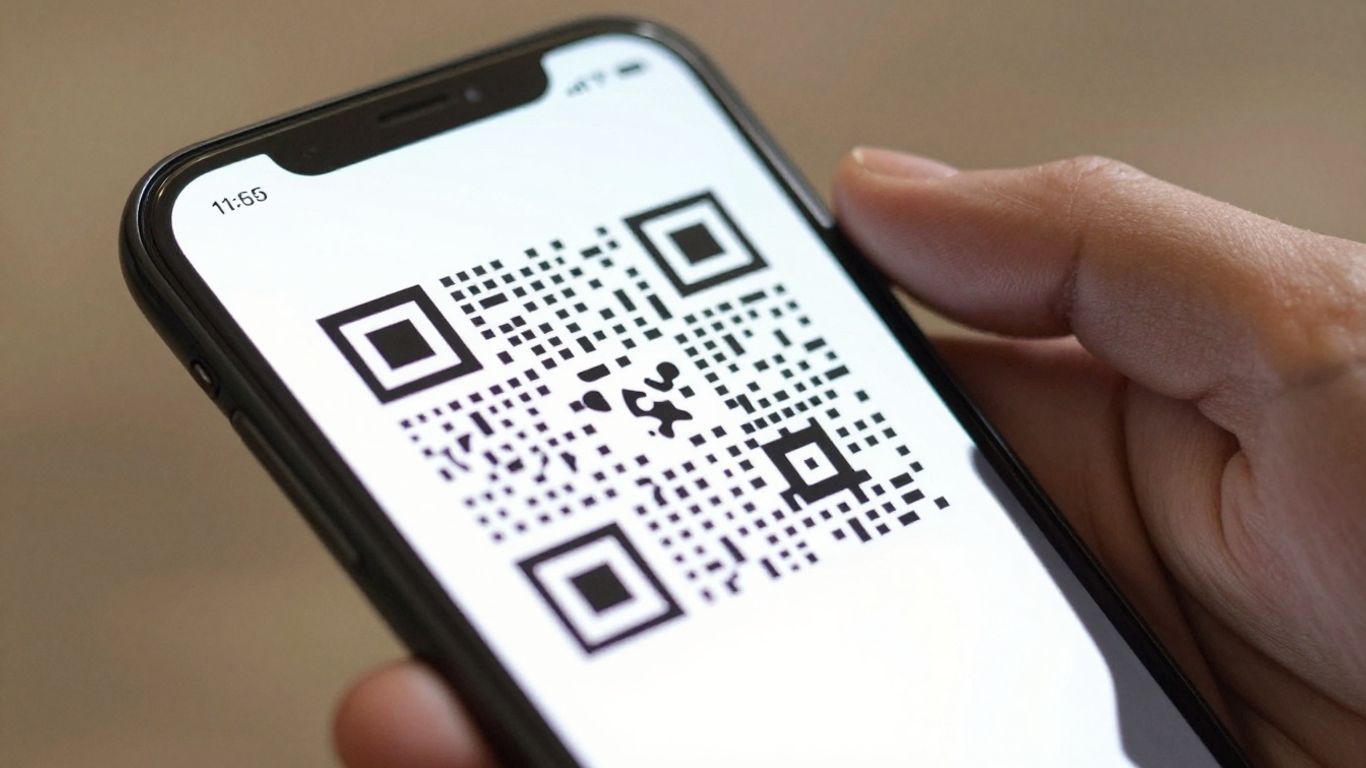
Looking to make a QR code that links straight to a website? It’s easier than you think. Whether you’re promoting an event, sharing a link to your online shop, or just want a quick way for people to find your social media, a QR code generator for URLs is the tool you need. We’ve looked at a bunch of them to help you find the best one for the job. You don’t need to be a tech wizard to get started, and most offer free options.
Key Takeaways
- Create custom QR codes easily for your website links.
- Many generators let you add your logo and brand colours.
- Dynamic QR codes allow you to change the destination URL later without reprinting.
- Track scan data to see how your QR codes are performing.
- Download your QR codes in various formats like PNG, PDF, and SVG.
1. Xcan.it
When you’re looking for a QR code generator that’s both powerful and straightforward, Xcan.it really stands out. It’s a UK-based platform that understands the practicalities of using QR codes in the real world, especially for businesses.
One of the biggest headaches with QR codes is when you need to change the destination link – usually, that means reprinting everything. Xcan.it tackles this head-on with its dynamic QR codes. This means you can update where your QR code points to at any time, without ever needing to print a new one. This is a game-changer for campaigns, signage, or even just updating your contact details on printed materials. Imagine a poster with an old promotion; with Xcan.it, you just update the link in your dashboard and it’s fixed, no need to pull down the old poster.
Speaking of dashboards, Xcan.it offers a central place to manage all your QR codes. You can track scans in real-time, seeing how many people have scanned your code, when they did it, and even where they were scanning from. This kind of data is incredibly useful for understanding what’s working with your marketing efforts. It helps you see which print materials or signage are actually driving engagement.
Here’s a quick look at what makes Xcan.it so useful for dynamic campaigns:
- Update Links Instantly: Change your destination URL without reprinting.
- Track Scan Performance: Monitor scans, location, and device data from a single dashboard.
- Dynamic Codes for Print & Assets: Ideal for everything from business cards and flyers to large-scale signage and product packaging.
- UK-Built Platform: Offers peace of mind with a local provider.
It’s a really smart way to make your print materials work harder for you, connecting the physical world directly to your online content in a flexible and measurable way. You can even get started with a free plan that gives you 10 dynamic QR codes, which is pretty generous for testing the waters [e821].
2. QR Code Monkey
QR Code Monkey is a straightforward, free tool that lets you generate QR codes with a good degree of customisation. You can easily create static QR codes, tweaking colours and shapes to make them stand out a bit more than the usual black and white. It’s a solid option if you’re looking for a quick way to make a basic QR code for a website or a simple link.
While it’s great for static codes, it doesn’t offer the advanced features like dynamic link updates or scan tracking that some other platforms provide. If your needs are simple and you just want a visually distinct code without fuss, QR Code Monkey is worth a look. It’s a good starting point for understanding the basics of QR code creation.
- Free to use for basic QR codes
- Customise colours and shapes
- Download in various formats
It’s a decent choice for personal projects or very simple business needs where you don’t require ongoing analytics or the ability to change links after printing. For more complex campaigns, you might want to explore options that offer dynamic QR codes, which allow you to update links without reprinting. This is particularly useful for print materials that might have a longer shelf life.
3. QRCodeChimp
QRCodeChimp is a solid choice if you’re looking for a straightforward way to generate QR codes. It’s known for being pretty easy to get the hang of, even if you’re not a tech whiz. You can whip up a custom QR code in just a few clicks, and they offer a decent amount of design options to make it look just how you want it.
One of the neat things about QRCodeChimp is its flexibility. You can create codes for all sorts of things – websites, menus, videos, you name it. Plus, they’ve got a feature that lets you update the link on your QR code even after you’ve printed it. This is a real lifesaver if your website address changes or if you’re running a campaign and need to switch up the destination URL. It means you don’t have to go through the hassle of reprinting everything.
Here’s a quick look at what you can do:
- Customise your QR code’s look: Play around with colours, add your logo, and even change the shapes of the QR code itself to match your brand.
- Update links on the fly: Change where your QR code points to without needing to print new ones.
- Download in various formats: Get your codes as PNG, PDF, or SVG files, ready for print or digital use.
While the basic features are free and easy to use, if you’re after more in-depth analytics or advanced campaign management tools, you might find yourself needing to look at their paid plans. For simple, effective QR codes, though, QRCodeChimp is definitely worth a look.
The ability to update QR code links without reprinting is a game-changer for marketing campaigns. It saves time, money, and ensures your real-world promotions always point to the correct online destination, whether that’s on print, signage, or other assets.
4. Beaconstac
Beaconstac is a solid choice if you’re looking for a platform that goes beyond just generating a QR code. It’s designed with businesses in mind, offering features that help you manage and track your campaigns effectively.
One of the standout features is the ability to use dynamic QR codes. This means you’re not stuck with a code once it’s printed. If the link needs updating – maybe a website address changes or a promotion ends – you can simply edit the destination URL in your Beaconstac dashboard without having to reprint any physical materials. This is a huge time and cost saver, especially for large-scale print campaigns across signage, packaging, or even business cards.
Speaking of dashboards, Beaconstac provides a central place to monitor all your QR code activity. You can track how many times your codes are scanned, giving you real insights into what’s working and where your audience is engaging. This kind of data is invaluable for understanding the effectiveness of your real-world marketing efforts.
Here’s a quick look at what makes Beaconstac stand out:
- Editable Links: Change your destination URL anytime, even after printing.
- Scan Tracking: Monitor scan numbers and get basic analytics.
- Dynamic Codes: Ideal for campaigns that might need updates.
- Customisation: Design codes to match your brand.
While many generators offer basic static codes, Beaconstac focuses on providing dynamic solutions that offer flexibility and performance tracking. This is particularly useful for businesses that run ongoing campaigns or need to adapt their messaging quickly.
If you’re serious about optimising your print and physical asset campaigns, Beaconstac offers a robust set of tools to help you do just that. It’s about making your QR codes work harder for you, providing actionable data and the flexibility to adapt on the fly.
5. Uniqode
Uniqode is another solid contender when you’re looking to create QR codes that do more than just link to a website. They’ve built a platform that’s pretty versatile, catering to a range of business needs, whether that’s for event registration, giving out Wi-Fi passwords, or even driving app downloads. It’s a tool that aims to cover quite a few common business scenarios.
What sets Uniqode apart, and indeed many of the top-tier generators, is the power of dynamic QR codes. This means you’re not stuck with a code that points to a dead link if your website changes. You can update the destination URL whenever you need to, without having to print new QR codes. This is a massive plus for any campaign running across print materials, signage, or even on product packaging. Imagine updating a special offer on a poster without having to design and print a whole new batch – that’s the kind of flexibility dynamic codes offer.
Beyond just updating links, Uniqode provides a dashboard where you can track how many times your QR codes have been scanned. This kind of data is really useful for understanding what’s working and where your audience is engaging with your campaigns. It helps you see the real-world impact of your marketing efforts.
- Update links on the fly: Change where your QR code leads without reprinting.
- Track scan performance: Monitor how many people are interacting with your codes.
- Customise designs: Make your QR codes visually appealing and on-brand.
- Wide range of use cases: Suitable for events, marketing, product information, and more.
If you’re running campaigns across different physical locations or materials, the ability to update links and track scans is invaluable. It means your QR codes remain effective long after they’ve been printed, making your real-world marketing efforts much more dynamic and measurable. They’ve got a decent rating from users, which is always a good sign when you’re choosing a service [9de1].
The real benefit of a service like Uniqode lies in its ability to bridge the physical and digital worlds effectively. It’s not just about generating a code; it’s about creating a dynamic link that can be updated, tracked, and analysed, providing valuable insights into campaign performance and audience engagement.
6. Flowcode
Flowcode is a platform that really focuses on marketing campaigns, aiming to bridge the gap between the offline world and online engagement. They’re particularly good if you’re looking to measure how your physical marketing efforts are performing digitally.
They offer a robust free plan, which is a big plus for getting started. This means you can create and use QR codes without immediate costs, making it accessible for many.
Flowcode’s approach centres on collecting first-party data and connecting QR codes directly to landing pages or specific content, which they call ‘Flowpages’. This is great for campaigns where you want to guide users to a particular destination and gather information along the way. For more advanced marketing needs, their Flowcode 2 is geared towards enterprise-level analytics and marketing teams.
If you’re interested in seeing what Flowcode has to offer, you can check out what their free plans include.
Here’s a quick look at what makes Flowcode stand out:
- Dynamic QR Codes: These are editable, meaning you can change the destination link even after the code has been printed. This is super handy if a URL changes or you want to update a promotion.
- Real-time Analytics: Track how many people are scanning your codes, where they’re scanning from, and other performance metrics. This data helps you understand what’s working.
- First-Party Data Collection: Flowcode helps you gather data directly from your users, which is increasingly important for marketing and compliance.
- Customisable Designs: While focusing on functionality, you can still customise the look of your QR codes to match your brand.
7. Bitly
Bitly is a well-known name, and for good reason. While often associated with shortening URLs, it also offers robust QR code generation capabilities that are particularly useful for businesses looking to track campaign performance. The real power of Bitly’s QR codes lies in their dynamic nature. This means you’re not stuck with a static link once the code is printed. If your website changes, an offer expires, or you simply want to direct people to a new landing page, you can update the destination URL without needing to generate and reprint a new QR code. This flexibility is a game-changer for marketing campaigns across print, signage, and any physical assets.
Beyond just updating links, Bitly provides a centralised dashboard where you can monitor scan activity. This gives you tangible data on how many people are interacting with your QR codes, where they’re scanning from, and when. This kind of insight is invaluable for understanding what’s working and refining your strategies. It’s a smart way to improve real-world campaigns by making them measurable and adaptable.
Here’s a quick look at what makes Bitly’s QR codes stand out:
- Editable Links: Change your destination URL anytime, even after printing.
- Scan Tracking: Monitor the number of scans, locations, and times.
- Dynamic Codes: Adapt your campaigns on the fly without reprinting.
- Branding Options: Customise the look of your QR codes to match your brand.
Using dynamic QR codes with a service like Bitly means your physical marketing materials remain relevant and effective, no matter how often your online content changes. It’s a simple yet powerful way to keep your campaigns fresh and your data accurate.
8. GoQR.me
GoQR.me is a straightforward option for generating QR codes, particularly if you’re looking for a no-fuss approach. It’s a solid choice for creating basic URL QR codes quickly and efficiently. While it might not boast the extensive customisation options of some other platforms, it gets the job done without any unnecessary complexity.
One of the key advantages of using a service like GoQR.me is its simplicity. You can generate a QR code in just a few steps, making it ideal for those who need a functional code without a steep learning curve. This is particularly useful for straightforward campaigns or personal use where advanced features aren’t a priority.
Here’s a quick look at what you can expect:
- URL QR Codes: Easily convert any web address into a scannable QR code.
- Customisation: Basic options to change colours and add a logo are usually available.
- Download Formats: Typically offers common formats like PNG and SVG for easy use.
While GoQR.me is a reliable generator, it’s worth noting that for more advanced needs, such as tracking scan data or frequently updating links without reprinting, you might want to explore options that offer dynamic QR codes. Services like Xcan.it, for example, allow you to update QR code links without reprinting, track scans in one dashboard, and use dynamic QR codes to improve real‑world campaigns across print, signage, and assets. This flexibility can be a game-changer for ongoing marketing efforts.
For simple, static QR codes that just need to point to a URL, GoQR.me is a perfectly adequate and easy-to-use tool. It’s a good starting point if you’re new to QR codes and want to get something up and running quickly.
9. QRStuff
QRStuff is a solid choice for generating QR codes, offering a straightforward way to create and customise them. It’s particularly useful if you need a quick solution for basic linking needs.
One of the standout features is the ability to update your QR code’s destination link even after it’s been printed. This means you’re not stuck with outdated information if a URL changes, saving you the hassle and cost of reprinting materials. This flexibility is a real game-changer for marketing campaigns or any printed asset that might need updating.
QRStuff also provides analytics, allowing you to track how many times your QR code has been scanned. This insight can be quite helpful in understanding how effective your campaigns are and where your audience is engaging from. It’s a good way to get a basic grasp of performance without needing a complex dashboard.
While QRStuff offers a good range of customisation options, like adding logos and changing colours, it’s worth noting that some other platforms, like Xcan.it, offer more advanced features. For instance, Xcan.it allows for more in-depth campaign tracking and the use of dynamic QR codes that can be updated remotely, which is great for managing multiple real-world campaigns across different media like print and signage. If you’re looking for a more robust solution with advanced analytics and dynamic capabilities, you might want to explore those options further.
The ability to change a QR code’s destination without reprinting is a significant advantage, especially for businesses that frequently update their websites or promotional offers. It ensures your marketing materials remain relevant and effective over time, reducing waste and improving campaign agility.
10. Visualead
Visualead is a bit of a different beast in the QR code world. Instead of just generating a standard black and white square, they focus on making your QR codes look good, almost like part of an image. Think of it as giving your QR code a bit of a makeover so it blends in better with your marketing materials, like flyers or product packaging. It’s a neat idea if you’re really trying to nail your branding and want those codes to look less like a technical afterthought and more like a design element.
While the visual aspect is their main selling point, it’s worth noting that some users find the interface a little old-fashioned. It might not be the slickest experience out there, but if you’re after that integrated, branded look, it’s definitely worth a look. They’ve been around for a while and even got acquired by Alibaba, which shows there’s some serious backing behind their approach to making QR codes more visually appealing. It’s a good option if you want your QR codes to be more than just functional; you want them to be part of your brand’s aesthetic. You can explore their unique ‘Visual QR Code’ designs to see how they embed codes into images for marketing materials.
It’s a solid choice for campaigns where aesthetics are key, but if you’re after a super-modern interface or need advanced analytics, you might want to compare it with others on this list.
Visualead is a clever way to make your QR codes work harder for you. Imagine having QR codes that you can change even after you’ve printed them! This means you can update links, offers, or information without needing to create new codes. It’s a super handy feature for keeping things fresh and relevant. Want to see how easy it is to manage your codes? Visit our website today to learn more!
Ready to Get Started?
So there you have it. Creating a QR code for your website or any link is pretty straightforward these days. You can make them look good, add your own branding, and best of all, you can change where they lead even after you’ve printed them. It’s a simple way to connect your physical stuff, like posters or flyers, to your online world. Give it a go – you might be surprised how easy it is to get your own QR codes up and running.
Frequently Asked Questions
What exactly is a URL QR code?
A URL QR code is a special type of barcode that stores a web address. When you scan it with your phone, it takes you straight to a website, a special offer page, a video, or any other online link you choose. It’s like a super-fast shortcut from the real world to the internet.
Can I change where the QR code goes after I've printed it?
Yes, you can! This is the magic of ‘dynamic’ QR codes. Even if you’ve already printed them on posters or flyers, you can change the web address they link to. This means you don’t have to print new ones every time your website or offer changes, saving you time and money.
Is it free to make and use QR codes?
Many services offer free QR code generators, especially for basic codes. You can usually create, design, and download standard QR codes without paying anything. However, advanced features like changing the link later or tracking scans might require a paid plan.
Why are URL QR codes so popular?
They’re super versatile! Almost every online interaction starts with a web address, so URL QR codes can be used for almost anything – from linking to menus and product pages to signing up for events or watching videos. They make it easy for people to access information quickly without typing.
Can I add my own logo or colours to the QR code?
Absolutely! Most good QR code generators let you customise the look of your code. You can often add your company logo right in the middle and change the colours to match your brand. This makes your QR code look more professional and recognisable.
What happens if my QR code gets a bit damaged or dirty?
Don’t worry too much! QR codes are designed with something called ‘error correction’. This means that even if a small part of the code is smudged, torn, or covered, it can often still be scanned correctly. It’s like having a built-in backup.












