

In today’s fast-paced world, businesses are always looking for ways to connect with customers more easily. One clever tool that’s popped up is the google reviews qr code generator. It’s a simple bit of tech that lets people leave feedback with just a quick scan. This article will walk you through how using one of these generators can really help your business get noticed and grow.
Key Takeaways
- Using a google reviews qr code generator makes it super simple for customers to leave feedback by just scanning a code.
- This instant feedback loop helps businesses understand what customers think right away, allowing for quick improvements.
- Dynamic QR codes offer flexibility, letting you change where the code leads without needing to print new ones.
- Custom branding on your QR codes builds trust and makes them look professional, encouraging more scans.
- Tracking scan performance helps you see which placements are working best and how your campaigns are doing.
Understanding Google Reviews QR Code Generator for Business Growth
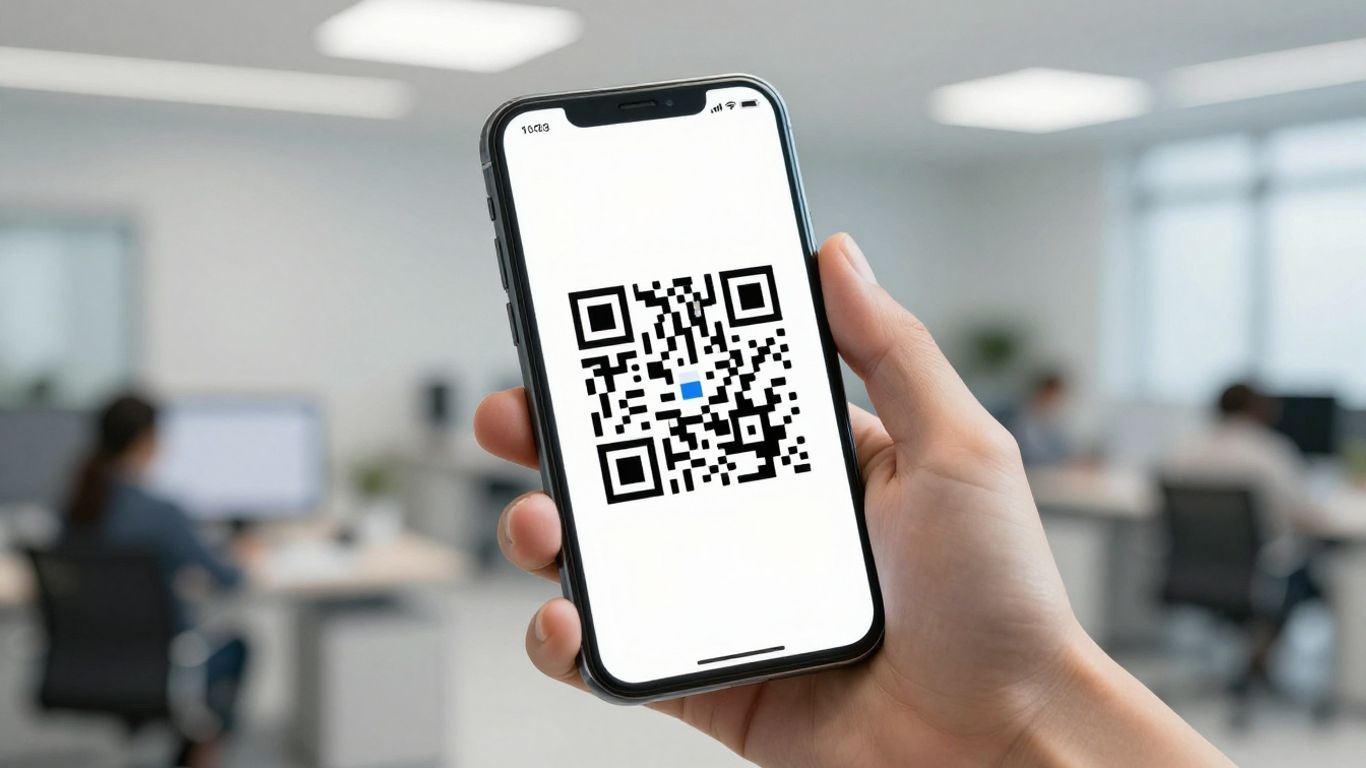
In today’s fast-paced world, getting customer feedback can feel like a chore. But what if it didn’t have to be? That’s where a Google Reviews QR code generator comes in. It’s a simple yet powerful tool that can really help your business grow.
How QR Codes Drive Customer Engagement
Think of QR codes as little digital doorways. When a customer scans one with their phone, they’re instantly taken to a specific place online. For businesses, this means you can guide customers directly to your Google review page with just a quick scan. It cuts out all the faff of searching and typing, making it super easy for them to share their thoughts. This ease of use encourages more people to leave reviews, which in turn boosts your online presence. It’s a straightforward way to connect with your customers and get them involved.
The Power of Instant Feedback Loops
Getting feedback quickly is gold for any business. When customers can leave a review right after a positive experience, their memory is fresh, and their feedback is more detailed and genuine. A QR code makes this instant feedback possible. You can place it on receipts, at tables, or even on your business cards. This immediate connection creates a powerful feedback loop. You get timely insights into what you’re doing well and where you could improve. This helps you adapt and grow much faster than waiting for feedback to trickle in through other channels. Remember, online reviews significantly impact consumer trust, with many people trusting them more than traditional ads [a6f9].
Making Reviews Effortless with a Scan
Let’s be honest, nobody enjoys a complicated process. A Google Reviews QR code generator simplifies things dramatically. Instead of asking customers to search for your business on Google, navigate to your profile, and then find the review section, they just scan. This removes friction and makes the entire process feel effortless. Platforms like Xcan.it offer dynamic QR codes, meaning you can update the destination link without needing to reprint the QR code itself. This is a game-changer for managing campaigns across print, signage, and other assets. Plus, you get a dashboard to track scan performance, giving you real-world data on customer engagement. This means you can easily manage your online reputation and encourage more reviews without any extra hassle for your customers.
Choosing the Right Features in a Google Reviews QR Code Generator
When you’re looking to make it super easy for customers to leave reviews, picking the right QR code generator is key. It’s not just about making a code; it’s about how that code works for your business and your customers.
Dynamic Versus Static QR Codes
Think of static QR codes like a one-way street. Once you create them, the destination link is fixed. If you need to change where it points – maybe your Google Reviews link gets updated, or you want to direct people to a special offer instead – you’d have to create a whole new code and reprint everything. That’s a hassle, especially if your codes are on menus, flyers, or shop signage.
Dynamic QR codes, on the other hand, are much more flexible. With dynamic codes, you can change the destination link at any time without ever needing to reprint the code itself. This is a game-changer. For example, if your Google Reviews URL changes, you just update it in your generator’s dashboard, and all your existing QR codes will automatically point to the new link. Platforms like Xcan.it offer this dynamic functionality, meaning you can update your QR code links without reprinting, saving you time and money.
Custom Branding Options for Trust
Your QR code is a little piece of your brand out in the world. A generic, black-and-white square might work, but it doesn’t exactly inspire confidence. Many generators let you add your logo, change colours, and even alter the shape of the code’s elements. This customisation helps your QR code look professional and trustworthy, making customers more likely to scan it. It shows you’ve put thought into the customer experience, which can subtly encourage them to leave a positive review.
Integrating with Print and Digital Campaigns
Where will your QR code live? On a business card? A poster in your shop window? A flyer in a local newspaper? Or maybe on your website and email signatures? The best generators make it easy to use your QR codes across all these different places. They often provide high-quality downloadable files (like SVG or PDF) so your codes look sharp wherever they’re printed. Plus, with dynamic QR codes, you can track scans from different sources. This means you can see which placements are driving the most reviews, helping you refine your marketing efforts. Xcan.it allows you to track scans in one dashboard, giving you insights to improve real-world campaigns across print, signage, and other assets.
How to Set Up and Use a Google Reviews QR Code Generator
So, you’ve decided to make it super easy for customers to leave reviews. Brilliant move! Now, let’s get that Google Reviews QR code generator set up and working for you. It’s not as complicated as it sounds, honestly.
Creating Your First QR Code Easily
First things first, you need to generate the QR code itself. Most generators are pretty straightforward. You’ll usually need to find your business’s Google profile link. Some tools might ask for your business’s Place ID, which you can find through Google. Once you have that, you just pop it into the generator. You can often customise the look too – maybe add your logo or change the colours to match your branding. It’s a quick process, usually taking just a few minutes. For example, using a tool like Xcan.it, you can get a code ready to go without needing any fancy tech skills. Just pick your link, design it a bit, and download it.
Placing QR Codes for Maximum Engagement
Where you put your QR code is key. Think about where your customers are most likely to have their phones out and be ready to scan. Good spots include:
- On your shop counter or till receipts
- In your window display or on your door
- On menus or table tents in a restaurant
- On flyers or business cards you hand out
- On your website or in email signatures
The goal is to make it visible and convenient at the point of interaction. If you’re using print materials, make sure the code is large enough to scan easily. For digital use, ensure it stands out.
Tracking and Analysing Scan Performance
This is where things get really interesting. A basic QR code just links to a page, but a dynamic QR code, like those offered by Xcan.it, does so much more. You can actually track how many people are scanning your code. This is super helpful for understanding which placements are working best. For instance, if you put a code on a poster in one location and another on a flyer distributed elsewhere, you can see which one is getting more attention. Xcan.it provides a dashboard where you can see these scan counts, helping you figure out where to focus your efforts. It means you’re not just guessing; you’re working with real data to improve your strategy. This ability to update the link without reprinting is a game-changer, especially for ongoing campaigns across different print and digital assets.
Using a dynamic QR code generator means your marketing efforts are always current. If your review link changes, or you want to direct people to a new promotion, you can update the QR code’s destination without having to print new materials. This saves time, money, and hassle, keeping your campaigns fresh and effective.
Best Practices for Collecting More Google Reviews Using QR Codes
Getting more Google reviews is a fantastic way to boost your business’s online presence and attract new customers. Using a QR code is a smart move, but how you implement it makes all the difference. It’s not just about having a code; it’s about making it easy and appealing for people to use.
Clear Call-To-Actions Boost Scan Rates
Think of your QR code like a mini-advertisement. It needs to tell people exactly what they’ll get when they scan it. Simply putting a QR code on a receipt or a table might not be enough. You need to be direct and enticing.
- "Scan here to share your experience!"
- "Love our service? Leave us a review!"
- "Help us improve: Scan to leave feedback."
These kinds of prompts make it clear what you’re asking for and why it’s important. A clear call-to-action (CTA) is probably the most important part of getting people to actually scan your code. If they don’t know what it’s for, they’re unlikely to bother.
Promoting Codes Across Touchpoints
Don’t just stick your QR code in one place and hope for the best. Think about all the different ways customers interact with your business and where a QR code could fit naturally.
- Receipts and Invoices: A classic spot, but make sure it’s visible and has a clear CTA.
- Business Cards: Handing out your card? Add a QR code for reviews.
- In-Store Signage: Window stickers, counter displays, or even small signs on tables.
- Packaging: If you sell products, a QR code on the packaging can capture feedback post-purchase.
- Email Signatures: Include it in your outgoing emails for a subtle nudge.
- Website: A dedicated page or a small banner on your site.
Using a service like Xcan.it means you can create dynamic QR codes. This is a game-changer because you can update the link behind the QR code without needing to reprint anything. So, if you decide to change the landing page for your reviews, or update a special offer, you can do it instantly. This flexibility is key for keeping your campaigns fresh and effective across all your print and digital materials.
Ensuring Data Privacy and Customer Confidence
People are more aware of their data than ever. Building trust is paramount, especially when asking for feedback. A broken link or a suspicious-looking URL can really damage that trust.
Using a QR code generator that offers custom branding, like Xcan.it, helps build immediate trust. When the QR code looks like it belongs to your brand – with your colours and logo – customers feel more secure. This is especially true if the link it leads to uses your company’s domain, rather than a generic or shortened URL. It shows you’ve put thought into the customer experience and aren’t just using a basic, off-the-shelf solution.
With Xcan.it, you can also track scan performance in a single dashboard. This means you can see which placements are working best and which aren’t, allowing you to refine your strategy. Dynamic QR codes are brilliant for this, letting you adapt your campaigns based on real-world data, rather than just guessing. It’s about making sure every scan counts and that your customers feel confident and valued throughout the process. You can generate a free QR code for your Google Business reviews to simplify sharing customer feedback and encourage clients to leave new reviews swiftly [87bf].
Measuring Real-World Success With QR Code Analytics
So, you’ve got your Google Reviews QR code generator set up and you’re ready to start collecting feedback. That’s brilliant. But how do you actually know if it’s working? This is where analytics come in. It’s not just about having a QR code; it’s about understanding what happens when people scan it.
Understanding Customer Journey Insights
Think of QR code analytics as a window into your customers’ behaviour. When someone scans your QR code, it’s a signal of interest. By tracking these scans, you can start to piece together a picture of how customers are interacting with your business. For example, you might notice that QR codes placed on your counter get more scans during lunchtime than those on your window display. This kind of insight helps you understand where your customers are most receptive.
With a platform like Xcan It, you can go beyond simple scan counts. You can see patterns in scan times, understand the devices people are using, and even get a sense of geographical trends. This detailed view helps you refine your customer journey, making sure the path from scanning the code to leaving a review is as smooth as possible. It’s about making informed decisions based on actual behaviour, not just guesswork.
Proving Return on Investment with Real Data
Let’s be honest, businesses need to see results. Analytics provide the hard data to prove that your QR code strategy is paying off. Instead of just hoping for more reviews, you can track how many scans lead to actual feedback. This is where dynamic QR codes become incredibly useful. If you notice a particular placement isn’t performing well, you can easily update the link without reprinting anything. This flexibility means you’re not wasting resources on ineffective campaigns.
Imagine you’ve printed QR codes on flyers for a local event. If the event’s date changes, or you want to promote a different offer, you can simply update the destination URL through your Xcan It dashboard. This saves you the cost and hassle of reprinting all those flyers. You can then track the new performance, demonstrating a clear return on investment by adapting quickly and efficiently. This ability to update links without reprinting is a game-changer for real-world campaigns across print, signage, and other assets.
Improving Campaigns Based on Feedback
The real magic of analytics is what you do with the information. It’s a continuous loop: deploy, track, learn, and improve. If your scan data shows that a particular QR code placement is getting lots of scans but very few reviews, you know there’s a disconnect. Perhaps the call-to-action isn’t clear enough, or the landing page needs tweaking. You can then use your Xcan It dashboard to make those changes and monitor the impact.
Here’s how you can use the data:
- Placement Optimisation: Compare scan rates from different locations (e.g., table tents vs. window posters vs. receipts) to identify the most effective spots.
- Time-Based Analysis: See if scans increase during specific hours or days, helping you align promotions or staffing.
- Call-to-Action Testing: If you have multiple QR codes with different prompts, track which ones generate the most engagement and conversions.
- Journey Refinement: Analyse the steps customers take after scanning to identify any friction points in the review process.
The goal isn’t just to collect data, but to use it to make tangible improvements. By understanding what works and what doesn’t, you can continuously refine your approach, ensuring your QR code strategy is always driving business growth effectively.
Industry Examples: How UK Businesses Use Google Reviews QR Code Generators
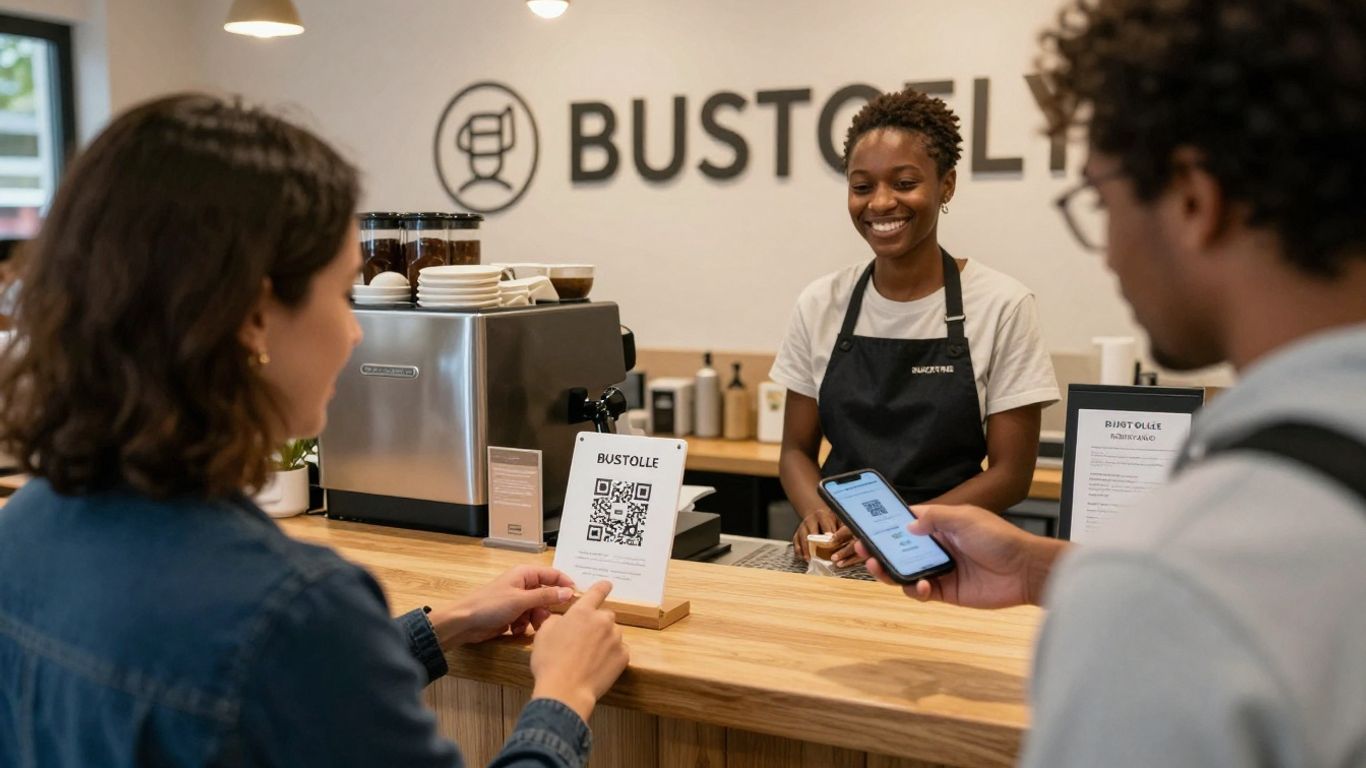
It’s brilliant seeing how businesses across the UK are getting creative with Google Reviews QR codes. It’s not just about asking for feedback anymore; it’s about making it super easy and even a bit of a no-brainer for customers.
Retail and Hospitality Success Stories
Think about a busy cafe or a bustling restaurant. Staff are on the go, and customers are often looking for a quick way to share their experience. Placing a small, branded QR code on tables, receipts, or even takeaway packaging can make a huge difference. A customer who’s just enjoyed a fantastic meal might be more inclined to leave a positive review if they can do it with a quick scan rather than searching for the business on Google. This immediate feedback loop is gold for businesses looking to understand what they’re doing right.
- Table tents: A simple QR code on the table, perhaps with a message like "Loved your meal? Let us know!" can capture reviews right after the dining experience.
- Receipts: Printing a QR code at the bottom of a till receipt is a classic move. It catches customers as they’re leaving and can be linked to a specific Google Review page.
- Takeaway packaging: For food businesses, a QR code on boxes or bags can encourage reviews from customers enjoying their meal at home.
Service Providers Turning Feedback Into Growth
For service-based businesses, like hairdressers, mechanics, or consultants, word-of-mouth is everything. Positive Google Reviews act as powerful testimonials. Imagine a car repair shop placing a QR code on the invoice or a sticker on the car window after a service. It’s a subtle nudge that can lead to a significant boost in online reputation. The beauty of using a service like Xcan.it is that you can update the link behind the QR code if, for example, your Google Business Profile URL changes, without needing to reprint all your materials. This flexibility is a real game-changer for keeping campaigns current.
Local Events and Real Estate Applications
Even temporary setups can benefit. At a local market stall or a pop-up shop, a simple sign with a QR code can gather reviews from people who discovered the business that day. For estate agents, a QR code on a ‘For Sale’ sign can link directly to the property listing, and a secondary QR code could invite viewers to leave a review about their experience viewing the property or dealing with the agent. This helps build trust and gather insights for future viewings. Using dynamic QR codes means you can update the property listing link as needed, all without reprinting the sign.
The key is making it effortless. If a customer has to hunt for where to leave a review, they’ll likely forget or decide it’s too much hassle. A QR code removes that friction entirely, turning a potential moment of lost engagement into a valuable piece of feedback. Platforms like Xcan.it offer a dashboard to track how many people are scanning your codes, giving you a clear idea of which placements are working best and helping you refine your strategy over time. This data-driven approach means you can improve your campaigns based on real-world performance, not just guesswork. See how QR codes can drive customer engagement and provide instant feedback loops for your business. This makes collecting reviews a proactive part of your growth strategy, not an afterthought.
Avoiding Common Mistakes When Using Google Reviews QR Code Generators
It’s easy to get excited about using QR codes for your business, but a few common slip-ups can really trip you up. Let’s make sure your efforts don’t go to waste.
Preventing Dead Links and Outdated Destinations
This is a big one. Imagine a customer scans your QR code, only to land on a page that no longer exists or has moved. Frustrating, right? It’s like putting up a signpost that points to a field that’s now a car park. The fix is to use dynamic QR codes. Unlike static codes, which are fixed once created, dynamic QR codes let you change the destination link whenever you need to, without having to print new codes. This means if your Google Reviews page URL changes, or you want to temporarily link to a special offer page before redirecting back to reviews, you can do it easily. Platforms like Xcan.it allow you to update your QR code links without reprinting, saving you time and hassle. This flexibility is key to keeping your customer journeys smooth and relevant.
Maintaining Brand Clarity and Trust
Customers are getting savvier about QR codes. If a scanned link looks a bit dodgy – maybe it’s a random short URL or an unfamiliar domain – people might hesitate to click. This is where branding comes in. Using a QR code generator that offers custom branding options, like using your own domain (e.g., qr.yourbusiness.co.uk), makes the code instantly recognisable and trustworthy. It shows you’ve put thought into the customer experience. When your QR code leads directly to a familiar, branded destination, it builds confidence and encourages more scans. It’s about making the entire process feel professional and secure.
Balancing Accessibility With Security
While we want to make it super easy for customers to leave reviews, we also need to be mindful of security. Scammers can sometimes try to replace legitimate QR codes in public places with their own malicious ones. Using dynamic QR codes from a reputable provider helps here too. You can monitor scan activity and, if you notice anything suspicious, quickly change the destination link. Furthermore, ensuring your QR codes link to secure (HTTPS) pages is vital. It’s a balancing act: make it accessible and easy, but also robust against misuse. A good QR code generator will offer features that help you manage this, like scan tracking in a dashboard, so you can keep an eye on performance and security.
When you’re setting up your Google Reviews QR code, it’s easy to stumble into a few common traps. These little mistakes can stop customers from leaving feedback, which is the last thing you want! Make sure you’re avoiding these pitfalls to get the most out of your QR codes. Ready to make your Google Reviews shine? Visit our website to learn more and get started today!
Wrapping Up: Making Growth Effortless
So there you have it. Using a QR code generator to get more Google Reviews isn’t some complicated tech wizardry. It’s a simple, smart way to get more people talking about your business online. By making it super easy for happy customers to leave feedback, you’re basically opening the door for more customers to find you. It’s a small change that can make a big difference, and honestly, it’s one of those things that just makes good sense for any business looking to grow without the usual fuss.
Frequently Asked Questions
What exactly is a Google Reviews QR code generator?
It’s a tool that creates a special barcode, a QR code, which people can scan with their phones. When they scan it, it takes them straight to your business’s Google review page, making it super easy for them to leave feedback.
How does a QR code help my business get more reviews?
By making it really simple for customers to leave a review. Instead of searching for your business on Google, they just scan the code on a menu, poster, or receipt. This quick action means more people are likely to share their thoughts.
Can I make the QR code look like my business's branding?
Yes, most good generators let you customise the QR code. You can often change its colours, add your logo, and even put it in a frame to make it look professional and match your brand’s style.
Where should I put my Google Reviews QR code?
Think about where your customers are. Good spots include your shop counter, on receipts, menus, flyers, posters in your window, or even on your business cards. Anywhere they might have just had a good experience is ideal.
What happens if I change my business name or website? Do I need a new QR code?
Not usually! Many QR code generators offer ‘dynamic’ codes. This means you can change where the QR code leads to, like a new website link, without having to print new codes. It’s very handy for keeping things up-to-date.
Is it safe for customers to scan these codes?
Yes, when you use a reputable QR code generator. The code simply directs them to your Google review page. It’s a safe way to connect your physical presence to your online reputation.












