
Running a business these days can feel like a juggling act, right? You’ve got sales to chase, stock to manage, and customers to keep happy. One thing that can really help is making things work smoothly behind the scenes. That’s where barcodes come in. But who has the time or money for fancy software? Well, turns out, you don’t need it. There are loads of free online barcode printing tools out there that can make a real difference. We’re going to look at how these free online barcode printing solutions can help your business, without costing you a penny.
Key Takeaways
- You can create and print barcodes for free using online tools.
- These tools are useful for things like product labels, events, and marketing.
- Look for features that let you customise your barcodes.
- Some free tools let you update where a barcode links to without reprinting it.
- Free online barcode printing can save money and help your business grow.
Effortless Free Online Barcode Printing Solutions
Understanding Your Barcode Printing Needs
Before you start printing, it’s a good idea to think about what you actually need your barcodes to do. Are they for tracking stock, selling products, or maybe for event tickets? Knowing this helps you pick the right type of barcode and the best tool for the job. For instance, if you’re selling items in a shop, you’ll likely need standard product barcodes like UPC or EAN. If it’s for an event, a QR code might be more suitable, especially if you want to link attendees to more information or a digital ticket.
The Power of Free Online Tools
Gone are the days when you needed expensive software to print barcodes. Now, there are loads of free online tools that make it super simple. These platforms let you create and download barcodes without any fuss. You can often choose from different barcode types, adjust sizes, and get them ready for printing in just a few clicks. It’s a real game-changer for small businesses or anyone just starting out.
Key Features to Look For
When you’re picking a free online tool, keep an eye out for a few important things. First, does it offer the barcode types you need? Some tools are great for standard codes, while others specialise in QR codes. Also, check if you can customise the look of your barcode – things like adding a logo or changing colours can make a big difference for branding. The ability to update the link in a QR code after you’ve printed it is a massive plus. This means you’re not stuck if a web address changes. Being able to track how many times your QR code is scanned is also really useful for seeing what’s working. Tools like Xcan.it offer dynamic QR codes, which let you change the destination link without reprinting, track scans in one dashboard, and use these dynamic codes to improve real-world campaigns across print, signage, and assets.
Getting Started with Free Barcode Printing
Jumping into free online barcode printing is simpler than you might think. You don’t need to be a tech wizard to get going. Most tools are designed to be straightforward, letting you create and print barcodes in just a few minutes. It’s about getting your business needs met without a fuss.
Quick Setup for Immediate Use
Forget lengthy installations or complicated software. The beauty of these free online solutions is their accessibility. You can often start generating barcodes straight from your web browser. Think of it like using an online document editor – no downloads, no fuss. This means you can be up and running almost instantly, which is brilliant when you need something done quickly.
Generating Your First Barcodes
Creating your first barcode is usually a simple three-step process:
- Choose your barcode type: Most platforms support common types like QR codes and Code 128. Select the one that fits your purpose.
- Enter your data: This could be a website URL, product information, or contact details. Just type it into the provided field.
- Generate and download: Hit the button, and your barcode appears. You can then download it in a format suitable for printing, like PNG or PDF.
It’s that easy. Many services, like Xcan.it, offer a free QR code generator that lets you do this without even signing up.
Customisation Options Available
While the basic generation is simple, most free tools offer a surprising amount of customisation. You can often:
- Change colours: Match your brand colours for a more professional look.
- Add your logo: Place your company logo right in the centre of the barcode, especially common with QR codes.
- Adjust size and shape: While it’s important not to distort them, you can often tweak the appearance to fit your design needs.
These options help make your barcodes not just functional but also a part of your brand identity. For instance, Xcan.it allows you to add your logo and choose colours, making your printed materials look polished. This level of customisation is often reserved for paid services, so it’s a real bonus with free tools.
Remember that while customisation is great, the primary function of a barcode is to be scanned accurately. Always test your printed barcodes to ensure they work reliably before rolling them out widely.
Printing Barcodes for Various Business Applications
Barcodes aren’t just for shops anymore; they’re popping up everywhere, making things smoother for all sorts of businesses. Whether you’re trying to keep track of what you’ve got, making sure people can get into your event, or just trying to get the word out about a sale, there’s a barcode solution for you.
Product Labelling and Inventory Management
Keeping tabs on your stock is a big one for any business. Barcodes make this so much easier. You can slap a barcode on each item, and then a quick scan tells you exactly what it is, how many you have, and where it is. This cuts down on mistakes and saves a ton of time when you’re doing stocktakes or looking for something specific. You can even use different types of barcodes, like UPC or EAN, depending on what you need to track. For example, using a free barcode generator can help you create custom labels for your unique products.
Event Ticketing and Access Control
Imagine trying to get hundreds or thousands of people into an event without a system. Chaos, right? Barcodes, especially QR codes, are brilliant for this. Each ticket gets a unique code. When someone arrives, a quick scan checks them in, confirms their ticket is valid, and stops people from using the same ticket twice. It’s fast, efficient, and makes the whole entry process feel much smoother for everyone involved.
Marketing Materials and Promotions
This is where things get really interesting with modern barcode tech. You can print a QR code on a flyer, a poster, or even a product package. This code can link directly to a special offer, a video, your website, or an app download. The real magic happens when you use dynamic QR codes. With a service like Xcan.it, you can update the link the QR code points to without having to reprint anything. So, if you run a promotion that ends, you can change the link to something else, like a new product or a feedback form. This means your printed materials never go out of date. Plus, you can track how many times each code is scanned from a central dashboard, giving you a good idea of which marketing efforts are actually working. It’s a smart way to keep your campaigns fresh and measure their success across print, signage, and other assets.
Advanced Features for Dynamic Barcode Printing
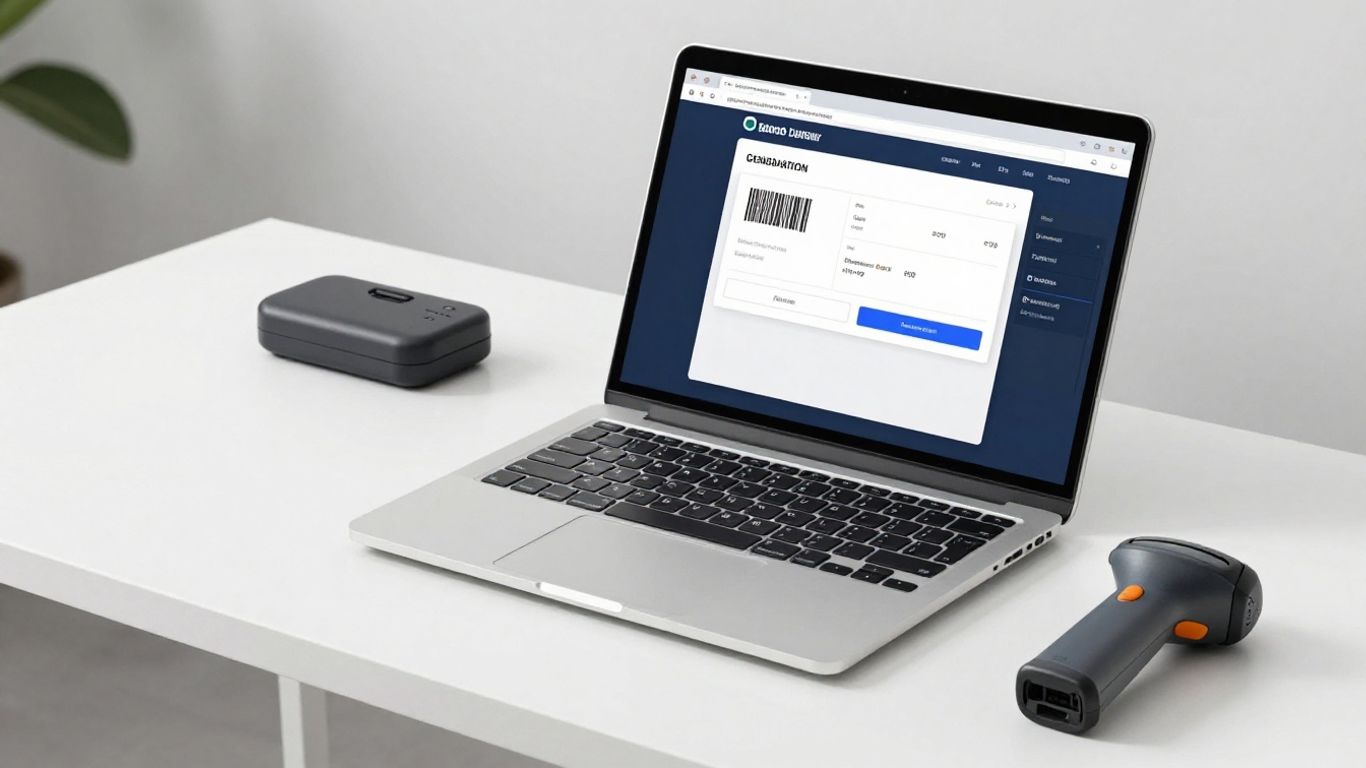
When you’re ready to move beyond basic static barcodes, dynamic options open up a whole new world of possibilities. These aren’t just simple codes; they’re smart tools that connect your printed materials to the digital world in a flexible and trackable way.
Updating Links Without Re-printing
This is a game-changer for any business that uses printed materials regularly. Imagine you’ve printed hundreds of posters for an event, only to find out the venue has changed. With static barcodes, you’d be looking at a costly reprint. Dynamic QR codes, however, let you update the destination link anytime without needing to reprint the physical code. This means your printed materials never go out of date, saving you time, money, and a whole lot of hassle. Platforms like Xcan.it offer this ‘Print Now – Link Later’ functionality, allowing you to lock in your artwork while keeping your digital destinations flexible. This is incredibly useful for everything from marketing campaigns and product labels to signage and event materials.
Tracking Scans and Performance
Knowing how your barcodes are being used is just as important as how they’re printed. Dynamic QR code solutions often come with built-in analytics. You can see how many times a code has been scanned, where it was scanned (if location services are enabled), and even when. This data is invaluable for understanding which campaigns are working best, which placements are most effective, and how customers are interacting with your printed materials. Xcan.it provides a dashboard where you can monitor these scans, giving you real-time insights into your campaign performance. This helps you make informed decisions and optimise your future print runs.
Integrating with Your Workflow
Dynamic QR codes aren’t just about flexibility; they’re about making your entire workflow smoother. Whether you’re managing inventory, running marketing campaigns, or handling logistics, dynamic codes can be integrated to provide up-to-date information. For example, you can use them on product packaging to link to manuals or warranty information that can be updated online. In logistics, they can track shipments and update delivery statuses. Xcan.it’s platform is designed to help you manage these codes centrally, making it easier to deploy and control your printed assets across various applications, from print and signage to everyday business assets.
Ensuring Scan Reliability and Durability
Making sure your printed barcodes actually work when scanned is pretty important, right? It’s not just about getting them printed; it’s about making sure they’re readable and last as long as you need them to. A barcode that won’t scan is, well, useless.
Maintaining Quiet Zones for Scannability
Think of the ‘quiet zone’ as a little bit of empty space around your barcode. It’s like a buffer that helps scanners focus on the actual barcode data without getting confused by anything nearby. If you cram other graphics or text too close, it can mess with the scan. Most free online tools will handle this automatically, but it’s good to be aware of it, especially if you’re doing custom designs. You want to keep that clear space around the edges.
Choosing the Right Print Materials
The surface you print on makes a big difference. Printing on plain paper is fine for short-term use, but if your labels are going on products that get handled a lot, exposed to moisture, or kept outdoors, you’ll need something tougher. Think about vinyl stickers or durable synthetic materials. These can withstand more wear and tear, meaning your barcodes will stay scannable for longer. It’s worth checking out barcode inspection standards to see what makes a good quality print.
Understanding QR Code Size and Scaling
When it comes to QR codes, size matters, but so does proportion. Generally, bigger is better for scannability, especially if they’ll be viewed from a distance. However, you can’t just stretch a QR code to make it bigger; it needs to maintain its square shape. Scaling it up proportionally is key. Also, remember that different scanners and phone cameras have varying tolerances, so always test your printed codes to make sure they read easily. Adhering to ISO standards for barcode verification can help guarantee consistent quality.
Maximising Value with Free Barcode Printing
Cost-Effective Solutions for All Businesses
Using free online barcode printing tools is a smart move for any business, big or small. It means you can get professional-looking labels and codes without spending a fortune. Think about it – instead of paying for software or design services, you can generate exactly what you need, when you need it, all from your web browser. This is especially helpful for startups or businesses on a tight budget. You get the functionality without the upfront cost, letting you focus your resources elsewhere. It’s a straightforward way to add a professional touch to your products and operations.
Scalability for Growing Needs
As your business grows, your barcode needs might change. Free online tools are great because they can grow with you. Need to print a few labels for a new product line? Easy. Suddenly need thousands for a big inventory push? Many of these platforms can handle that too. Some even offer dynamic QR codes, which are a game-changer. With tools like Xcan.it, you can print your codes now and update the links later. This means you can order larger print runs to save money, without being locked into a specific destination. If a promotion changes or a product link is updated, you just change it in your dashboard – no need to reprint everything. This flexibility is a real lifesaver.
Leveraging Free Tools for Business Growth
Free barcode printing isn’t just about saving money; it’s about being smarter with your operations. Platforms like Xcan.it offer more than just basic code generation. You can get dynamic QR codes that let you update links without reprinting, which is a huge plus for marketing campaigns. Imagine printing posters or product labels and then being able to change the linked website or offer later on. Plus, many services provide a dashboard where you can track scans and see how your campaigns are performing. This kind of insight can really help you understand what’s working and where to focus your efforts. It turns a simple print job into a dynamic marketing tool that can adapt to your business needs.
Unlock the full potential of your business by printing your own barcodes for free! It’s a smart way to keep track of your stock and make things run smoother. Ready to see how easy it can be? Visit our website today to learn more and get started!
Putting It All Together
So there you have it. Printing your own barcodes doesn’t have to be a headache. With the right free online tools, you can get professional-looking results without spending a fortune. It’s about making smart choices that save you time and money, letting you focus on what really matters – running your business. Give these solutions a go, and see how much easier things can become.
Frequently Asked Questions
Can I really print barcodes for free?
Yes, absolutely! There are many online tools that let you create and print various types of barcodes without costing you a penny. These are great for small businesses or for testing purposes.
What information do I need to create a barcode?
Usually, you’ll need the data you want to encode, like a product code or a website address. Some tools let you add custom designs, like your company logo, to make the barcode look more professional.
Can I change the link on a barcode after I've printed it?
With dynamic QR codes, yes! You can print the code now and change where it leads later, all from your online account. This is super handy if a website address changes or you want to update a promotion without reprinting everything.
How do I make sure my printed barcodes can be scanned easily?
To ensure good scans, leave a clear space around the barcode (called a ‘quiet zone’) and make sure the contrast between the dark and light parts is strong. Also, avoid printing them too small or stretching them out of shape.
What's the difference between a regular barcode and a QR code?
A regular barcode usually holds simple information like a product number. A QR code is like a super-powered barcode that can hold much more data, like website links, text, or contact details, and is easily scanned by smartphone cameras.
Can I use these free tools for my business's inventory?
Definitely. Free online barcode generators are perfect for labelling products for inventory. You can create unique codes for each item, which helps you keep track of stock more efficiently.












