
Top Barcode Stock Control Software Options with QR Support
Barcode stock control software is no longer just a warehouse convenience. For many businesses, it is the system that keeps stock visible, orders moving, audits cleaner, and costly manual errors under control. Once QR support is added, the software becomes even more useful because physical stock, shelves, bins, tools, assets, packaging, and printed materials can connect to richer digital records, instructions, forms, reorder pages, and trackable scan journeys.
For businesses in London, Greater London, and across the United Kingdom, this matters because real stock control rarely happens in one neat room. It happens across warehouses, vans, retail floors, stock rooms, service sites, event venues, compliance stores, and customer-facing environments. The right barcode stock control platform helps teams scan faster, count more accurately, and understand what moved, where, when, and why — while QR-enabled workflows can also drive engagement and track scans beyond the warehouse floor.
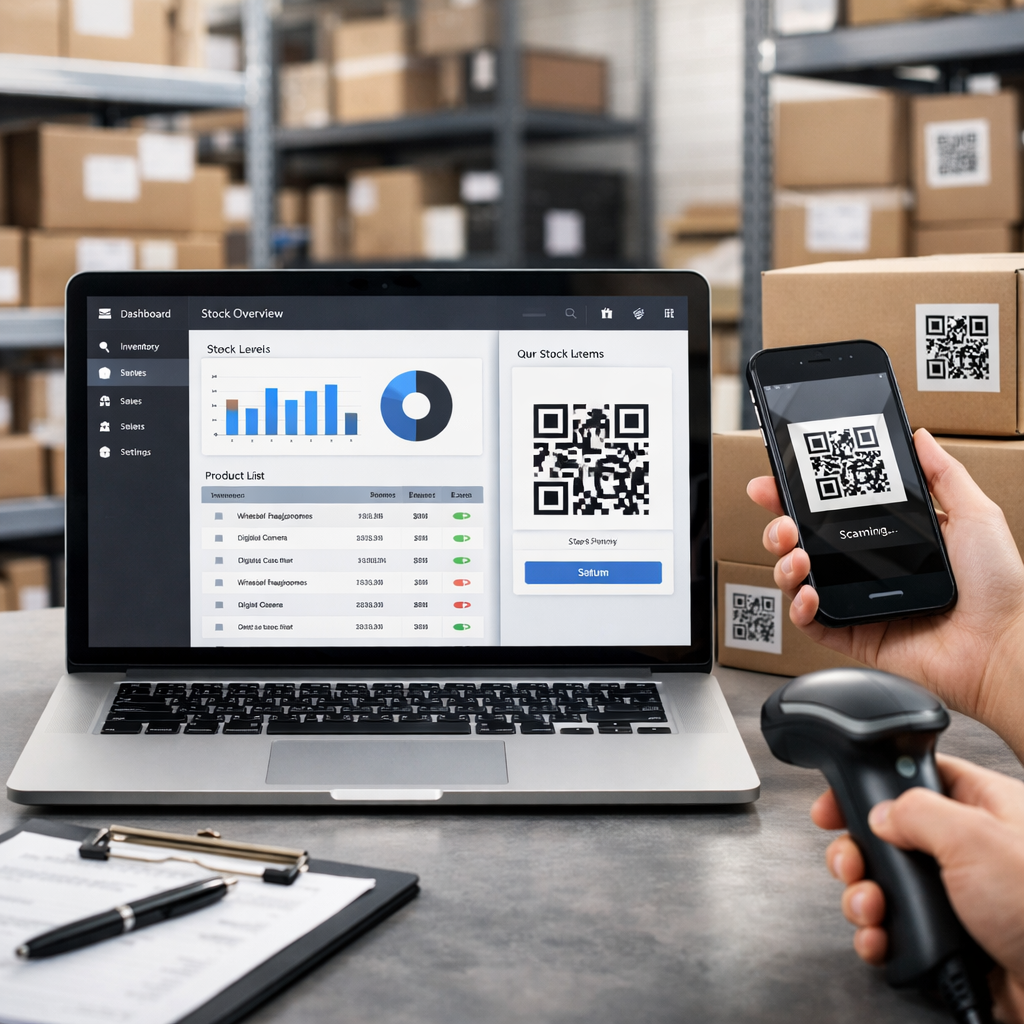
💡 Short answer
The best barcode stock control software options with QR support are the ones that match your operational complexity, not the ones with the longest feature list. If you need a lighter mobile-first setup, tools like Sortly, inFlow Inventory, and Zoho Inventory are strong shortlist options. If you need deeper warehouse, manufacturing, or process control, Fishbowl and Odoo Barcode are usually more relevant. The real commercial win comes when scanning does more than update stock: it reduces errors, speeds up counts, links physical items to digital records, and creates trackable QR journeys for staff, customers, and field teams.
Quick facts: barcode stock control software with QR support
- Core job: link products, bins, shelves, assets, and movements to accurate live records so teams can receive, move, count, pick, and audit stock faster.
- Barcode role: fast lookup and transaction speed for repeat stock handling, especially in receiving, picking, transfers, and count workflows.
- QR role: richer records, easier smartphone scanning, and the ability to link stock or assets to documents, forms, support pages, setup guides, and trackable scan destinations.
- Shortlist options: Sortly, inFlow Inventory, Zoho Inventory, Fishbowl, and Odoo Barcode all deserve review, but for different operational needs.
- Commercial upside: fewer errors, faster counts, better stock visibility, stronger staff compliance, reusable labels, and measurable scan activity across locations and workflows.
Complete guide: top barcode stock control software options with QR support
1) What this category actually means
Barcode stock control software is software that uses machine-readable labels to speed up stock handling. Teams scan an item, location, or asset label and the system updates quantity, status, movement, transfer, pick, or audit information without relying on manual typing. Once QR support is added, the system becomes more flexible because a label can do more than identify a SKU. It can connect a stock item to a batch record, shelf location, service document, onboarding guide, compliance form, reorder page, or customer-facing experience.
That matters because not every business needs a full warehouse management system. Some need a simpler stock control layer with mobile scanning. Others need warehouse discipline, manufacturing workflows, accounting integrations, or multi-location visibility. The right platform depends on the real process, not the sales demo.
2) How barcode and QR-enabled stock control software works in plain English
The workflow is simple underneath the software jargon:
- Step 1: each item, bin, shelf, pallet, asset, or location gets a barcode or QR label.
- Step 2: the software maps that code to a stock record, movement type, or destination.
- Step 3: staff scan during receiving, put-away, counting, picking, transfers, returns, or servicing.
- Step 4: the system updates quantity, location, history, or user activity in real time or near real time.
- Step 5: reporting shows what is in stock, what moved, what is missing, what needs reordering, and which processes are failing.
Traditional 1D barcodes remain useful for fast identification and standardised product handling. QR codes become especially valuable when the business needs more context, easier smartphone scanning, or links to richer digital information. If you want a dynamic layer that lets printed labels keep working while destinations change later, see Print Now, Link Later and Start for Free: Create Dynamic QR Codes.
3) What current product research shows
Looking at current vendor pages and documentation, the category splits into two broad groups.
Light-to-midweight inventory tools focus on quick setup, mobile scanning, and simpler workflows. Sortly says its barcode inventory software includes built-in barcode and QR code capabilities, smartphone and tablet scanning, and custom label generation. Zoho Inventory supports barcode-based inventory management and also lets users enable barcode and QR code generation for items. inFlow positions barcoding as a core feature, with label design, scanning, and stockroom workflows tied to real-time reporting. These tools are attractive when you want faster control without a heavyweight ERP rollout.
Deeper warehouse or process-oriented systems focus on more structured operational control. Odoo’s Barcode app documents barcode-driven product, packaging, location, and transfer workflows. Fishbowl positions barcode scanning as part of warehouse optimisation, real-time tracking, and order management. Zebra’s warehousing content reinforces the wider operational case: inventory tracking, space utilisation, and data-driven insights are strongest when scanning is embedded into day-to-day movement, not bolted on afterwards.
4) Top barcode stock control software options worth shortlisting
This is not a fake “best software” ranking. It is a practical shortlist based on how these options are positioned today and where they usually fit best.
4.1) Sortly
Best fit: simpler inventory control, mobile-first teams, tools, supplies, and asset-style stock workflows.
Sortly is attractive because it keeps the learning curve low while still supporting barcode and QR code scanning. It also supports label generation and smartphone-based workflows, which makes it useful for businesses that want to move away from spreadsheets without taking on a full ERP project. For smaller stock environments, vans, depots, and distributed teams, that simplicity is often the selling point.
Good for: contractors, maintenance teams, field ops, SMEs, smaller wholesalers, and businesses with mixed inventory and asset tracking.
Watch-outs: if you need deeper manufacturing, complex warehouse rules, or heavily customised process logic, you may outgrow it.
4.2) inFlow Inventory
Best fit: wholesalers, ecommerce, light manufacturing, and businesses that want barcoding depth without going fully enterprise.
inFlow is one of the stronger options if you care about barcodes and QR support as operational tools rather than just labels. Its product pages and recent blog content emphasise label design, scanning, stockroom workflows, and the difference between 1D barcodes and QR codes. That makes it a good middle-ground choice for businesses that want disciplined stock control, not just a list app.
Good for: product businesses, stockrooms, trade suppliers, healthcare consumables, parts control, and ecommerce operations.
Watch-outs: it is stronger when your operation already accepts scanning as part of daily behaviour. If staff still bypass the process, software alone will not save you.
4.3) Zoho Inventory
Best fit: small businesses that want stock control tied to a wider cloud business stack.
Zoho Inventory supports barcode-based workflows and lets users enable both barcode and QR code generation. That is useful when a business already uses Zoho or wants a broader suite around inventory, orders, and related business operations. It can be a practical choice for teams that want cloud accessibility and barcode-driven control without overcomplicating the toolset.
Good for: growing SMEs, multi-channel sellers, admin-heavy teams, and firms already using Zoho products.
Watch-outs: it can be a strong operational fit, but the exact strength depends on how much warehouse depth you need versus general business workflow convenience.
4.4) Fishbowl
Best fit: businesses that need more structured warehouse and inventory discipline, especially when accounting and operations need to stay in step.
Fishbowl leans harder into warehouse optimisation, real-time inventory tracking, and barcode scanning tied to broader stock control. It is usually more relevant when the problem is no longer “we need labels” and has become “we need tighter control over receiving, fulfilment, counts, and stock accuracy across real operations”.
Good for: warehouse-led firms, distributors, manufacturers, and businesses where stock errors directly hit margin or service.
Watch-outs: setup and process discipline matter more. This is less about casual scanning and more about operational structure.
4.5) Odoo Barcode
Best fit: businesses that want stock control as part of a wider ERP or operational workflow stack.
Odoo’s Barcode app supports assigning barcodes to products, packaging, and locations, then using those scans to trigger inventory processes. That makes it useful when stock control needs to sit inside a broader system spanning purchasing, sales, warehouse work, manufacturing, or finance. For the right business, that creates a cleaner operational backbone than stitching lots of separate tools together.
Good for: process-heavy firms, warehouse teams, operations-led businesses, and businesses wanting one broader platform.
Watch-outs: this is rarely the lightest option. If you only need basic stock scanning, it may be more system than you need.
5) Barcode first, QR second — or both?
This is where a lot of buying decisions go wrong. Businesses assume QR replaces barcodes everywhere. It does not. In many stock environments, barcodes still win on speed, familiarity, and standardisation. QR becomes powerful when the code needs to hold more information, scan easily from smartphones, or link the physical object to a richer digital layer.
- Use traditional barcodes when: you want fast, repeatable SKU or location scanning inside controlled stock workflows.
- Use QR codes when: you want richer records, mobile-first usage, links to manuals, service logs, forms, setup pages, or editable destinations.
- Use both when: your operation spans internal stock control and external-facing experiences such as packaging, aftercare, service, or customer engagement.
That hybrid model is often the strongest. The barcode handles core stock transactions. The QR layer handles context, support, instructions, compliance, customer actions, or scan tracking.
6) Why QR support creates a bigger business upside
QR support matters because it turns a label into more than a label. A warehouse bin can open a live stock record. A service part can open the fitting guide. A facilities label can open the latest form, certificate, or checklist. A packaging QR can move from setup content to reorder content later without reprinting if the workflow uses dynamic routing.
That is where Xcan It and dynamic QR workflows become commercially useful. The operational value is not only “scan and identify”. It is also:
- Editable destinations: keep the printed code, change the destination later.
- Scan tracking: understand which labels, locations, branches, or use cases generate activity.
- Lower print waste: avoid reprinting every time a page changes.
- Engagement layer: move from stock control into support, training, compliance, service, and customer education.
- Better accountability: prove that a scan happened, where it happened, and what it was meant to trigger.
7) Benefits for businesses
Businesses do not buy barcode stock control software because they love barcodes. They buy it because the alternative is expensive confusion.
- Fewer manual errors: scanning reduces mistyped SKUs, wrong locations, and bad count entries.
- Faster stock counts: cycle counts and audits take less time when the process is scan-led.
- Cleaner receiving and dispatch: teams confirm goods faster and spot mismatches sooner.
- Better location control: shelf, rack, bin, van, and room-level visibility improve stock confidence.
- Stronger replenishment decisions: real stock levels beat guesswork.
- Improved staff compliance: labels and scanning create a repeatable process instead of “tribal knowledge”.
- Better customer outcomes: QR-enabled packaging or asset labels can open setup guides, warranties, care info, reorder journeys, and support pages instantly.
For many UK businesses, that last point is underrated. The same scan infrastructure that improves stock control can also improve customer experience and support efficiency.
8) Why this matters specifically for London and Greater London businesses
London operations tend to be fragmented. Stock may be split across a warehouse in Park Royal, a retail floor in Camden, a service team in Croydon, event kit in Stratford, and customer installations across Greater London. That means the software has to work in real operational mess, not just in a tidy warehouse diagram.
Examples where this becomes commercially useful:
- Camden retailer: stockroom QR labels help staff find and count fast-moving items, while customer-facing product QR codes link to care guides and warranty pages.
- Croydon field service team: van stock is barcode-controlled, while QR labels on specialist parts open fitting instructions and reorder forms.
- Park Royal wholesaler: pallet and bin barcodes handle warehouse accuracy, while QR-enabled product labels route trade buyers to spec sheets and reorder portals.
- Heathrow-adjacent logistics or service operation: location-based scanning improves handoffs across shifts, sites, and dispatch points.
- West London facilities company: consumables and maintenance stock are tracked with barcodes, while QR stickers on plant and service points link to forms, histories, and certificates.
In a high-cost operating environment like London, stock inaccuracy is not a small admin issue. It is margin leakage.
9) Advanced use cases where QR support becomes the differentiator
- Warehouse plus customer journey: use barcodes internally for stock moves, but QR codes externally for setup, returns, warranty, and upsell journeys.
- Asset tracking plus service history: a tool or machine label identifies the asset and opens maintenance history, manuals, and inspection forms.
- Batch and lot workflows: QR can carry richer references where businesses need more detail than a simple SKU lookup.
- Multi-branch reporting: unique QR labels by site or branch let businesses compare scan behaviour across locations.
- Packaging that keeps working after print: dynamic QR lets businesses update destinations as stock, support content, or campaigns change.
- Facilities and compliance: shelves, consumables, assets, rooms, and plant areas can all route to the current operational record rather than a dead PDF.
- Offline-to-online engagement: a stock label or packaging insert can send a buyer to onboarding, accessories, service booking, or reorder — and the business can measure the scan.
This is the real “search everywhere” angle of the topic: modern stock control is not just about inventory accuracy. It is about creating a connected physical-to-digital system that operations teams, customers, and search-driven journeys can all benefit from.
10) Dedicated examples section: what strong use looks like in practice
Example A — London electrical wholesaler: goods-in staff scan product barcodes into inventory, while QR labels on selected trade products open install sheets, voltage specs, and reorder pages. Internal accuracy improves and trade buyers get faster self-service.
Example B — Greater London catering supplier: warehouse staff use barcode software for bin counts and order picking, but QR labels on consumable packaging open allergen information, handling guidance, and reorder forms for repeat clients.
Example C — Camden retail chain: shelf and back-room stock are barcode-managed, while QR-enabled packaging drives post-purchase engagement to product guides, loyalty offers, and accessories. The business measures which locations drive the most useful scans.
Example D — facilities business in West London: stock is controlled with barcodes, but QR stickers on maintenance cupboards and plant assets open forms, service logs, manuals, and escalation contacts. Site teams work faster and compliance documentation becomes easier to reach.
Example E — event equipment company in Stratford: high-value kit is tracked with barcode-led stock control, while QR labels on cases and devices route staff to prep checklists, return procedures, and troubleshooting steps between events.
Example F — UK ecommerce brand with warehouse and showroom: core inventory uses barcodes, but QR support on packaging and inserts turns stock labels into customer education and reorder journeys, keeping physical fulfilment tied to measurable digital engagement.
11) YouTube video example (one)
This video is a good fit because it shows how barcode and QR workflows support warehouse management in a practical operational setting rather than as a vague marketing concept:
12) Quote: Simon King, Head of Sales
“The small businesses winning with QR stickers aren’t doing anything complicated — they’re doing the basics relentlessly well.”
— Simon King, Head of Sales
That is exactly the right framing for stock control too. The software matters, but the real improvement usually comes from consistent labels, clear scan logic, sensible locations, good staff habits, and a workflow that actually matches how the business runs.
13) Investigative findings: what stood out while researching this topic
Looking across current vendor pages, documentation, and recent blog content, three things stand out.
- The market is less about “best software” and more about operational fit. Sortly, inFlow, Zoho Inventory, Fishbowl, and Odoo are all credible options, but for different levels of complexity.
- QR support matters most when the business needs context, not just identification. Recent inFlow guidance on QR codes versus barcodes reinforces that QR codes are useful when richer information, multi-angle scanning, and error correction matter.
- Printed labels become more valuable when they are part of a dynamic system. Recent QR Code Stickers content on warehouse barcode systems and bulk QR generation pushes the same commercial point: labels work harder when they are connected to live operational records rather than static dead ends.
Fresh reading related to this topic:
- External source: QR Codes vs Barcodes for Inventory Management — a recent inFlow article explaining where QR codes add more value than standard barcodes.
- External source: Barcode Inventory Software — current official Sortly page outlining built-in barcode and QR code capabilities.
- External source: Odoo Barcode documentation — current documentation showing barcode-led inventory movement workflows.
- Fresh QR Code Stickers blog: Optimising Your Operations: A Guide to Warehouse Barcode Systems — recent reading on warehouse barcode system choices and long-term considerations.
- Fresh QR Code Stickers blog: The Power of Bulk QR Code Generation for Asset Tracking — recent reading on how bulk QR workflows support operational scaling.
- Internal Xcan It reading: Print Now, Link Later — useful when stock labels, packaging, assets, or printed materials need destinations that can be updated later without reprinting.
14) Practical buying checklist
If you are comparing software options, judge them in this order:
- Workflow fit: receiving, picking, counting, transfers, returns, servicing, and audits.
- Label logic: products, bins, shelves, pallets, tools, rooms, assets, or all of the above.
- Scanner reality: dedicated scanners, smartphones, tablets, or mixed environments.
- QR need: do you just need identification, or do you need richer records and dynamic destinations?
- Location complexity: one site, multiple branches, vans, field service, or distributed operations.
- Integration needs: accounting, ecommerce, ERP, support, compliance, or reporting systems.
- Reporting depth: stock visibility, user actions, movement history, reorder logic, and scan activity.
- Rollout discipline: label standards, staff training, and process compliance matter as much as software features.
The right question is not “which tool has QR support?” It is “which tool turns scanning into a cleaner, more profitable operating system for this business?”
Conclusion: the best option is the one that matches your operational reality
Barcode stock control software with QR support is most useful when it solves a real operational problem: inaccurate counts, slow receiving, poor visibility, scattered stock, weak audit trails, or disconnected physical-to-digital workflows. The strongest shortlist options today include Sortly, inFlow Inventory, Zoho Inventory, Fishbowl, and Odoo Barcode, but they serve different levels of complexity and discipline.
The bigger lesson is this: QR support should not be treated as a decorative extra. It becomes powerful when it links stock, shelves, assets, packaging, and service points to live records, forms, guides, and trackable destinations. That is where businesses gain both operational control and measurable engagement.
For businesses in London, Greater London, and across the UK, the opportunity is not just faster stock counts. It is a tighter system where scanning improves stock accuracy, staff behaviour, support journeys, compliance access, customer experience, and long-term visibility into how physical assets and labels actually perform.
FAQs
What is barcode stock control software with QR support?−
It is inventory software that lets businesses track stock using barcodes, QR codes, or both. Scans update quantities, locations, movements, and history, while QR-enabled workflows can also open richer records, documents, forms, or dynamic destinations.
Which software options should I shortlist first?+
For many businesses, Sortly, inFlow Inventory, Zoho Inventory, Fishbowl, and Odoo Barcode are sensible starting points. The right fit depends on whether you need mobile simplicity, warehouse structure, manufacturing support, or broader ERP integration.
Are QR codes better than standard barcodes for stock control?+
Not always. Standard barcodes are often faster and more familiar for routine stock transactions. QR codes become stronger when you need richer information, smartphone-friendly scanning, or links from physical items to digital records and trackable destinations.
How can businesses track scans as well as stock?+
Use unique labels tied to locations, products, assets, or printed materials. When those labels route through dynamic QR infrastructure, businesses can measure which shelves, branches, teams, packaging inserts, or service points generate the most scan activity.
How can London businesses use these systems more effectively?+
Use barcode-led stock control for speed and accuracy, then add QR support where richer records or customer actions matter. In London, that often means combining warehouse scanning, van stock visibility, site-level compliance access, and customer-facing QR journeys across multiple locations.
Talk to an Xcan It Specialist
Need barcode stock control workflows that go beyond basic scanning? We’ll help you connect QR labels, dynamic destinations, engagement tracking, and real-world operational use cases across London, Greater London, and UK-wide sites.