
Top Features of a Barcode Inventory Management System
The best barcode inventory management systems do not just help businesses identify stock. They help them control movement, reduce errors, speed up decisions, support staff, and track operational activity in real time. That is the real difference between a basic scanning setup and a system that actually improves how a business runs day to day.
For businesses in London, Greater London, and across the United Kingdom, the top features matter because inventory friction rarely stays inside the warehouse. It affects retail floors, hospitality venues, plant rooms, service vans, storage sites, events, maintenance teams, and customer support. When barcode and QR code workflows are designed well, businesses do more than track stock. They create a live operational layer that improves visibility, drives engagement, and produces measurable scan data.
💡 Short answer
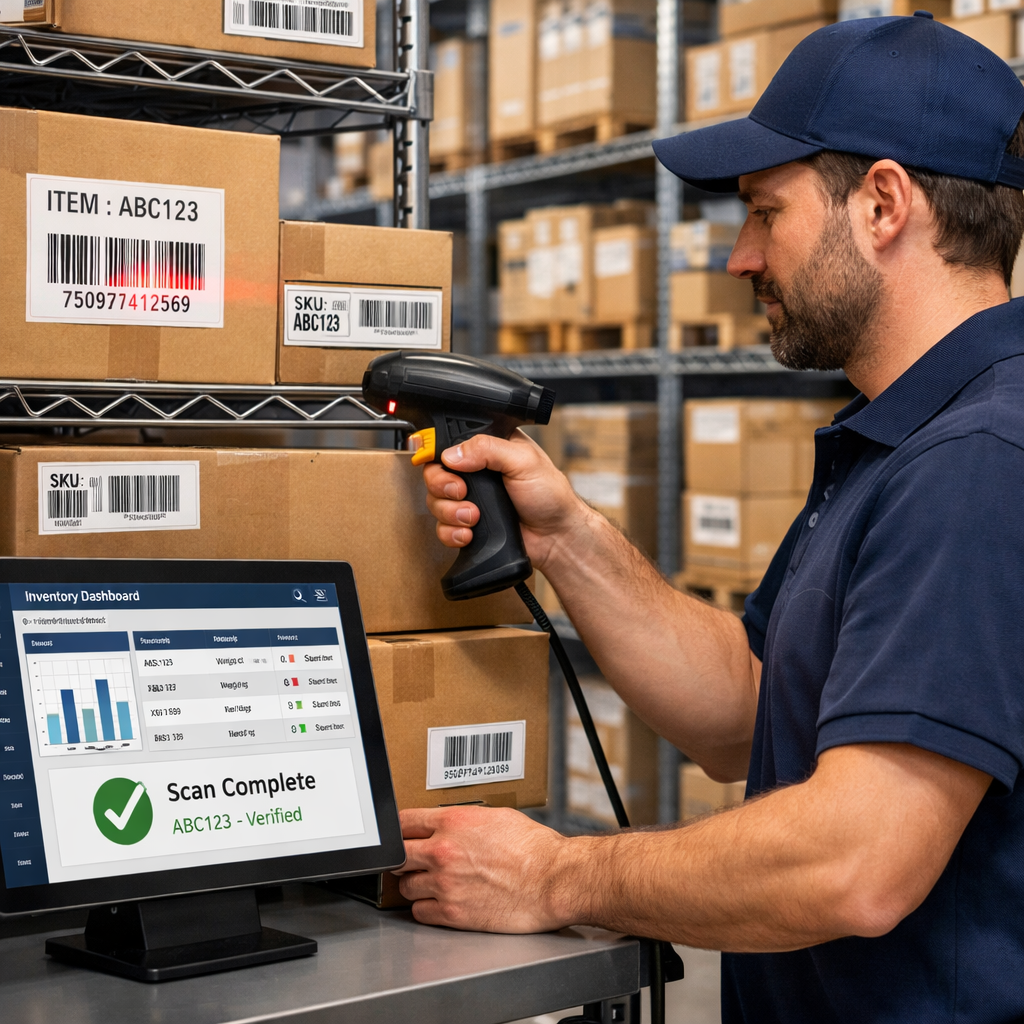
The top features of a barcode inventory management system are the ones that improve accuracy, speed, visibility, and action. In practice, that means real-time stock updates, barcode and QR scanning, mobile access, location tracking, reporting, audit trails, reorder logic, label management, multi-site visibility, and analytics. The best systems go further by turning scans into useful workflows: opening live records, guiding staff to the right action, and tracking how stock, assets, and labels are actually being used. In plain English: the right features do not just record inventory — they help run the business better.
Quick facts: what the best inventory system features actually do
- Core feature set: scanning, live stock updates, location control, reporting, alerts, and traceability.
- Operational gain: fewer mistakes, quicker counts, clearer movements, and less manual admin.
- Business gain: better visibility across branches, stronger accountability, and faster decisions.
- QR advantage: labels can link to live records, manuals, forms, service logs, and customer-facing actions.
- Advanced value: dynamic QR tracking turns physical labels into measurable assets that support both operations and engagement.
Complete guide: the top features that separate a useful barcode inventory management system from a weak one
1) Why “features” matter more than software labels
A lot of businesses shop for an inventory system by brand name or price tier. That is understandable, but it misses the real issue. The software name matters less than the feature set that actually solves the business problem. A system can look polished in a demo and still fail in real operations if it cannot track locations properly, support mobile scanning, handle live updates, or show what happened after a scan.
The strongest barcode inventory systems are built around repeatable operational tasks. They help teams receive stock, move it, count it, issue it, service it, return it, audit it, and understand what changed. That is why the right question is not “which software is popular?” It is which features remove friction from the way your team already works.
This is also where QR code integration becomes useful. A barcode can identify an item quickly. A QR code can connect that item to live records, dynamic links, service forms, instructions, and measurable scan behaviour. If you want to understand how editable QR workflows support physical operations after labels have already been printed, see Print Now, Link Later. If you want to test dynamic QR tools directly, see Start for Free: Create Dynamic QR Codes.
2) Feature #1: real-time stock updates
If a system does not update stock in real time, almost everything else becomes slower and less reliable. Real-time updates are the foundation feature because they reduce the lag between physical movement and digital truth. When a product is received, sold, transferred, returned, or counted, the system should reflect that quickly enough for people to act on it.
This matters because delayed stock data creates distorted decisions. Teams over-order, under-order, pick the wrong item, or assume something is available when it is not. External guidance on barcode inventory systems keeps coming back to this point: the operational value comes from live sync and accurate counts, not just from printing labels.
3) Feature #2: barcode and QR code scanning support
A serious inventory system needs strong scanning support across the environments where people actually work. That includes handheld scanners, phone cameras, tablets, and in some cases fixed scanning points. Standard barcodes remain excellent for fast, simple product recognition. QR codes add another layer of flexibility because they can hold more information and link to live digital destinations.
That means a modern system should support both where useful. In many businesses, the best setup is hybrid:
- Barcodes for SKU identification, receiving, and structured stock movements.
- QR codes for assets, bins, rooms, service records, manuals, forms, packaging journeys, and dynamic scan tracking.
The feature itself is not “can it scan?” The real feature is can it support the right type of scan for the right job.
4) Feature #3: location tracking and bin-level visibility
Knowing that an item exists is not enough. A strong system should know where it is. Location tracking is one of the most commercially important features because inventory problems are often location problems in disguise. Stock may be “in the system” but still missing from the shelf, wrong in the van, sitting in the wrong branch, or buried in a back room no one checks.
Good location tracking includes:
- Branch-level visibility
- Warehouse zones, aisles, and shelves
- Bins, bays, cages, trolleys, or cases
- Asset locations across buildings or sites
For London and Greater London businesses, this matters even more because operations often span multiple constrained spaces rather than one neat warehouse.
5) Feature #4: mobile access for teams on the move
A desktop-only inventory system is a weak fit for most real operations. Teams need access from shop floors, loading bays, kitchens, plant rooms, vans, event sites, and storage rooms. Mobile access is a top feature because it turns the system from an office tool into a working tool.
In practice, this means staff can:
- scan items on phones or tablets
- look up stock instantly
- confirm quantities without going back to a desk
- open linked records or instructions from a QR label
- complete checks and updates where the work actually happens
For small and mid-sized businesses, mobile access also lowers the barrier to adoption because not every touchpoint needs dedicated scanning hardware on day one.
6) Feature #5: audit trails and accountability
One of the most underrated features in an inventory system is the audit trail. It tells you what changed, when it changed, and often who changed it. Without this, businesses struggle to understand discrepancies, repeated errors, missing assets, or failed processes.
A useful audit trail helps answer practical questions:
- When was this stock level changed?
- Which scan moved this item?
- Who completed the check?
- Which asset has been serviced most often?
- When did this label last generate activity?
This is where barcode inventory becomes more than stock control. It becomes an evidence layer for operations.
7) Feature #6: reporting, analytics, and scan insight
Reporting is not just a dashboard extra. It is the feature that turns raw inventory activity into decisions. Good systems do not only show stock levels. They show movement patterns, exceptions, fast-moving items, slow-moving items, count discrepancies, location performance, and sometimes scan behaviour itself.
When QR codes are used dynamically, analytics become even more useful. Businesses can compare scan activity by branch, venue, room, asset type, package insert, service label, or physical placement. That means the inventory label is no longer passive. It becomes measurable.
This is particularly useful where engagement matters as much as tracking. A QR label on packaging can show which products trigger support visits. A label on a machine can show which equipment generates the most staff interactions. A label on a display can show which retail prompts drive follow-up actions.
8) Feature #7: reorder alerts and stock threshold logic
Inventory systems are not just there to record what already happened. They should help prevent obvious failures. Reorder logic and threshold alerts are strong features because they reduce the chance of running out of key items or carrying too much dead stock.
This is especially valuable for:
- retailers managing fast sellers
- hospitality groups tracking consumables
- service teams handling van stock
- facilities teams monitoring replacement parts
- events businesses planning temporary kit needs
Alerts are not exciting, but they stop expensive avoidable mistakes.
9) Feature #8: label generation, printing, and durability planning
It sounds basic, but label management is one of the top features for a reason. A brilliant system fails quickly if labels are hard to create, badly formatted, or not durable enough for the environment.
Strong label features include:
- easy barcode and QR code generation
- print-ready export formats
- batch label production
- support for unique item, location, or asset labels
- practical sizing and placement for real scanning conditions
This matters because the system only works at the speed of its physical labels. If labels peel, fade, scan badly, or are placed inconsistently, the workflow breaks down fast.
10) Feature #9: multi-site and multi-team visibility
Many businesses outgrow spreadsheet-style stock tracking when they move beyond one location. Multi-site visibility is therefore a top feature for any growing operation. A strong system should show stock, assets, and activity across branches, warehouses, venues, rooms, or service regions without forcing teams into separate disconnected records.
For businesses across London and Greater London, that can mean comparing:
- store stock by branch
- kitchen equipment by venue
- maintenance assets by building
- event kit by warehouse and live venue
- packaging or consumables by regional site
The feature matters because central visibility reduces guesswork and improves redistribution decisions.
11) Feature #10: dynamic QR linking for live records and engagement
This is where barcode systems start to become strategically more useful. Dynamic QR linking is not a universal requirement, but when it fits, it creates a real edge. Instead of labels only identifying something, the label can also route users to a live destination that can be updated later.
That could mean linking a QR label to:
- current manuals
- inspection forms
- service records
- product setup guides
- branch-specific landing pages
- support instructions
- campaign or packaging engagement journeys
The business benefit is flexibility. The printed label stays the same while the linked destination evolves. That is especially useful for assets, long-life equipment, packaging, signage, and operations that change over time.
12) How these features work together in practice
The strongest systems do not win because they have the longest feature list. They win because the features reinforce one another.
- Real-time updates keep counts accurate.
- Location tracking shows where stock or assets really are.
- Mobile scanning helps teams act faster.
- Audit trails explain what happened.
- Analytics show where the process works and where it fails.
- Dynamic QR linking turns labels into live workflow triggers.
In other words, the top features should not sit as isolated extras. They should create one coherent operating system around physical movement and scan-driven action.
13) Benefits for businesses in London, Greater London, and the UK
Local context matters because many UK businesses do not operate in ideal warehouse conditions. They work across mixed-use sites, compact storage rooms, retail basements, hospitality venues, serviced buildings, event spaces, and mobile service environments. That creates pressure on inventory systems to be flexible, not just technically correct.
Local examples make the benefit clearer:
- Oxford Street retail groups: branch transfers and back-room stock control improve when location tracking and real-time scans are reliable.
- Greater London restaurant chains: equipment and consumables are easier to manage when QR-linked labels connect teams to cleaning logs and service records.
- City facilities contractors: plant room and compliance assets become easier to audit when scan trails and mobile forms are linked directly from labels.
- Camden events teams: kit movements are easier to trace when labels support live updates from warehouse to van to venue.
- UK e-commerce brands: inventory labels can support both warehouse control and post-purchase engagement through customer-facing QR journeys.
The consistent advantage is that teams spend less time hunting, checking, guessing, and re-entering data.
14) Investigative findings: what stood out while researching current guidance
Looking across current guides, the pattern is clear. The best modern inventory systems are being framed less as “barcode software” and more as operational control systems. External guidance increasingly emphasises live sync, mobile scanning, better planning around code types, location labelling, and analytics that help businesses move beyond manual spreadsheets.
What stood out most:
- Real-time visibility remains the core value driver. Without it, the rest of the feature set weakens.
- Location labels matter more than many teams expect. Knowing what you have is not enough if you do not know where it sits.
- Mobile-first workflows are now treated as normal, not optional.
- Feature quality matters more than feature count. A smaller set of strong operational features beats a bloated checklist of weak ones.
- Analytics and QR-enabled flexibility are pushing systems beyond simple stock control.
Fresh reading related to this topic:
- External source: Barcode Inventory Management in 2026: Systems, Scanners & Apps — useful for understanding how barcode systems work, what they update, and where real-time processes matter.
- External source: The Ultimate Barcode Inventory System Guide — useful for feature evaluation, workflow planning, and implementation thinking.
- Internal Xcan It reading: Print Now, Link Later — useful for understanding how dynamic QR code workflows keep labels live, editable, and trackable after print.
15) Advanced use cases where the top features create a real edge
- Multi-branch retail: location tracking, live updates, and analytics show which store is overstocked, understocked, or slow to process movements.
- Hospitality operations: QR-linked asset labels connect equipment to cleaning logs, fault forms, and service history without separate paperwork.
- Facilities and compliance: audit trails and dynamic QR access reduce the friction of proving checks, inspections, and maintenance activity.
- Events and production: mobile scanning and movement history reduce missing-kit disputes and improve return accuracy.
- Warehouse plus customer engagement: the same broader label strategy can support internal stock control and customer-facing support or onboarding scans after dispatch.
- Mobile service teams: van stock, replacement parts, and field assets become easier to control when scanning, alerts, and location logic are connected.
The edge comes from one thing: features that reduce friction at the point where action happens.
16) Dedicated examples section: what good feature use looks like in practice
Example A — West London retailer: a fashion group uses branch-level location tracking and real-time barcode updates to reduce stock uncertainty between shop floor, stock room, and transfer cage. Seasonal items are easier to move because managers can trust what the system says.
Example B — Greater London hospitality chain: QR-linked labels on kitchen assets let teams open cleaning logs, supplier details, and fault forms from one scan. Head office sees which venues are using the workflow properly and which assets cause repeated issues.
Example C — City office maintenance contractor: plant assets across multiple managed buildings are labelled with QR codes that open current manuals and inspection forms. Audit trails improve because scans leave evidence instead of relying on handwritten logs.
Example D — London events company: flight cases, technical kit, and staging components are scanned in and out across warehouse, van, and venue. Mobile access matters because the workflow happens in transit, not at a desk.
Example E — UK e-commerce brand: warehouse inventory uses barcode-led control, while QR-enabled package inserts direct customers to setup guides, support, and product information. Because scans are tracked, the brand can see which products generate the most post-purchase engagement.
Example F — multi-site service business: engineers scan van stock and replacement parts on phones, while threshold alerts reduce the risk of turning up to a job without the right items.
17) YouTube video example (one)
This video is a strong fit because it shows how QR codes can be used for inventory and asset tracking in a practical way, which aligns with the feature set discussed here around scanning, linked records, mobile access, and operational visibility:
18) Quote: Mark Hickman, Co-founder, Xcan It
“The best inventory system features are the ones that turn a scan into something useful straight away. That might be a stock update, a location check, a live record, a service form, or a tracked engagement action. Once labels start doing real work instead of just naming things, the whole operation becomes easier to manage.”
— Mark Hickman, Co-founder, Xcan It
19) Practical feature checklist for buyers and operators
If you are comparing systems, judge them against the workflow, not the marketing claims. The strongest checklist is usually this:
- Does it update stock in real time?
- Can it handle both barcode and QR workflows where needed?
- Can staff use it easily on mobile devices?
- Does it track locations properly?
- Does it show who changed what and when?
- Can it generate useful reports and scan insight?
- Does it support reorder logic and exception handling?
- Can it manage labels in the real environments where you work?
- Can it support multi-site operations?
- Can it make labels more useful through dynamic linking and measurable scans?
The point is not to buy the most complex system. It is to choose a feature set that removes the most expensive friction from the business.
Conclusion: the top features are the ones that improve action, not just admin
The top features of a barcode inventory management system are not just technical extras. They are the features that improve the way a business actually runs. Real-time updates, accurate scanning, mobile access, location visibility, audit trails, reporting, and reorder logic all matter because they reduce friction and improve operational trust.
Once QR code integration is added properly, the value becomes broader. Labels can connect people to live records, forms, manuals, and customer-facing actions. That makes the system more flexible, more measurable, and more useful across retail, hospitality, facilities, logistics, events, and service operations.
For businesses in London, Greater London, and across the UK, this matters because inventory is rarely isolated. It touches branches, buildings, staff workflows, customer journeys, and physical engagement points. A strong feature set helps the business do more than keep count. It helps the business respond faster, operate more clearly, and learn from what the scans are actually telling it.
The strongest system is not the one with the longest brochure. It is the one with the right features, used in the right order, to make every scan more useful.
FAQs
What are the top features of a barcode inventory management system?−
The top features usually include real-time stock updates, scanning support, location tracking, mobile access, reporting, audit trails, reorder alerts, label generation, multi-site visibility, and analytics that help teams act on inventory data quickly.
Why is QR code support useful in inventory systems?+
Because QR codes can do more than identify an item. They can connect labels to live records, manuals, forms, service logs, support pages, and dynamic destinations that can be updated later without changing the printed code.
Which feature matters most for accuracy?+
Real-time stock updates are usually the most important because they keep the system aligned with what is actually happening physically. Without timely updates, other features become less reliable.
Can inventory labels also help track engagement or behaviour?+
Yes. Dynamic QR-enabled labels can show which assets, locations, packages, or placements are being scanned most often. That creates useful operational insight and, in some cases, customer engagement data too.
Who benefits most from these features in London and the UK?+
Retail groups, hospitality chains, logistics businesses, facilities teams, service operators, events companies, property managers, and e-commerce brands all benefit when the feature set matches their real scanning and stock workflows.
Talk to an Xcan It Specialist
Need a barcode inventory workflow that does more than count stock? We’ll help you use QR codes, dynamic linking, scan tracking, and live label workflows to improve operations across London, Greater London, and UK-wide estates, teams, and assets.