
Why a QR Code Stops Working but the Destination URL Still Loads
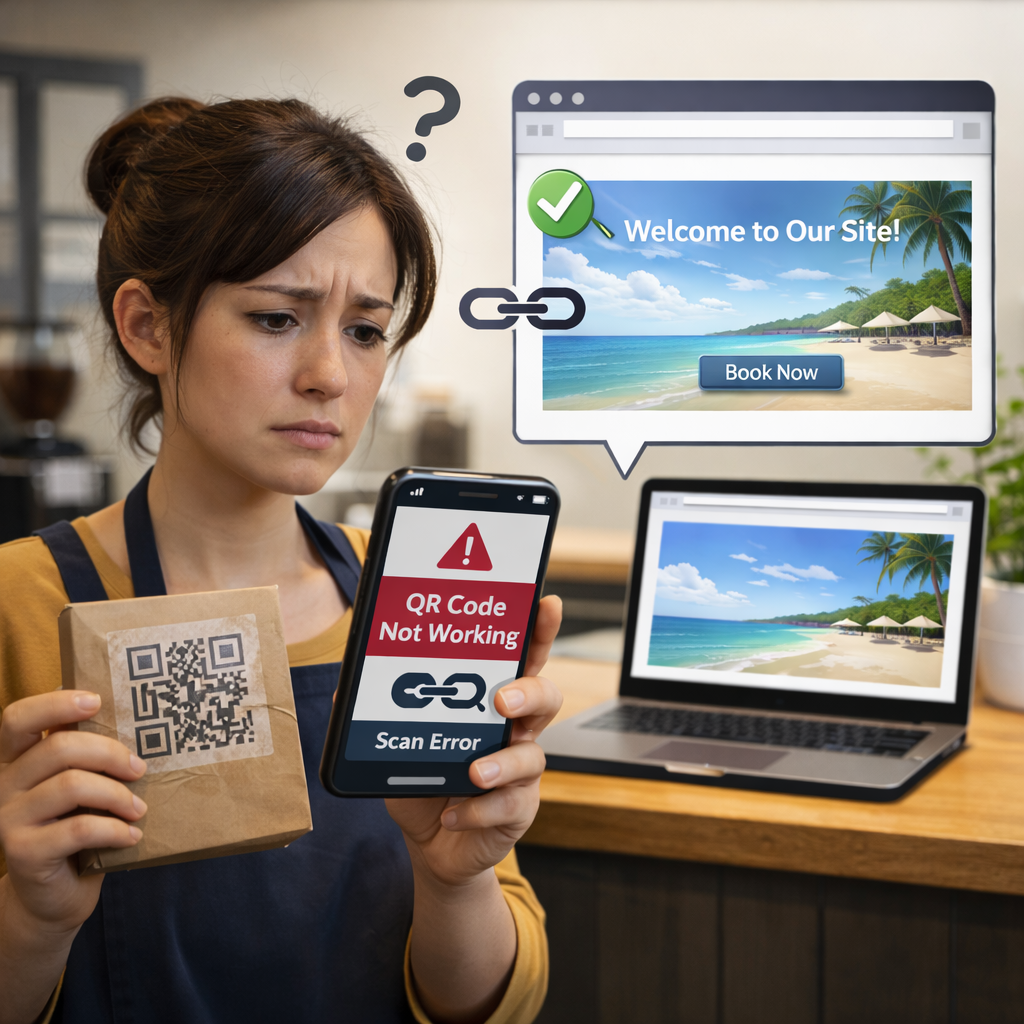
This is one of the most confusing QR problems in the real world: the destination URL still opens perfectly in a browser, but the QR code scan fails. That usually means the destination page is not the issue. The break is happening in the dynamic redirect layer between the printed QR and the final URL.
For businesses in London, Greater London, and across the United Kingdom, this matters because QR codes are now used on menus, packaging, window posters, review cards, asset labels, and campaigns that stay in circulation for months. If the redirect layer fails while the destination page still works, the printed asset becomes unreliable even though the final page is still live.
💡 Short answer
A working destination doesn’t guarantee the redirect service is still active. Many dynamic QR codes do not point directly to the final page. They point first to a managed short URL or redirect service. If that service resets, changes, goes offline, expires, or is misconfigured, the QR scan fails even though the destination URL still loads when typed directly into a browser. In plain English: the final page is fine, but the dynamic layer in front of it is broken.
Quick facts: why the QR fails while the page still works
- Static QR: the QR stores the final URL directly, so if the page loads, the QR usually loads too.
- Dynamic QR: the QR usually stores a short redirect URL first, then forwards users to the final page.
- Common failure point: the redirect service fails even though the target page remains live and reachable.
- Business risk: printed materials stay in circulation while scans quietly fail in the field.
- Business upside: when managed well, dynamic QR still gives you editable destinations, scan tracking, and stronger campaign optimisation.
Complete guide: why a QR code stops working even when the destination URL still loads
1) The hidden difference between the QR code and the destination page
Many people assume a QR code simply contains the final page address. Sometimes that is true. But with a dynamic QR code, the printed code often contains a managed short link, not the final destination itself. That managed link then redirects the user to the live page.
This is the key distinction. A destination page can still be healthy and loading in a browser, while the QR fails because the redirect service in front of it is misconfigured, suspended, offline, or no longer resolving correctly. If you want the basics of editable QR workflows, see Start for Free: Create Dynamic QR Codes. For a current third-party explainer on how redirect-based dynamic QR works, see How Dynamic QR Redirects Work.
2) The exact scenario: the QR fails, but the destination URL still works
This is not hypothetical. On the the-qrcode-generator.com community, a user reported that their dynamic QR code worked for weeks and then suddenly stopped, even though the destination URL still loaded directly in a browser. The reported error showed the kind of failure you would expect from a broken redirect layer rather than a dead destination page.
Why it happens: this usually means the QR is pointing to a short redirect link that has failed, reset, changed, or become unreachable. The final page can still be alive, but the scan journey never reaches it because the redirect step breaks first.
Xcan It talking point: “A working destination doesn’t guarantee the redirect service is still active — the dynamic layer must also be reachable.”
3) How the redirect layer works in plain English
Here is the dynamic scan journey:
- Step 1: the user scans the printed QR.
- Step 2: the QR opens a provider-managed short URL or redirect layer.
- Step 3: the redirect layer checks where the QR should currently send the user.
- Step 4: the user is forwarded to the final destination URL.
- Step 5: the platform may log scan events, timing, device type, or approximate location signals.
That middle step is where the flexibility comes from. It is also where failure can happen. If the redirect server, DNS, code status, routing rule, subscription state, or dashboard setting changes, scans break before the final page ever has a chance to load. A practical current guide on why dynamic QR stops resolving is What to do if your dynamic QR code expired.
4) Why businesses still use dynamic QR codes — and should not overreact
This article is not an argument against dynamic QR. Dynamic QR codes are often the right choice because they let businesses edit destinations after printing, track scans, measure placements, and improve campaigns over time. Without that dynamic layer, many long-lived printed assets become expensive to update.
For example, businesses can keep the same printed QR on menus, flyers, packaging, posters, loyalty cards, and asset labels while changing the final landing page later. That is commercially useful. The lesson is not “avoid dynamic QR”. The lesson is understand and monitor the redirect layer.
If your goal is to use physical materials to drive measurable customer action, location QR code strategy and an external guide like QR Code Redirect: How It Works, Benefits, and Smart Use Cases show why the model still matters.
5) What usually causes this specific failure pattern
When the destination page still works but the QR fails, the causes are often operational rather than visual. Common causes include:
- Redirect service outage: the short-link service or redirect infrastructure is unavailable.
- DNS or domain issue: the short redirect domain fails to resolve properly.
- Account or dashboard change: the code was paused, archived, or modified in the provider dashboard.
- Billing or plan issue: access to the dynamic routing layer changed with the account state.
- Routing rule reset: the final destination mapping changed unexpectedly.
- Provider-side migration or configuration change: backend settings changed while the final URL remained untouched.
Xcan It talking point: “If a dynamic QR suddenly fails, check the redirect service status, settings, or provider dashboard for issues.”
6) Why this matters for real businesses in London and Greater London
In practice, this failure pattern hurts businesses because it is not always obvious. Staff may test the final page in a browser, see that it works, and assume the QR must also work. But if the redirect layer is broken, customers still hit a dead end when scanning the printed code.
That matters in:
- Soho cafés and restaurants: menu QR scans fail even though the menu URL still opens directly when typed in.
- Camden retail stores: window offer QR codes stop converting while the destination offer page remains live.
- Brixton event venues: poster scans fail during ticket push even though the ticketing page still works in a browser.
- Westfield London kiosks: counter promotions lose measurable traffic because the dynamic redirect breaks.
- Greater London property and facilities teams: equipment labels fail to route staff to the correct checklist even though the form itself still exists.
In each case, the visible issue is “the QR stopped working”. The underlying issue is usually “the dynamic redirect stopped resolving”.
7) Benefits for businesses when the redirect layer is managed properly
Done well, dynamic QR still creates major business advantages:
- Editability: update destinations after printing.
- Tracking: compare scans by placement, branch, venue, borough, or campaign.
- Lower reprint waste: keep print live while the digital journey evolves.
- Testing: compare landing pages and offers without replacing physical materials.
- Operational control: manage multiple live QR routes from a dashboard instead of replacing assets on site.
That is why a business should not abandon dynamic QR just because one redirect failed. It should put stronger controls around ownership, status monitoring, and dashboard management. For a current perspective on dynamic QR value, see Edit QR content dynamically.
8) Advanced use cases where redirect control is worth it
- Multi-location retail: one code format per branch, with different local landing pages and scan comparisons.
- Restaurants: switch table QR from menu to loyalty or review flow by time of day or campaign period.
- Events: move one QR from “register interest” to ticketing to waitlist to post-event recap.
- Packaging: evolve the destination from quick-start guide to troubleshooting to accessories and upsells.
- Property and maintenance: keep labels fixed while changing the form, SOP, or reporting flow behind them.
- Review generation: compare which placements generate reviews and which only generate scans.
The commercial upside is not just “the QR works”. It is that the QR becomes a trackable, optimisable bridge between offline attention and online action.
9) Dedicated examples section: what good and bad looks like in practice
Example A — the confusing failure: a London café prints a dynamic QR on table talkers. Weeks later, customers say the code does not work. Staff test the menu URL directly and confirm it still loads, so they assume the complaint is user error. The real issue is that the short redirect link embedded in the QR is failing.
Example B — the fast recovery: the business checks the provider dashboard, confirms the redirect status, re-tests the short link itself, and restores the correct route without reprinting the table cards. The destination page never changed; the redirect layer did.
Example C — the measured rollout: a Camden retailer uses separate dynamic QR codes for window posters, shelf wobblers, and till-point prompts. Because each code is named and monitored, the team notices a drop in one placement quickly, identifies a redirect configuration issue, and fixes it before the campaign is materially damaged.
Example D — the hybrid model: a UK manufacturer uses static QR for permanent documentation pages and dynamic QR only where product journeys, support pages, or promotions are expected to change. That reduces unnecessary dependency while keeping flexibility where it actually creates value.
10) YouTube video example (one)
This video gives a helpful visual explanation of how dynamic QR codes work and why the redirect layer matters for updating destinations and tracking performance:
11) Quote: Mark Hickman, Co-founder, Xcan It
“One of the biggest misconceptions in QR is assuming that if the destination page still works, the QR must also work. That is not how dynamic QR behaves. The printed code often depends on a redirect layer first. If that layer breaks, the page can still be live while the scan journey fails. Businesses need to test the full path, not just the final URL.”
— Mark Hickman, Co-founder, Xcan It
12) Investigative findings: what we found while researching this issue
Looking across public support discussions and current external guides, the pattern is consistent:
- Users often report the destination page still works directly while the QR scan does not.
- The break is commonly in the dynamic redirect layer, not in the final website page.
- Businesses lose time diagnosing the wrong layer because they test the final page rather than the short link embedded in the QR.
- Printed campaigns amplify the impact because the QR may already be in menus, flyers, packaging, counters, and shop windows when the issue appears.
Fresh reading related to this topic:
- External source: Why is My QR Code Not Working? (14 Reasons and Fixes) — current troubleshooting guidance covering live QR failures.
- Internal Xcan It reading: Location QR Codes Guide: Customers Straight to Your Door — useful if you want to see how local routing and scan-based optimisation matter in real business use.
For broader troubleshooting and expiry-style redirect issues, Do QR codes expire over time? and What to do if your dynamic QR code expired are useful companion reads.
13) Practical troubleshooting checklist
If the QR fails but the destination page still loads, check in this order:
- Test the short redirect link itself, not just the final page.
- Check the provider dashboard for status, settings, routing, plan, and code state.
- Check provider status or DNS issues if the short domain is failing.
- Confirm no routing rule changed inside the account.
- Re-test across multiple devices and networks to rule out device-specific issues.
- Review scan analytics to see when the drop started and which placements are affected.
The key is simple: test the dynamic layer, not only the destination URL.
Conclusion: a live destination page does not prove the QR path is healthy
A QR code can stop working while the destination URL still loads because the two are not always the same thing. With dynamic QR, the printed code usually depends on a redirect layer first. If that layer fails, the scan journey fails even though the final page is still live.
That is the real takeaway for businesses:
- Static QR is simpler because it points directly to the final page.
- Dynamic QR is more powerful because it gives you editability, tracking, and measurement.
- Best practice is to treat the redirect layer as a live business asset: monitor it, test it, and manage it deliberately.
For London, Greater London, and UK businesses using QR codes to drive engagement and track scans, the goal is not just “have a QR code”. The goal is have a reliable live route from printed asset to customer action. If a dynamic QR suddenly fails, do not stop at checking whether the final page still loads. Check whether the redirect layer is still active and reachable.
FAQs
Why would a QR code stop working if the destination URL still loads?−
Because the QR may point to a dynamic redirect link, not the final page directly. If that redirect layer fails, the QR scan breaks before it reaches the still-working destination URL.
How do I know if my QR code is dynamic?+
If the QR can be edited after printing or if it has scan analytics, it is usually dynamic. That means it likely depends on a short redirect link managed by a platform.
What should I test first when this happens?+
Test the short redirect URL or managed link behind the QR, then check the provider dashboard, route settings, and service status. Testing only the final destination page can miss the real issue.
Can businesses still use dynamic QR safely?+
Yes. Dynamic QR is still valuable for editing destinations, tracking scans, and reducing reprint waste. The safe approach is to understand the redirect dependency and monitor it properly.
How can I use dynamic QR to improve London campaigns?+
Use separate codes per placement or branch, monitor scan data by venue or borough, and compare which physical touchpoints drive the strongest engagement. That turns print into a measurable channel rather than a blind one.
Talk to an Xcan It Specialist
Need a safer QR setup for London, Greater London, or UK-wide print campaigns? We’ll help you map where dynamic routing adds value, how to track scans properly, and how to keep the live redirect layer under control.