
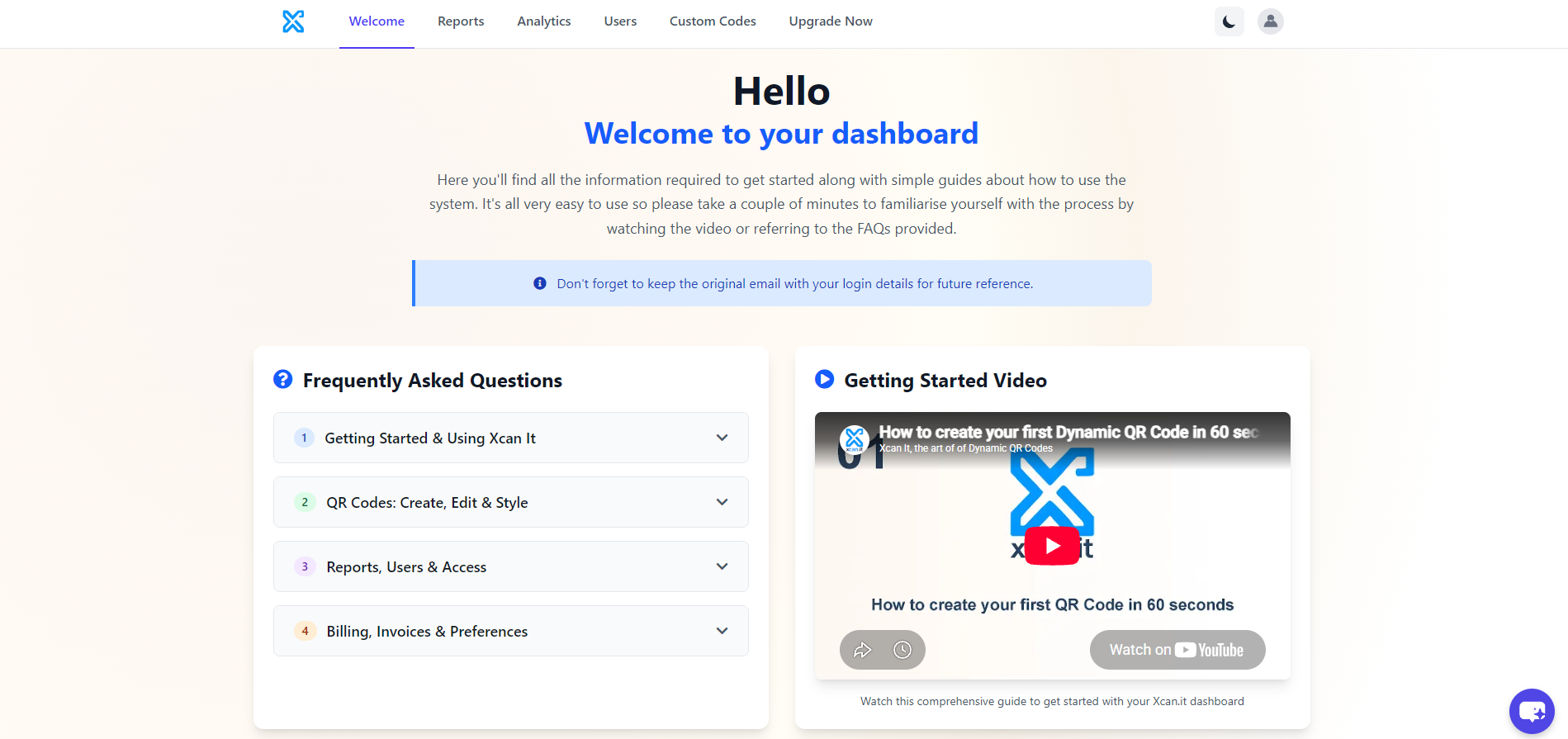
What problem does Xcan It solve?
A QR code may be physically printed once, but the information, campaign or process behind it rarely stays fixed.
A poster may need to move from a teaser to a booking page. A property board may be reused for a different listing. A printed menu, public notice, instruction label or visitor guide may need a new destination. With a fixed code, those changes can force teams to replace the physical material.
Xcan It separates the printed code from its current destination. The physical code stays in place while an authorised user manages where it points and reviews how it is being used.
How are QR codes created and organised?
The Custom Codes inventory gives each code a searchable operational identity rather than leaving teams with disconnected image files.
Users can add one or multiple codes, assign descriptive names, filter by user or date, search the inventory and review each code's identifier, type, branch, printed-ID setting, visits and available actions.
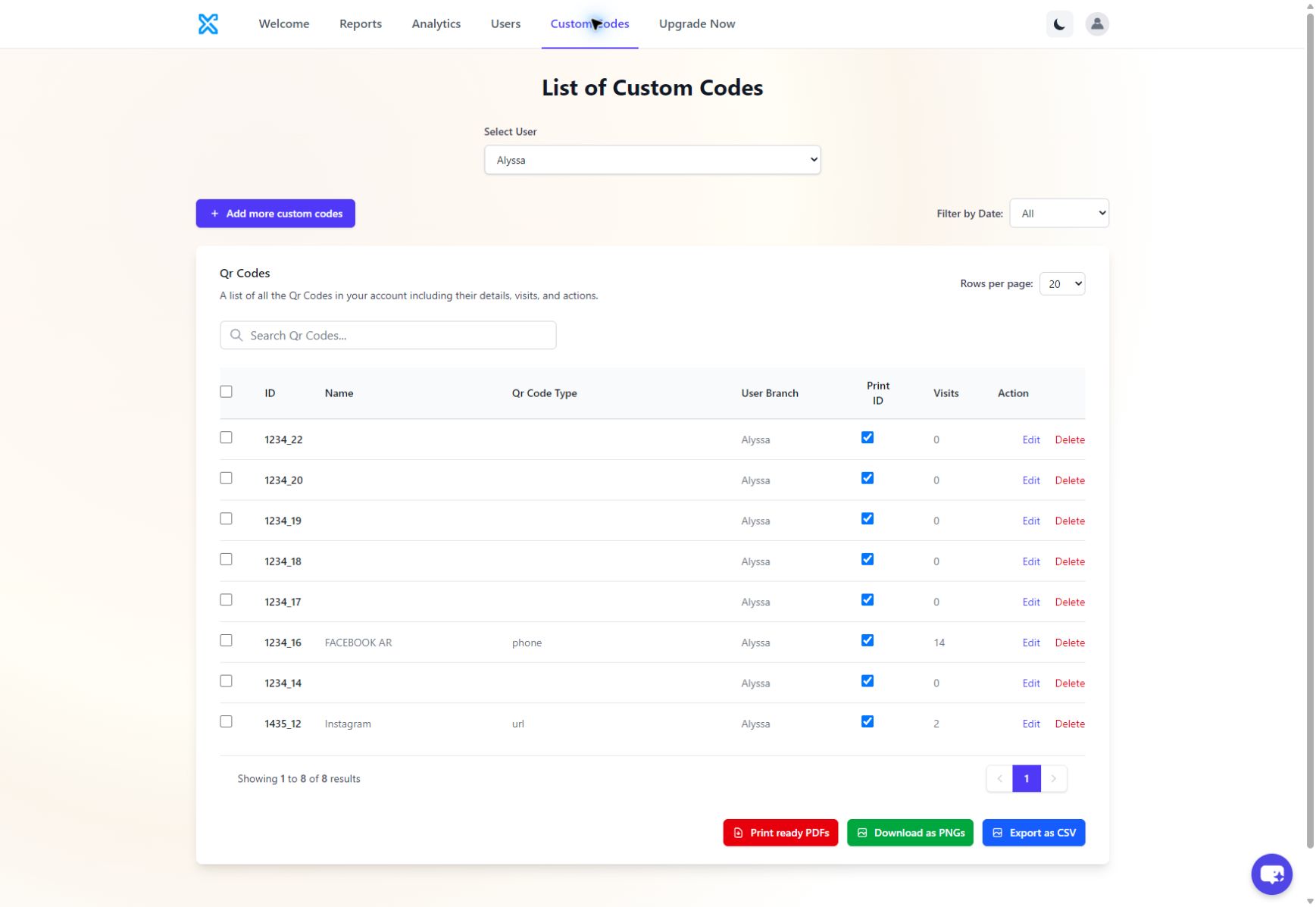
Selected codes can be exported as print-ready PDFs or individual PNG files. The captured interface also includes CSV export for inventory data. Where a physical item must be matched back to the dashboard, the printed ID can remain visible beneath the QR code.
Can customers print locally or use professional production?
Yes. Xcan It supports both routes: customers can export and print independently, or use professional printing fulfilled through QR Code Stickers.
Print independently
Select the required codes and export print-ready PDF or PNG files. This route gives the customer control over its own printer, materials, format and production schedule.
Use professional production
When specialist materials, large quantities or variable-data production are required, the printing element is fulfilled through QR Code Stickers.
Evidence boundary: the dashboard prepares files for print; it does not show material selection, quotation, shipping or fulfilment tracking. Those professional-print services sit outside the dashboard workflow.
How is a destination changed after printing?
An authorised user finds the printed code by its name or identifier, opens the editor, replaces the destination and saves the record.
The code editor shows the QR Code Name, usability setting, code type, destination field and assigned user. After changing a URL, the already-printed code should be scanned from a phone to verify that the new route works before the update is treated as complete.
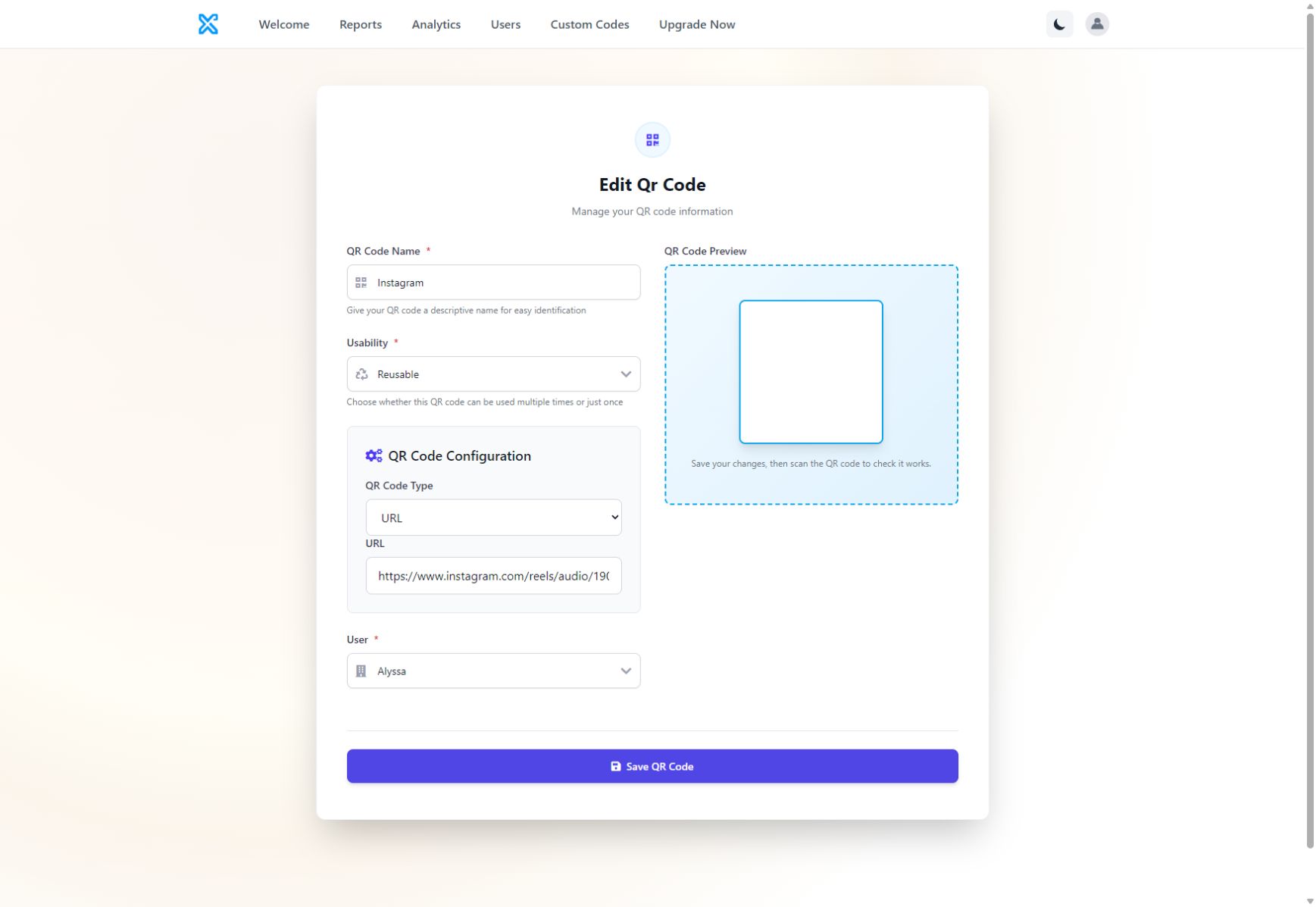
This is the practical meaning of Xcan It's Print Now, Link Later model: the physical code can be produced before the final destination is fixed, then assigned or updated from the dashboard.
What does the Reports screen show?
Reports provides an executive view of scan volume and relative QR-code activity.
The captured screen shows total visits, unique visitors, the most-visited QR link, a visit-trend chart and a comparison of the leading codes. Reports can be viewed across the account or filtered by user, while trend aggregation can be changed between daily, weekly and monthly views.
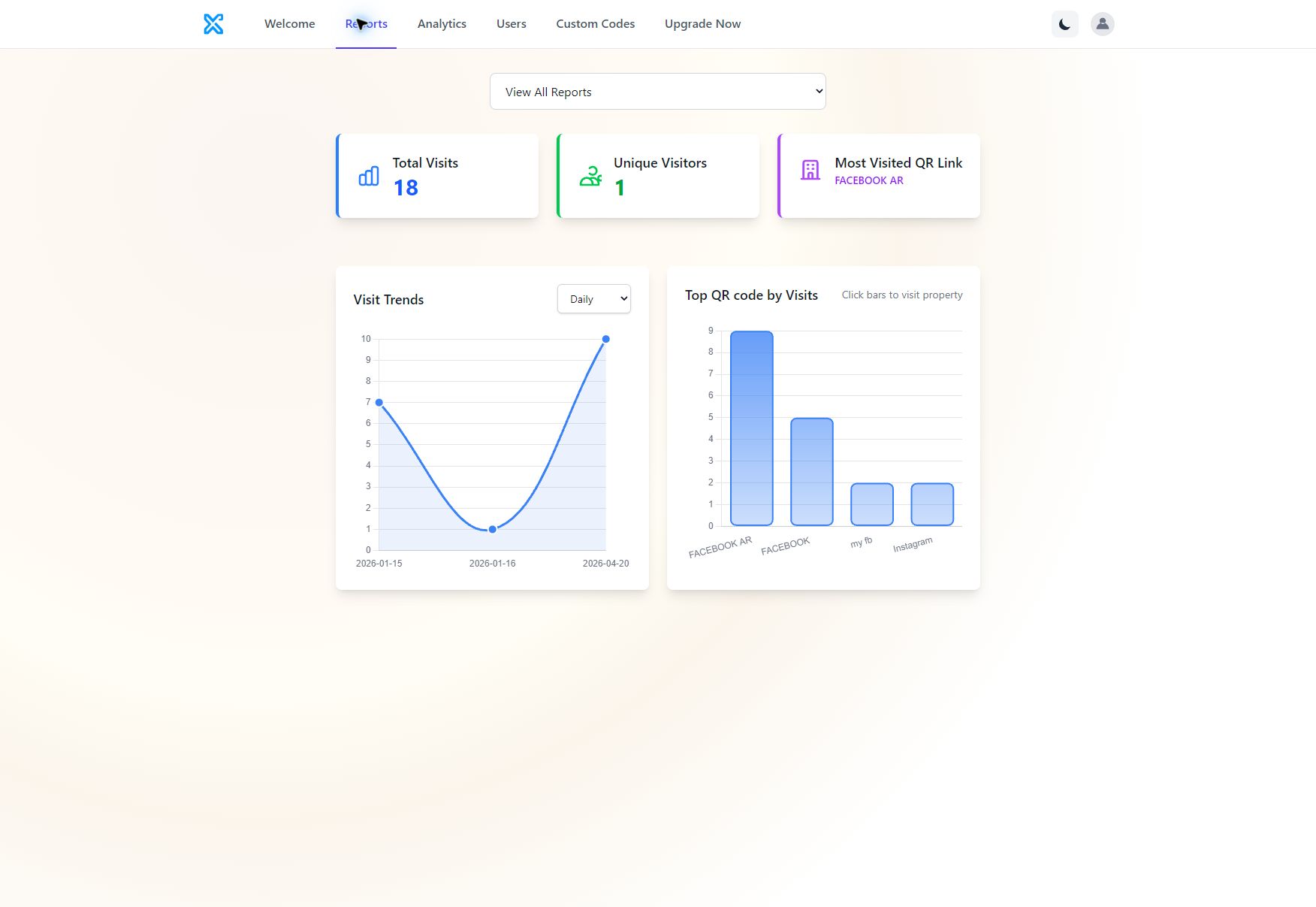
The numbers above establish that the reporting interface functions and that inventory counts can be cross-checked against the report. They do not establish campaign effectiveness, conversion, revenue or return on investment.
What does Xcan It Analytics add?
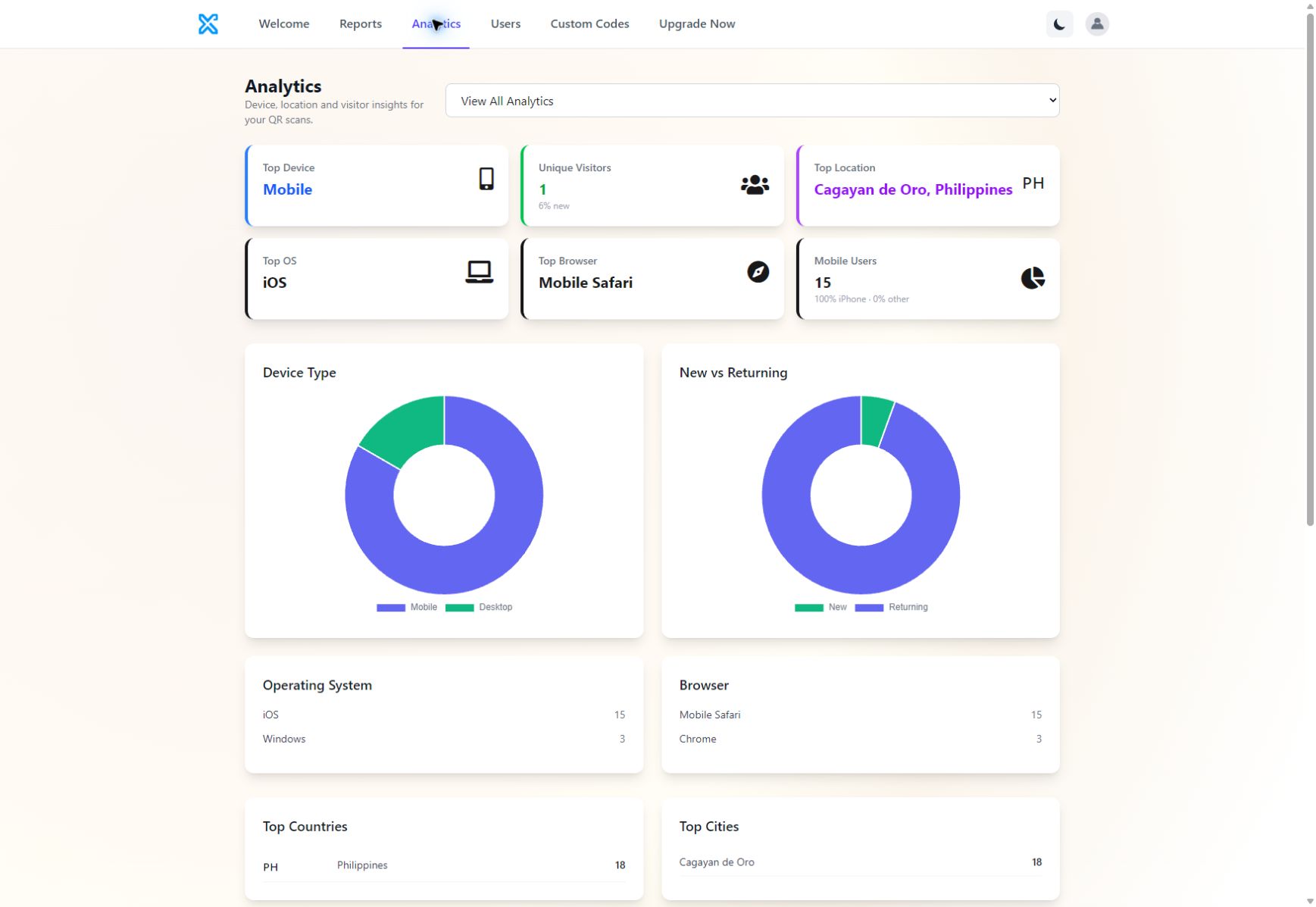
Analytics adds context to scan totals by showing how, where and through which code activity occurred.
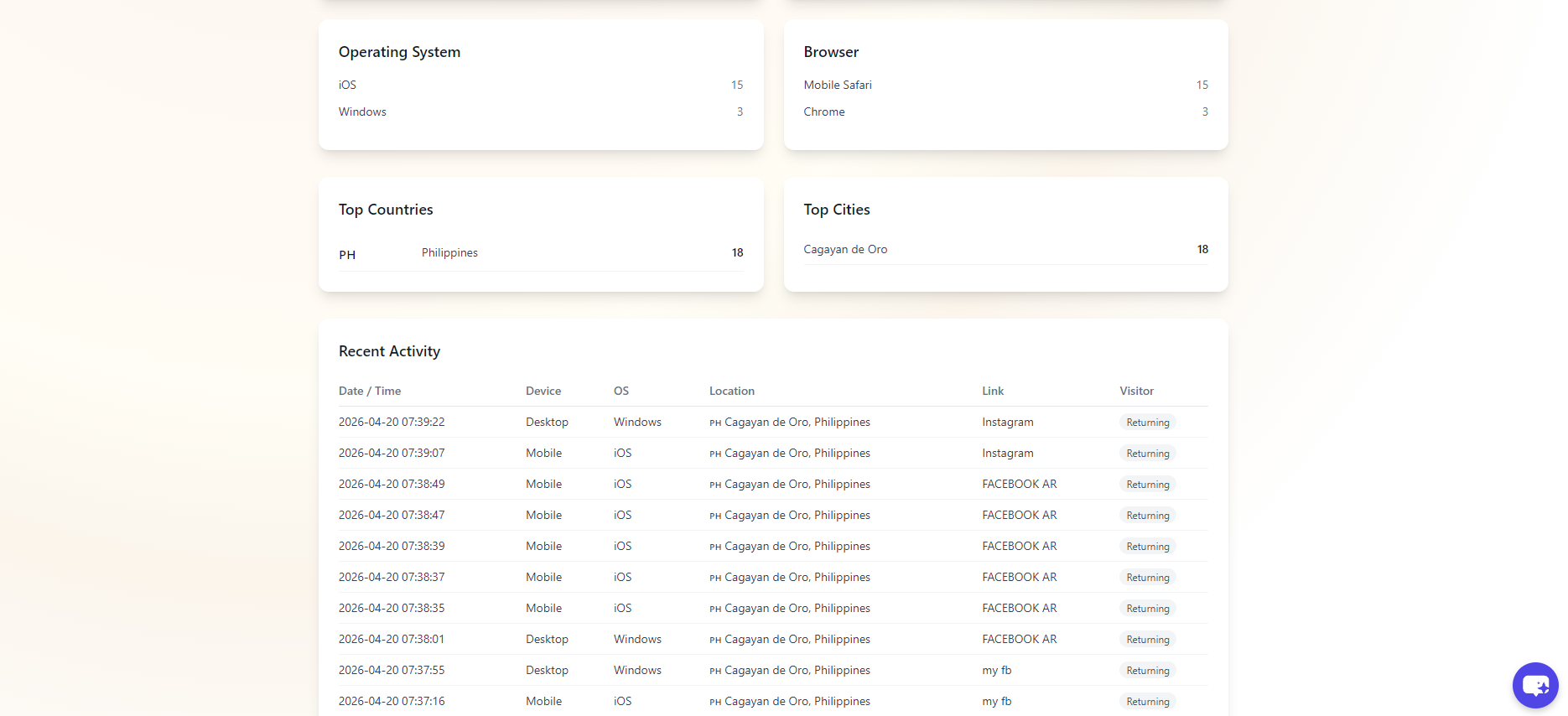
The verified interface includes headline cards for top device, unique visitors, top location, operating system, browser and mobile users. It also provides device and new-versus-returning charts, operating-system and browser totals, country and city summaries, and recent-activity detail.
Device, OS and browser
See whether scans are predominantly mobile or desktop and which operating systems and browsers are represented.
Country and city
Review the approximate country and city associated with recorded scan activity.
New versus returning
Compare the platform's classification of first-time and returning activity without treating it as a person-level identity.
Recent activity
Inspect timestamps, device, operating system, location, link and visitor type for recent scans.
Full Reports and Analytics are included on every Xcan It plan, including the free plan. The free entry point supports up to ten dynamic QR codes and does not require a credit card.
How are users and permissions handled?
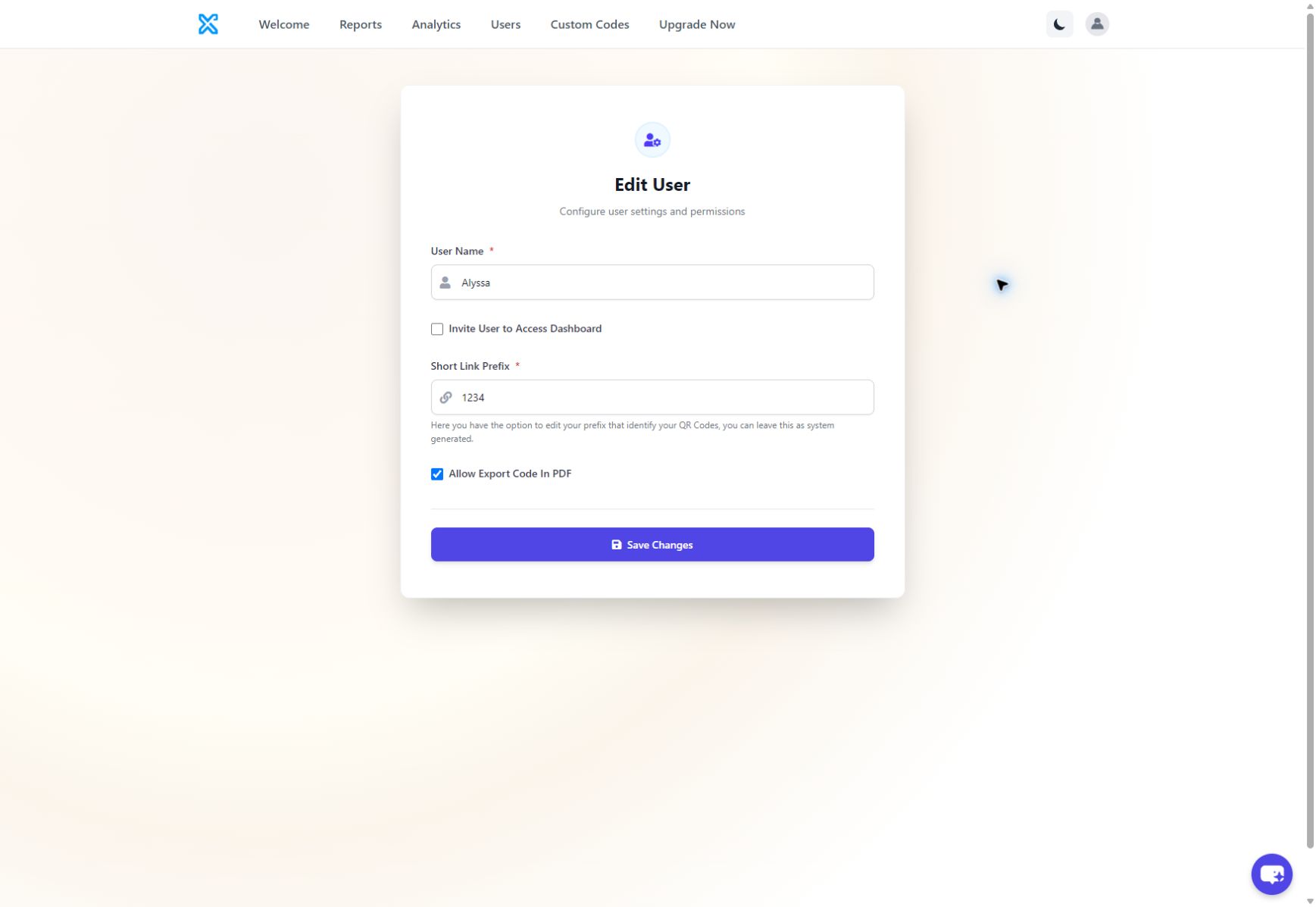
The Super Admin controls account users, while the captured editor exposes a small, specific set of user settings rather than a broad enterprise permission matrix.
The user editor allows the account holder to invite a user to access the dashboard, assign or change the user's short-link prefix, and allow PDF code exports. The available evidence does not show separate roles such as read-only viewer, analyst, campaign editor or billing administrator.
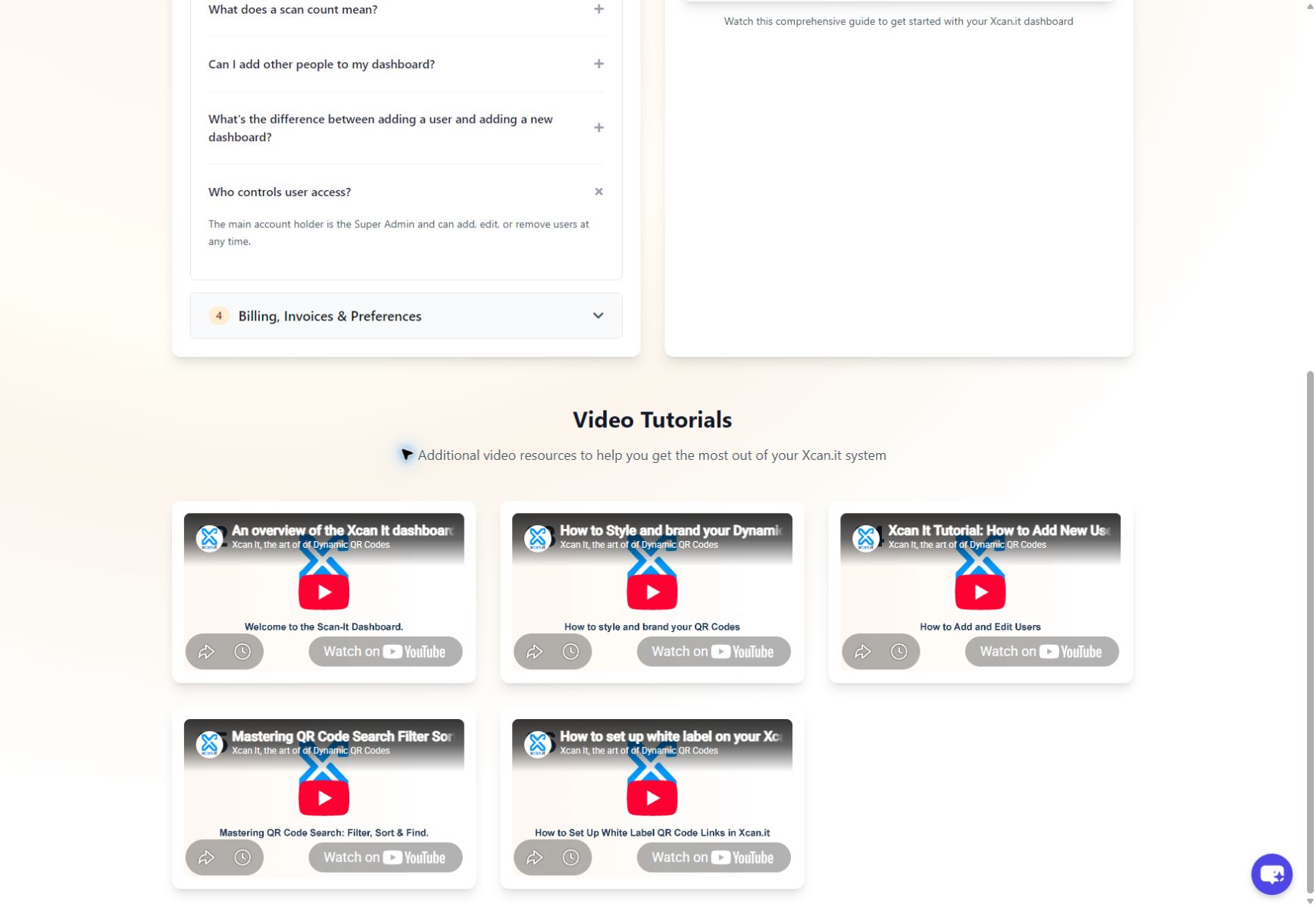
The dashboard guidance states that the main account holder is the Super Admin and can add, edit or remove users. A paid user can have a separate dashboard with its own codes and data. Users should receive their own login details rather than share passwords.
Where can the same workflow be applied?
The platform model is reusable wherever printed material needs to stay editable and measurable after deployment.
These are application examples, not named customer outcomes. The supplied video scripts demonstrate how the platform can be applied, but they do not establish that every scenario represents a confirmed Xcan It customer deployment.
What does this evidence establish?
Xcan It provides a working management layer between a printed QR code and the changing digital destination behind it.
The supplied screenshots and signed-in walkthrough verify code inventory, print-file exports, editable destinations, Reports, Analytics and current user controls. They also show the limits of the available evidence: the captured figures are demonstration-account activity, not a customer success result, and professional print fulfilment is handled outside the dashboard through QR Code Stickers.
That distinction makes the proposition clearer. Xcan It manages the code and its digital lifecycle; customers decide whether to print independently or use a specialist production route.
Start with 10 Dynamic QR Codes
Create, print, update and measure your first codes from the Xcan It dashboard. No credit card required.
Start FREEFrequently asked questions
Can an Xcan It QR code be edited after it has been printed?
Yes. An authorised user can find the code in the Custom Codes inventory, open its editor, replace the destination and save it. The printed QR code remains unchanged, so it should be scanned and tested after every update.
Does Xcan It include Reports and Analytics on the free plan?
Yes. Xcan It has confirmed that every plan, including free, receives the full Reports and Analytics interface. The free plan supports up to ten dynamic QR codes.
Do customers have to order printed QR codes from Xcan It?
No. Customers can export selected codes as print-ready PDFs or PNG files and print them independently. When professional production is required, printing is fulfilled through QR Code Stickers.
What can Xcan It Analytics show?
The captured interface shows total visits, unique visitors, visit trends, top QR links, devices, operating systems, browsers, approximate locations, new-versus-returning activity and a recent-activity table.
Can multiple people access an Xcan It account?
The Super Admin can add, edit or remove users. The current user editor includes dashboard invitations, short-link prefixes and control over PDF code exports. The available evidence does not show a wider granular role matrix.
- Signed-in Xcan It dashboard evidence captured 30 July 2026
- Supplied Xcan It YouTube tutorial transcripts
- How Xcan It Works
- Print Now, Link Later
- Start for Free