
So, you’re wondering how do I get a QR code for my business? It’s actually pretty straightforward these days. Gone are the days of clunky, complicated tech. Now, you can whip up a QR code that looks good and does exactly what you need it to. Whether you’re putting it on a flyer, a business card, or even a shop window, a QR code can be a super handy way to connect with your customers. Let’s break down how to get one that works for you.
Key Takeaways
- You can create custom QR codes that match your business’s look and feel, including adding your logo and brand colors.
- Dynamic QR codes let you change where the code leads without having to print new ones, which is super useful.
- Using a dedicated QR code generator is usually the best way to get the features you need, like customization and tracking.
- When designing your QR code, make sure it’s easy to scan by keeping the design clean and using the right error correction.
- Think about where you’ll place your QR codes and what you want people to do when they scan them to make them most effective.
Understanding Your QR Code Needs
Before you jump into designing and generating QR codes, it’s a good idea to figure out what you actually need them to do. Think of it like planning a trip – you wouldn’t just start driving without knowing your destination, right? The same goes for QR codes. Knowing your goals will help you choose the right type of code and the best way to use it.
What Is A QR Code Solution With Custom Branding Options?
A "QR code solution with custom branding options" is more than just a simple QR code generator. It’s a complete system designed to create QR codes that look like they belong to your business and actually help you achieve specific goals. Instead of those generic black-and-white squares, you get codes that match your brand’s colors, include your logo, and can even have custom frames or calls to action. This isn’t just about looks, though. These solutions also give you control over where the QR code leads (and you can change that destination later without reprinting anything!) and provide data on how many people are scanning your codes. It’s about turning a simple scan into a measurable marketing tool.
What Does 'Dynamic' Mean For Your QR Codes?
When we talk about "dynamic" QR codes, it means the code itself stays the same, but the destination it links to can be changed anytime. Imagine you print a flyer with a QR code. If you decide to update the website link or change the offer, you don’t need to reprint all those flyers. You can simply log into your QR code platform and update the destination URL. This is super handy for keeping your marketing current and making sure your QR codes always point to the right place, whether it’s a new product page, a special event, or an updated menu. It’s like having a remote control for your printed materials.
Static Versus Dynamic QR Codes
This is a pretty important distinction when you’re getting started. Static QR codes are straightforward: they store information directly, like a website URL, and once created, that information can’t be changed. If you need to update the link, you have to generate a whole new QR code and replace the old one everywhere it’s printed. Dynamic QR codes, on the other hand, are more flexible. They store a short redirect URL that points to your actual destination. This redirect can be updated anytime from your QR code management platform without needing to change the printed QR code itself. This makes dynamic codes ideal for marketing campaigns where you might want to change offers, update links, or track scan data over time. While static codes are often free and simple for one-off uses (like sharing your Wi-Fi password), dynamic codes offer much more control and measurability for businesses looking to get the most out of their QR code strategy.
Here’s a quick look at the differences:
| Feature | Static QR Code | Dynamic QR Code |
|---|---|---|
| Destination | Fixed, cannot be changed after creation | Can be changed anytime without reprinting |
| Editability | No | Yes |
| Tracking | Limited or none | Yes, scan analytics available |
| Use Case | Simple, permanent information (e.g., Wi-Fi) | Marketing, campaigns, frequently updated info |
| Flexibility | Low | High |
| Cost | Often free | Usually requires a subscription or paid service |
Choosing The Right QR Code Generator
So, you’ve figured out what you need your QR code to do. Now comes the part where you pick the tool to make it happen. It might seem like any old QR code generator will do the trick, but honestly, there’s a bit more to it than just slapping a logo on a black and white square. Think of it like choosing a contractor for a home renovation – you want someone reliable, who knows their stuff, and won’t leave you with a mess.
Why Use A Dedicated QR Code Generator?
Sure, you can find free QR code generators online that churn out basic codes. They’re fine for a quick, one-off link. But when you’re looking to use QR codes as a real marketing tool for your business, you need something more robust. A dedicated generator, especially one that offers dynamic QR codes, is like upgrading from a basic hammer to a full power tool set. It gives you control, insights, and the ability to adapt.
Key Features To Look For
When you’re shopping around for a QR code generator, keep an eye out for these features. They’re the difference between a code that just sits there and one that actively works for your business.
- Dynamic Codes: This is a big one. Dynamic QR codes mean you can change the destination link after the code has been printed. So if your website URL changes, or you want to update a special offer, you don’t have to reprint everything. It’s a lifesaver for managing campaigns.
- Custom Branding: You want your QR codes to look like they belong to your business, right? Look for options to add your logo, use your brand colors, and even customize the shapes of the dots and eyes. This makes your codes instantly recognizable and more trustworthy.
- Analytics and Tracking: How many people are actually scanning your codes? Where are they scanning from? A good generator will give you this data. It’s invaluable for understanding what’s working and what’s not. You can track scans over time, see device types, and even get a sense of location trends. This is where Xcan It solutions really shine.
- Management Dashboard: If you plan on using multiple QR codes across different campaigns or locations, you’ll want a central place to manage them all. This makes it easy to update, organize, and track everything from one spot.
- Download Options: Make sure you can download your QR codes in various formats (like PNG, SVG, or PDF) so they look sharp whether you’re printing them on a business card or a large banner.
Free Versus Paid QR Code Services
This is where things can get a little tricky. Free generators are tempting, and they have their place. They’re great for simple, static links that won’t change. You can get a basic code for your website, like xcan.it, without any fuss.
However, most free services come with limitations. You usually can’t track scans, you can’t edit the destination link later, and the customization options are pretty basic. You might end up with a generic-looking code that doesn’t really represent your brand well.
Paid services, on the other hand, offer those dynamic features, advanced analytics, and robust branding options. They treat QR codes as a marketing asset, not just a one-time link. For businesses serious about using QR codes for marketing and engagement, investing in a paid service is usually the way to go. It’s about getting more control and better results. For example, services like Bitly offer robust QR code solutions for businesses needing advanced link management. If you’re looking for something that offers more than just a basic scan, consider exploring options that provide detailed analytics and campaign management. You might find that the investment pays for itself through better campaign performance and saved time on reprints.
Choosing the right QR code generator is about more than just the code itself; it’s about the platform and features that support your business goals. Think about what you need now and what you might need in the future. Dynamic codes, branding, and analytics are key for making QR codes a powerful part of your marketing strategy.
Designing Your Business QR Code
Making your QR code look good is more than just aesthetics; it’s about making it instantly recognizable as your brand. A well-designed QR code can grab attention and encourage scans, while a generic one might get overlooked. Think of it as a mini billboard for your business.
Adding Your Logo and Brand Colours
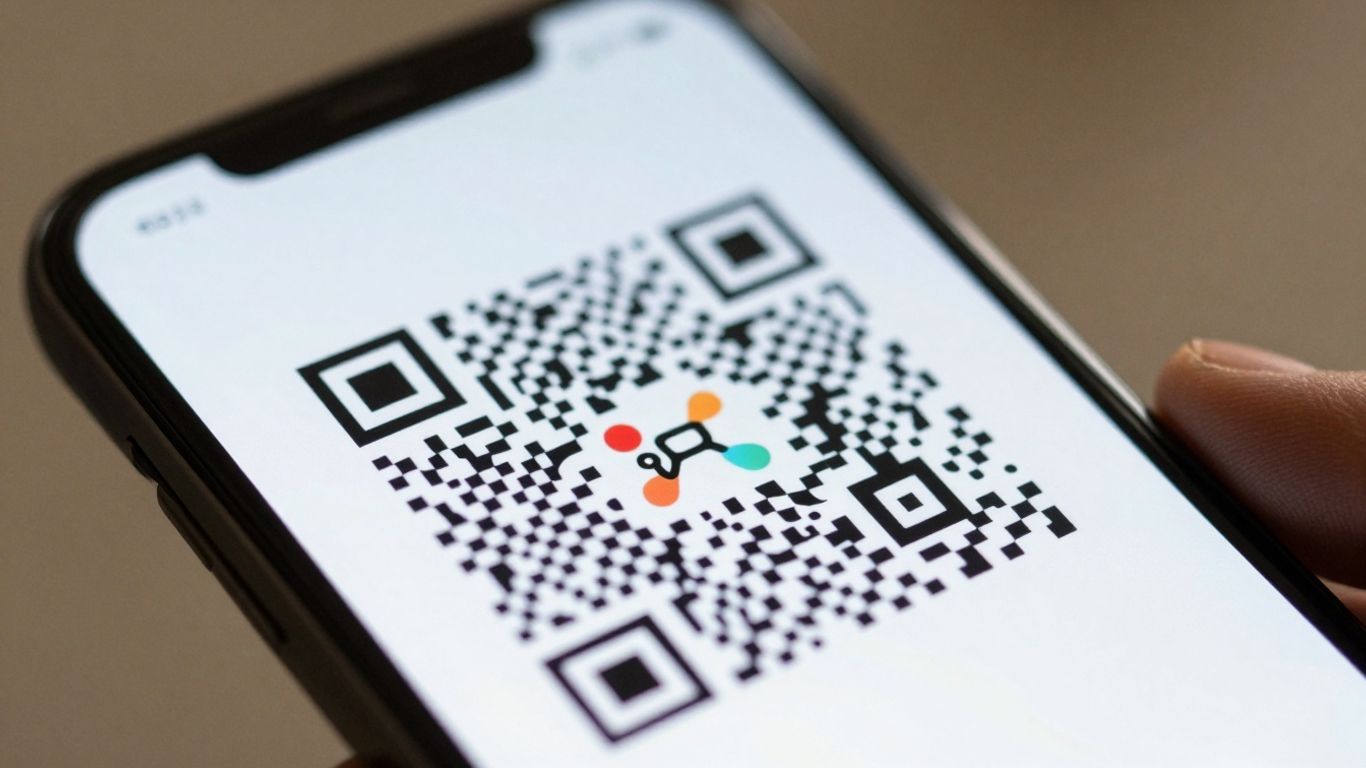
This is where your QR code really starts to feel like yours. Most dedicated QR code generators, like Xcan It solutions, allow you to upload your logo and place it right in the center of the code. This is a fantastic way to reinforce your brand identity. Beyond just the logo, you can often customize the colors of the QR code itself to match your brand palette. Instead of the standard black and white, imagine a deep blue or a vibrant green that aligns with your company’s look. This level of customization helps your QR code stand out and feel more professional.
Customizing Shapes and Frames
Don’t stop at colors and logos! Many platforms offer options to change the shape of the QR code’s dots and the ‘eyes’ (the corner squares). You can also add a frame around the QR code, which is a great place to put a call to action (CTA) like "Scan Me!" or "Visit Our Site." This makes it clearer to people what they should do and what they can expect when they scan. It’s these small details that can make a big difference in user engagement.
Ensuring Readability and Error Correction
While making your QR code look great, it’s super important that it still works perfectly. Adding a logo or changing colors can sometimes make a QR code harder to scan if not done carefully. That’s where error correction comes in. Most good QR code generators have different levels of error correction. A higher level means the code can withstand more damage or obstruction (like a logo in the middle) and still be scanned successfully. Aim for a balance: make it branded, but make sure it’s scannable on the first try. A good rule of thumb is to test your QR code thoroughly on different devices and in different lighting conditions before you print it widely.
When designing your QR code, always remember that its primary function is to be scanned. While customization is key for branding, never let it compromise the scannability of the code. Test, test, and test again!
Here are some design elements to consider:
- Logo Placement: Ensure your logo doesn’t obscure too much of the QR code data.
- Color Contrast: Use high contrast between the QR code’s foreground and background colors for optimal readability.
- Frame and CTA: Add a clear call to action within a frame to guide users.
- Error Correction Level: Select an appropriate level (e.g., Level H for high) to maintain scannability with added design elements.
By paying attention to these design aspects, you can create QR codes that are not only visually appealing but also highly effective for your business. A well-designed QR code from a service like Xcan It solutions can be a powerful tool.
Creating Your QR Code: A Step-By-Step Process
Alright, you’ve figured out what you need your QR code to do and how you want it to look. Now comes the fun part: actually making it! It’s not complicated, and you don’t need to be a tech wizard to get it done. Think of it like filling out a simple form – just a few key pieces of information and you’re golden.
Selecting Your QR Code's Purpose
First things first, what’s the main goal here? Are you sending people to your website, a specific landing page, a social media profile, a PDF menu, or maybe even a Google Maps location? Knowing this is step one. Most QR code generators, like the ones from Xcan It solutions, will ask you this upfront. You’ll typically see options like:
- Website URL: The most common choice, sending users to any web address.
- Text: For displaying a short message or code directly.
- Contact (vCard): Allows users to save your business contact details instantly.
- WiFi: Lets people connect to a Wi-Fi network with a single scan.
- Location: Opens a map app with your business address pre-filled.
Choosing the right purpose ensures the QR code does exactly what you intend it to do when scanned. It’s like picking the right tool for the job.
Inputting Your Destination Link
Once you’ve selected the purpose, you’ll need to provide the actual destination. If you chose ‘Website URL’, this is where you paste the web address. Make sure it’s correct – a typo here means people won’t get to where you want them to go. Double-check that URL! For other types, like ‘Contact’ or ‘WiFi’, you’ll be filling in fields for phone numbers, email addresses, or network credentials. It’s a straightforward process, and most platforms offer clear prompts. If you’re using a dynamic QR code solution from Xcan It, you can always change this link later, which is a huge plus.
Remember, the link you input is the ‘destination’ for your QR code. It’s the digital doorway that opens when someone scans the code. Accuracy here is key to a good user experience.
Downloading Your Finished QR Code
After you’ve entered your destination and perhaps customized the look (which we covered in the previous section), it’s time to download your creation. Most generators will offer a few file format options. The most common ones you’ll see are:
- PNG: Great for digital use, like on websites or social media. It’s a raster image format.
- JPG: Similar to PNG, but often with smaller file sizes, though it can lose quality.
- SVG: A vector format, meaning it can be scaled to any size without losing quality. This is ideal for print materials like posters or banners.
- PDF: A versatile document format that’s also good for print.
Choose the format that best suits where you plan to use your QR code. For most print jobs, SVG or PDF are your best bet. If you’re unsure, downloading a high-resolution PNG is usually a safe bet for general use. You can then use this file on your business cards, flyers, packaging, or anywhere else you need it. It’s that simple – you’ve just created a functional QR code for your business!
Implementing QR Codes For Your Business
So, you’ve designed a snazzy QR code for your business. Now what? It’s time to put it to work! Think of your QR code as a bridge, connecting your physical presence to your digital world. Getting it in front of the right people, in the right places, is key to making it actually do something useful.
Where To Place Your QR Codes
Placement is everything. You want your QR codes to be visible, accessible, and relevant to what people are doing at that moment. Don’t just stick them anywhere; think about the customer’s journey.
- On print materials: Business cards, flyers, brochures, posters, and even packaging are prime real estate. A simple scan can lead someone to your website, a special offer, or a detailed product page.
- In-store: Window displays, counter signs, menus, and even receipts can direct customers to online ordering, loyalty programs, or feedback forms.
- At events: Booth signage, name badges, and directional signs can link attendees to schedules, speaker bios, or post-event resources.
- On vehicles: For service businesses, a QR code on a van or car can link to your service booking page or a gallery of your work.
- Digital screens: While less common for print-focused QR codes, they can be used on digital displays if the context is right, like a menu board.
Always ensure there’s enough clear space around your QR code so scanners can pick it up easily. A cluttered background can make it difficult for phones to read, leading to frustration.
When placing QR codes in public spaces, remember they can be tampered with. It’s a good idea to put them where staff can see them, check them regularly, and use dynamic codes so you can quickly change the destination if something looks off.
Using QR Codes For Marketing And Engagement
QR codes aren’t just for linking to your homepage. They’re powerful tools for engaging your audience and driving specific actions. Think about what you want people to do after they scan.
- Promotions and discounts: Link directly to a page with a special offer or discount code. This is great for driving immediate sales.
- Information access: Direct users to product manuals, how-to videos, event schedules, or detailed service descriptions. This can reduce customer support queries.
- Lead generation: Send people to a signup form for your newsletter, a webinar registration, or a contact form.
- Social media: Link directly to your social media profiles to encourage follows and engagement.
- App downloads: If you have a mobile app, a QR code can take users directly to the app store to download it.
- Contact information: Use a vCard QR code to let people easily save your contact details. This is perfect for business cards or networking events.
Using Xcan It solutions, you can create dynamic QR codes that allow you to change the destination link anytime. This means you can update a promotion, change a menu, or refresh event details without needing to print new codes. It’s a flexible way to keep your marketing current.
Tracking QR Code Scans For Insights
This is where dynamic QR codes really shine. Simply placing a QR code is one thing, but knowing how it performs is another. With a dynamic QR code solution from Xcan It, you get valuable data that can help you refine your marketing efforts.
- Scan counts: See how many times your QR code has been scanned. This gives you a basic measure of engagement.
- Time trends: Understand when people are most likely to scan your codes. This can inform when to run promotions or update information.
- Device and OS data: Get a general idea of what devices people are using to scan your codes.
- Rough location patterns: See where scans are originating from, which can be helpful for understanding regional interest or the effectiveness of different physical placements.
This data helps you understand which placements are working best and which might need a rethink. For example, if a poster in one location gets tons of scans but another in a different area gets very few, you can investigate why. You can then adjust your strategy, perhaps by moving the underperforming QR code or changing the call to action. It’s about making your QR code strategy smarter over time, using real data to guide your decisions. You can learn more about Xcan It’s tracking capabilities at xcan.it.
Advanced QR Code Strategies
Once you’ve got the basics down, it’s time to think about how QR codes can really supercharge your business. We’re talking about going beyond just linking to a website and really building interactive experiences for your customers. This is where dynamic QR codes truly shine, offering flexibility and insights that static codes just can’t match.
Building Customer Journeys With QR Codes
Think of QR codes as the start of a conversation, not the end. You can design multi-step journeys that guide customers through a process. For example, a QR code on a product could link to a "how-to" video, then offer a link to register the product for warranty, and finally, a prompt to leave a review. This creates a smooth, engaging experience that can boost customer satisfaction and loyalty. It’s all about making it easy for people to take the next step, whatever that might be. You can even set up time-based routing, so a QR code on a restaurant table shows the lunch menu before 11 AM and switches to the dinner menu afterward, all without changing the physical code.
Integrating QR Codes With Your CRM
This is where things get really powerful for tracking and understanding your customers. By linking your QR codes to landing pages that capture information, or by using webhooks, you can feed data directly into your Customer Relationship Management (CRM) system. Imagine a QR code on a flyer that, when scanned, not only takes the user to a landing page but also creates a new lead in your CRM, tagged with the specific campaign and placement. This allows you to see exactly which marketing efforts are driving leads and sales. Xcan It solutions are built to help you connect these offline actions to your online customer data, giving you a clearer picture of your marketing ROI.
Leveraging Location-Specific QR Codes
For businesses with multiple locations, dynamic QR codes offer incredible flexibility. You can use a single QR code design across all your branches, but have it route customers to location-specific information, offers, or contact details based on their rough location. This means a poster in your London store can link to London-specific events, while the exact same poster design in Manchester links to Manchester happenings. It simplifies campaign management and ensures customers always get relevant information. Plus, you can track which locations are generating the most scans, helping you understand regional performance.
QR codes are more than just digital links; they are tools for creating measurable, interactive experiences that bridge the physical and digital worlds. By strategically planning customer journeys, integrating with your CRM, and utilizing location-specific capabilities, you transform a simple scan into a valuable business insight and a more engaging customer interaction.
Want to take your QR codes to the next level? We’ve got some cool tricks up our sleeve for using them in smart ways. Imagine making your QR codes do more than just link to a website. You can use them for special promotions or even to share hidden messages! Ready to explore these awesome ideas? Visit our website to learn how you can become a QR code pro.
Ready to Get Scanning?
So there you have it! Getting a QR code for your business is pretty straightforward once you break it down. Whether you’re linking to your website, a special offer, or your social media, it’s a simple way to connect with customers. Remember, you can customize them to look great and even track how they’re used. Don’t overthink it – pick a generator, design your code, and start using it. It’s a small step that can make a big difference in how people interact with your business.
Frequently Asked Questions
What exactly is a QR code?
A QR code is like a special barcode that your phone can read. It’s a square made of black and white dots that holds information, usually a web address. When you scan it with your phone’s camera, it quickly takes you to that website or shows you the information it contains.
Why should my business use QR codes?
QR codes are a super easy way to connect people from the real world, like a poster or a business card, to your online stuff. You can use them to send people to your website, show them your menu, let them download an app, or even share your contact info. It makes it simple for customers to find out more about your business.
What's the difference between a 'static' and 'dynamic' QR code?
Think of a static QR code like a permanent marker – once it’s made, the information it holds can’t be changed. A dynamic QR code is more like a whiteboard; you can change where it leads (like a website link) even after you’ve printed it. Dynamic codes also let you track how many people scan them, which is really helpful for seeing what’s working.
Can I add my business logo to my QR code?
Yes, you absolutely can! Many QR code tools let you add your company’s logo right in the middle of the code. You can also often change the colors and shapes to match your brand, making it look more professional and recognizable.
Where is the best place to put my business QR code?
You can put them almost anywhere! Great spots include business cards, flyers, posters, product packaging, menus, and even on your shop window. Just make sure it’s easy for people to see and scan, and that it leads them to something useful for your business.
Are there free ways to create a QR code for my business?
Yes, there are many free QR code generators available online. These are great for getting started. Some offer basic features like creating a code for a website link. If you need more advanced features like custom designs, tracking scans, or the ability to change the link later, you might need to consider a paid service.












