
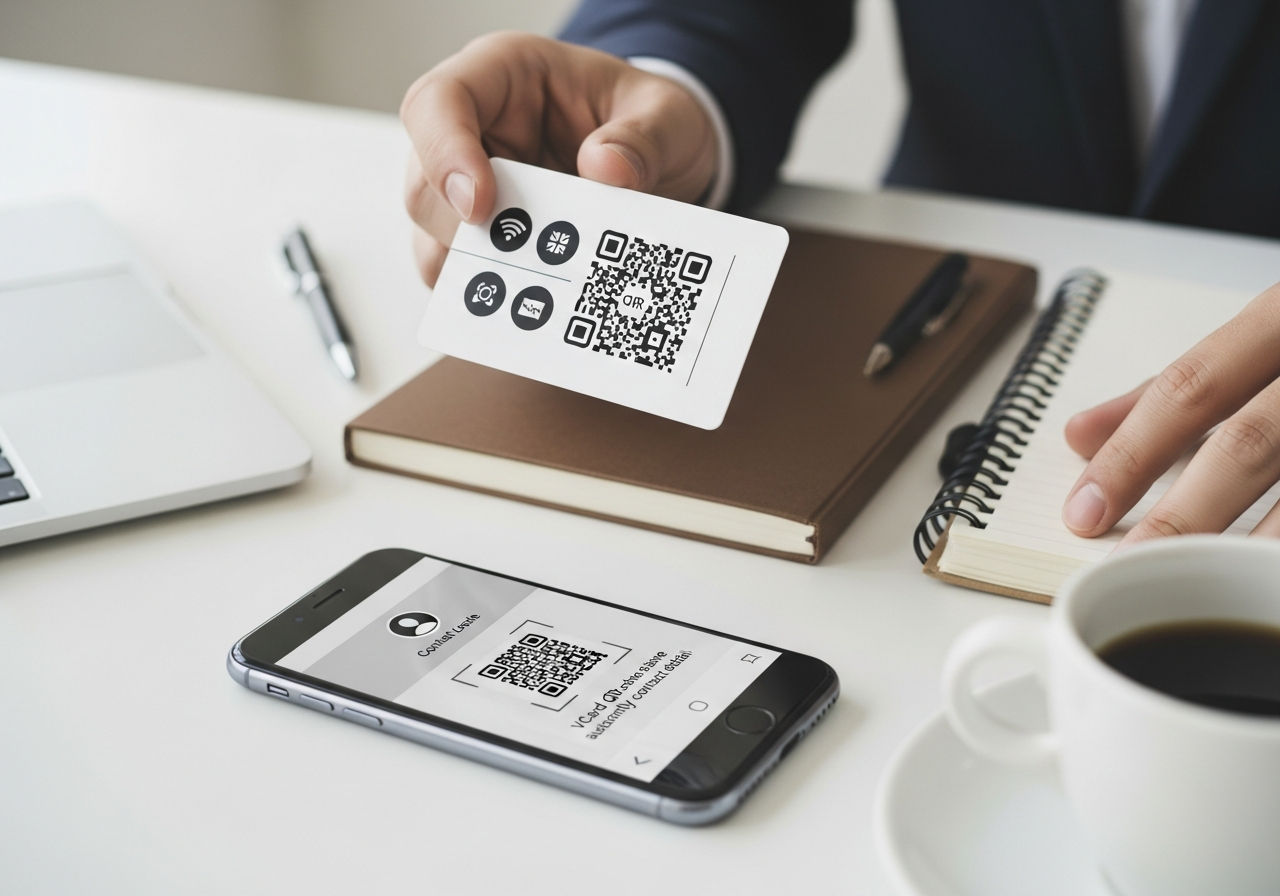
vCard QR Codes: The Modern Digital Business Card
Paper business cards are easy to forget, lose or recycle. vCard QR codes turn your full contact details into a scannable digital profile that saves straight into someone’s phone. For professionals and businesses across Yorkshire — from Leeds and Sheffield to York, Harrogate and Bradford — that means quicker introductions, fewer lost leads and a more modern first impression.
💡 Short answer
A vCard QR code is a QR code that encodes your contact details in vCard format. When someone scans it, their phone opens an “Add contact” screen with your name, phone, email, job title, company, website and more already filled in. For Yorkshire-based professionals — from estate agents and consultants to creatives and founders — vCard QR codes act as modern digital business cards. When generated as dynamic codes in Xcan It, they also let you track scans, update details centrally and keep every business card consistent with your brand.
vCard QR codes in 30 seconds
- What they are: QR codes that store your contact details in vCard format for one-scan saving.
- What they include: name, job title, company, phone, email, website, address and more.
- Where they live: printed on business cards, event badges, email signatures, brochures and signage.
- Who they help: sales teams, consultants, freelancers, estate agents and founders across Yorkshire.
- Why Xcan It: create dynamic vCard QR codes that you can track, brand and update without reprinting everything.
How vCard QR codes work — and why they’re replacing paper business cards
1) What is a vCard QR code?
A vCard is a standard digital business card format recognised by most phones and contact apps. It can hold:
- Your name and job title
- Company name and role
- Phone numbers (mobile, office)
- Email addresses
- Website or portfolio links
- Postal address
- Sometimes social links and notes
A vCard QR code simply encodes that information in a way that phones can understand. When scanned, the device interprets it as a contact card and offers to save it — often in a single tap.
2) What does the scan experience look like?
Imagine a networking evening in Leeds:
- You hand over a business card with a vCard QR code on it.
- The other person scans it with their camera or QR app.
- Their phone opens an “Add contact” or “Save contact” screen, pre-filled with your details.
- They tap “Save” and you’re in their address book with the correct spelling, number and job title.
There’s no manual typing, no risk of mishearing your email in a crowded room, and no stack of paper cards to sort through later.
3) Xcan It supports vCard and 15 other QR types
vCard QR codes don’t live in isolation. Xcan It’s QR code generator supports 16 QR types from one dashboard:
URL, text, phone, SMS, Email, WhatsApp, Facetime, Location, WiFi, Event, vCard, Crypto, PayPal, UPI Payment, EPC Payment, PIX payment.
That means you can combine your vCard QR codes with:
- URL QR codes for portfolios, case studies or booking links.
- Event QR codes for workshops, meetups and conferences in Yorkshire.
- Payment QR codes for quick deposits, retainers or donations.
All using one visual language and one analytics layer.
4) Who benefits most from vCard QR codes in Yorkshire?
Almost anyone who networks benefits, but some sectors see outsized returns:
- Sales teams in Leeds and Sheffield – reps put vCard QR codes on print cards, brochures and pull-up banners, making it effortless for prospects to save their details after meetings and exhibitions.
- Consultants and agencies in York and Harrogate – use vCard QR codes in proposals, slide decks and email signatures, so clients can store their main point of contact instantly.
- Estate agents and property developers across Yorkshire – add vCard QR codes to property boards, brochures and window cards, connecting potential buyers directly with the lead negotiator.
- Freelancers and creatives – designers, photographers and copywriters use vCard QR codes on postcards, merch and physical portfolios to keep follow-up simple after exhibitions and events.
- Professional services (accountants, solicitors, financial advisers) – vCard QR codes at reception desks, on letters and on appointment cards mean clients always have the right number and email stored.
5) Static vs dynamic vCard QR codes
There are two main ways to handle vCard QR codes:
- Static vCard QR codes – your full vCard is hard-coded into the QR symbol. If your role, number or email changes, you must generate and print a new code.
- Dynamic vCard QR codes (via Xcan It) – the QR code points to a short Xcan It URL. When scanned, that URL returns the latest version of your vCard or a smart contact page. You can update details centrally without reprinting the QR.
For professionals who move roles, grow teams or rebrand — which is common across fast-changing sectors in Leeds and Sheffield — dynamic vCard QR codes reduce waste and keep contact details correct.
6) What can Xcan It track from vCard QR scans?
When a vCard QR code is created as a dynamic code in Xcan It, each scan can be logged before the contact card is shown. That gives you:
- Time of scan – helpful for understanding when people follow up after events.
- Device and OS – high-level insights into who’s scanning from iOS vs Android.
- Approximate location – supporting analysis of where your networking is most effective across Yorkshire.
- Campaign or placement tags – compare vCard QR scans from printed cards, event stands, brochures or email signatures.
For teams, you can even give each salesperson or consultant their own dynamic vCard QR code and view scan data side by side.
7) Realistic Yorkshire examples: vCard QR codes in the wild
Here’s how this plays out on the ground:
- Leeds B2B sales team – each rep has a printed business card with a vCard QR code in the corner. After a meeting, prospects scan instead of taking a photo or typing notes. The team sees which reps’ cards are scanned most and during which campaigns.
- Sheffield manufacturing firm – export sales managers use vCard QR codes on exhibition stands and product brochures. When they attend trade fairs in the UK and overseas, scanning leads directly to a contact save, making international follow-up smoother.
- York-based independent architect – adds a vCard QR code to planning documents, site boards and capability statements. Contractors, planners and clients can scan to save details or share with colleagues without forwarding long email chains.
- Harrogate marketing consultant – uses a vCard QR code in both print and digital signatures. The dynamic Xcan It code routes to a contact page that can be updated with new services and links without changing the underlying QR.
- Bradford tech founder – puts vCard QR codes on pitch decks, investor one-pagers and conference lanyards. Each version is tagged separately in Xcan It to understand which events and decks produce the most serious follow-ups.
See it in action: this English-language tutorial shows, step by step, how to create and use a vCard QR code so people can save your contact details with a single scan.
8) vCard QR codes as part of a wider contact journey
Because Xcan It supports multiple QR types, your vCard QR code can sit inside a richer contact journey:
- Scan → Contact → Portfolio: after saving your contact, the same page can link to a URL QR code for your case studies or showreel.
- Scan → Contact → Booking: add a URL button to a calendar booking tool so new contacts can lock in a call there and then.
- Scan → Team: for agencies and firms, a single QR can route to a team directory where people can save the right individual contact.
- Scan → Lead capture: in some situations, you might want a form in between, collecting a few details in exchange for your full vCard.
All of this can be managed with dynamic routing in Xcan It, giving you the flexibility to change layouts, offers or links over time.
Conclusion: your business card should be as modern as your work
In a region as connected and ambitious as Yorkshire, it’s increasingly jarring when first impressions rely on paper cards that go straight into a drawer — or the bin. vCard QR codes are a simple upgrade: the same handshake, the same introduction, but with a one-scan way for someone to save your details correctly and keep them there.
For individual professionals, that means fewer missed opportunities and cleaner follow-up. For teams, it means consistent branding, central control over contact details and real data on how often those “nice to meet you” moments translate into actual connections.
When you generate vCard QR codes with Xcan It, you’re not just printing another symbol on a card. You’re plugging your networking into a dynamic QR platform that can track scans, power multiple QR types and evolve with your brand and career.
A practical next step: create one dynamic vCard QR code in Xcan It, put it on your primary business card or email signature, and use it for a month of networking across Yorkshire. Watch how many people comment on how easy it is — and how much smoother your follow-ups become.
FAQs
What’s the difference between a vCard QR code and a normal URL QR code?−
A vCard QR code is specifically formatted so that phones treat it as a contact card and open the “Add contact” screen. A URL QR code simply opens a web address. With Xcan It, you can use both: vCard for quick contact saving, and URL codes for portfolios, booking links and landing pages.
Do vCard QR codes work on all phones?+
Most modern smartphones support vCard-style contact saving from QR codes, either directly or through a QR app. Older devices may show the encoded text instead, but users can still copy-paste the details. Using a dynamic vCard page as the target can improve compatibility even further.
Can I update my details without changing the QR code?+
Yes, if you use dynamic vCard QR codes via Xcan It. You update your information in the dashboard, and the next scan delivers the new details. With static vCard QR codes, you would need to regenerate and reprint them whenever something changes.
Is it safe to encode all my contact details in a QR code?+
You should treat vCard QR codes like business cards: they’re meant to be shared. Only include details you’re happy to give out widely (for example, a work email and phone). For more sensitive channels, you can route scanners to a contact form instead of a full vCard.
Can teams share a single vCard QR code?+
They can, but it’s usually better to give each team member their own dynamic vCard QR code so you know whose details were saved and who made the connection. Xcan It makes it straightforward to manage multiple codes under one account.
Where should I place my vCard QR code for best results?+
Common placements include physical business cards, event badges, brochures, reception desks and email signatures. For Yorkshire networking specifically, cards and conference badges tend to produce the highest scan rates, especially when you politely invite people to “Scan to save my details”.
Talk to an Xcan It Specialist
Want your next Yorkshire networking event to feel more modern — and more measurable? We’ll help you roll out vCard, URL, Event and other QR codes that make it effortless for people to connect with you and your team.












